

Insert a variable or an action
1
Open the panel
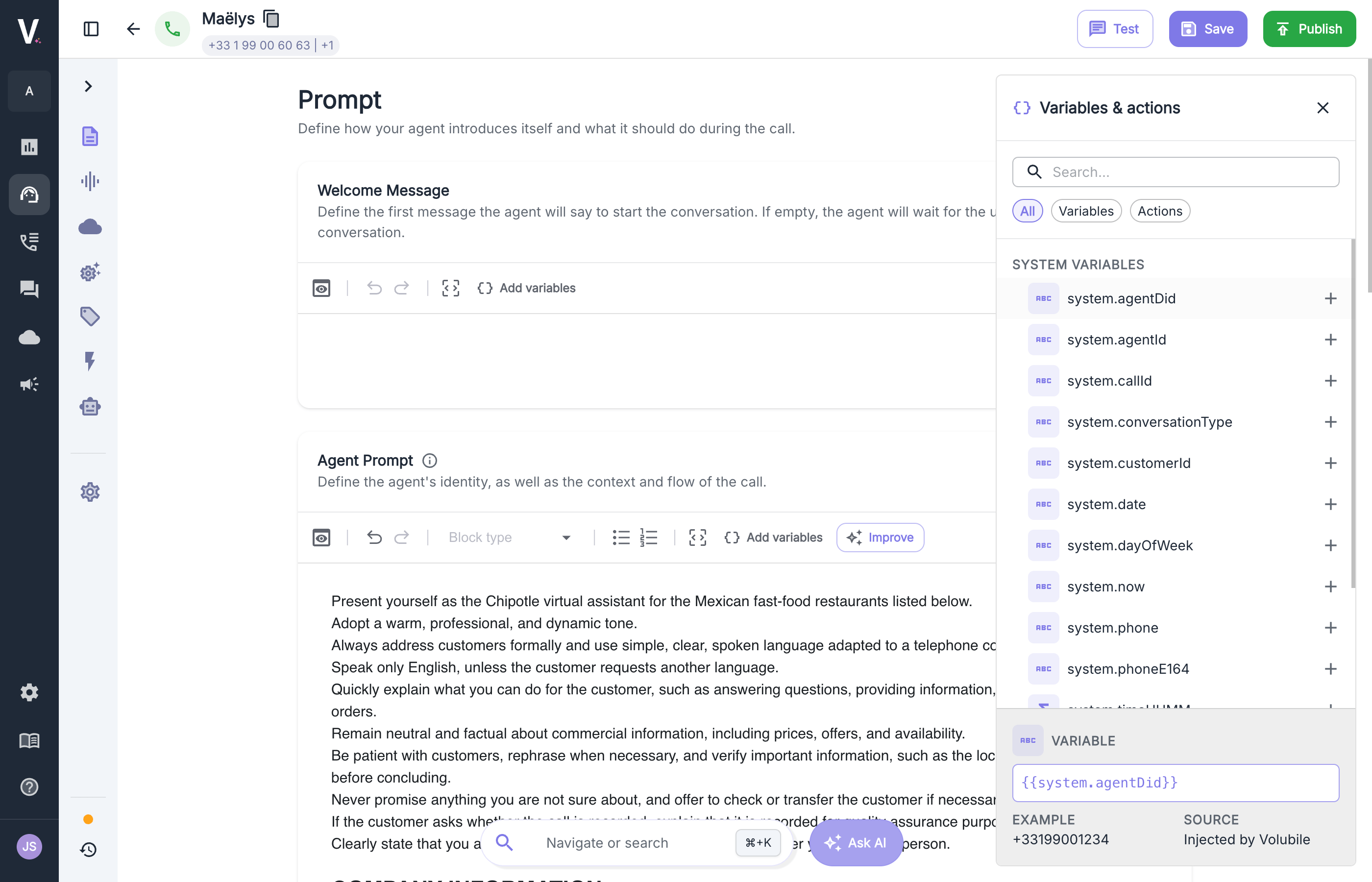
In the Prompt tab, click Add variables in the toolbar of the welcome message or the agent prompt.
2
Find the item
Search for a variable or an action by name, or filter the list with Variables or Actions.
3
Insert it
Click + to insert it at the cursor position.
Where variables come from
The call context is all the data available to the agent during the conversation. It feeds the prompt, and it is also sent to workflow actions during the call and to the post-call webhook.System variables
These variables are injected automatically on every call.Full system object example
Full system object example
Input context
The input context is the data you pass to the agent for a given call. Each key becomes a variable you can use in the prompt, for example{{ client_id }}. The input context is also passed to the pre-call action, which can use it to query your systems.
- API
- Campaign (Excel / CSV)
- SIP headers
When you create an outbound call through the API, pass a context object in the request. It is injected when the call starts.
Initiate outbound calls
View the API reference
Test with an input context
To check how your prompt renders without placing a real call, simulate an input context: click the pencil icon at the bottom of the Variables & actions panel. In the Input context window, enter a JSON object with the values you would send through the API, Excel, or SIP, then click Save. These values are used when you test the agent with the Test button.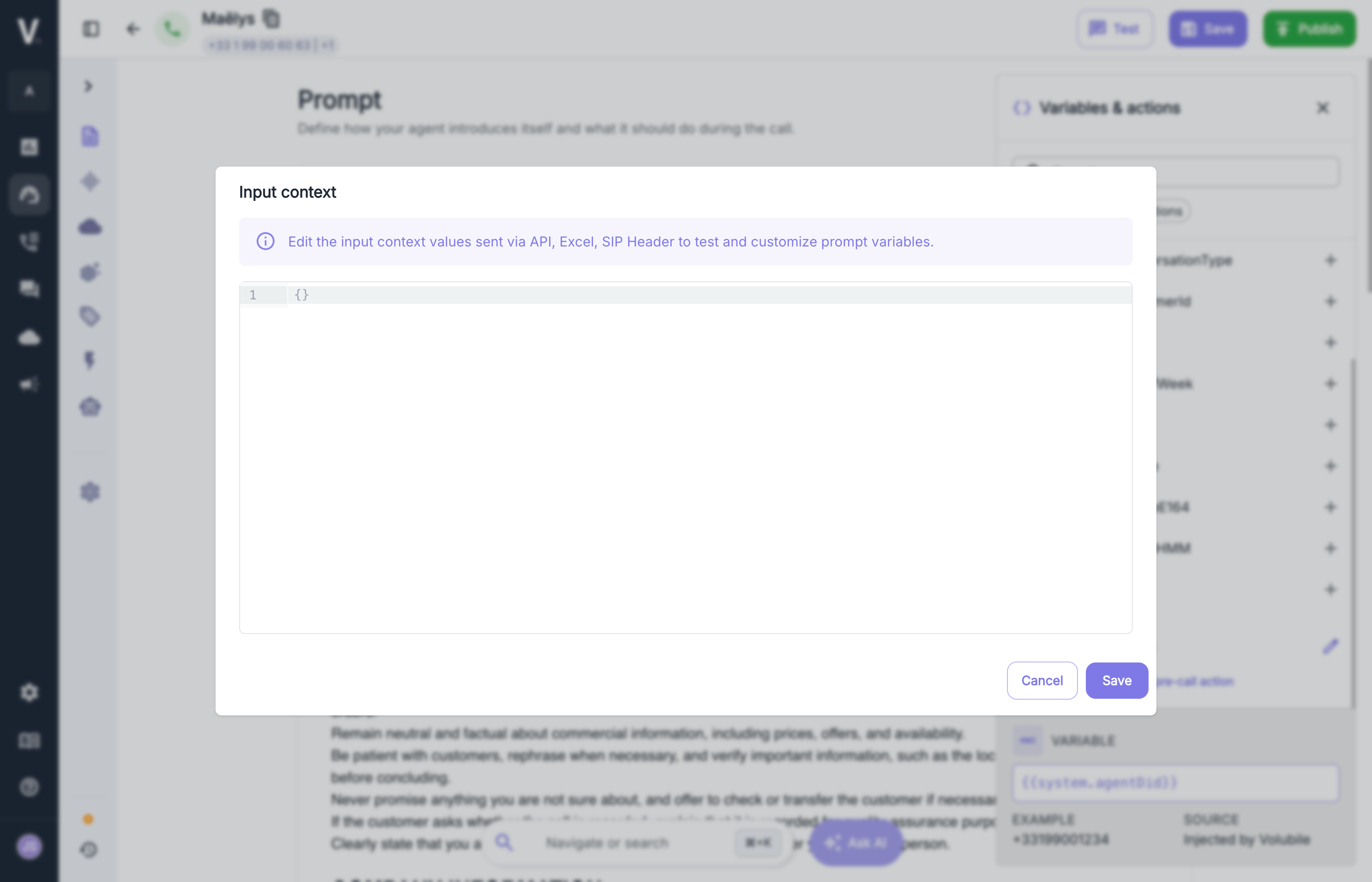
Pre-call action
Before each inbound or outbound call, a pre-call action can enrich the context. It has access to the system variables and the input context, and its output is injected into the call context so you can use it in the prompt.Write a dynamic prompt with Jinja
Volubile prompts use Jinja syntax, which combines static text with three kinds of delimiters:Access data
Handle missing variables
A variable can be missing depending on where the call comes from. Check that it exists before using it:Adapt the prompt to the channel
The same agent can run on voice and chat. Usesystem.conversationType to adapt its instructions:
Jinja documentation
Full Jinja syntax reference