Connect your phone number to your Volubile voice agent in minutes.
For your voice agent to answer your customers, your incoming calls need to be routed to it. There are two ways to do this: call forwarding, which is simple and requires no technical skills, or SIP integration, which is more robust and designed for businesses with a phone system.
Recommended to get started. You forward your current number to your agent’s number.5 minutes · No technical skills required
SIP integration
For phone systems (IP PBX, contact center). A direct connection between your infrastructure and Volubile.30 min to 1 h · Requires your telecom administrator
Standard call forwarding
SIP integration
Setup
Codes on your phone or your carrier’s customer portal
Phone system configuration
Who does it?
You
Your telecom administrator or integrator
Carrier forwarding fees
Possible, depending on your plan
None
Context data (customer ID, store…)
No
Yes, via SIP headers
Not sure? Start with call forwarding to test your agent in real conditions. You can switch to SIP later without reconfiguring anything on the agent side.
Volubile provides a dedicated number for your organization: once forwarding is on, your agent handles forwarded calls according to your configured scenarios. Enter this number, your line type, and your preferences: the codes to dial are generated automatically.
See all forwarding codes
Replace NUMBER with your agent’s number in international format (for example +33123456789).
Forwarding type
Mobile
Landline
Turn off
All calls
**21*NUMBER#
*21*NUMBER#
#21#
Unanswered
**61*NUMBER#
*61*NUMBER#
#61#
Unanswered after X seconds
**61*NUMBER**X# (X = 5 to 30)
—
#61#
Line busy
**67*NUMBER#
*67*NUMBER#
#67#
Off / no signal
**62*NUMBER#
—
#62#
Cancel all forwarding
##002#
#21#, #61#, #67#
—
To check the status of a forwarding rule on mobile, dial *# followed by the service number, then # (for example *#21#).
My carrier doesn't accept the codes
Some plans (prepaid, restricted plans) and some internet boxes don’t support forwarding by codes. In that case, set up forwarding from your carrier’s customer portal or app, usually in a section such as My line > Call forwarding.
Your carrier may charge for forwarding, as an outgoing call to the agent’s number. Check your pricing before going live.Line outside France (Belgium, Switzerland, Germany…): if your agent’s number is French, forwarding is billed as an international call and isn’t always included in your plan. In that case, the SIP integration avoids these fees.
Call your usual number from another phone: a call placed from the forwarded line itself doesn’t trigger forwarding.
Your agent picks up and the call appears in the platform’s call history: you’re all set.
SIP integration (SIP Trunk) connects your phone infrastructure directly to Volubile. It’s the recommended method for professional environments: better quality, no forwarding fees, and the ability to pass context data to the agent.
Before you start, make sure that:
the SIP Trunk feature is enabled on your Volubile account (if not, contact your Volubile representative);
you have access to your phone system’s admin interface, or your telecom administrator is available;
you know your phone system’s public IP addresses, or you prefer credential-based authentication.
1
Open the SIP Trunk settings
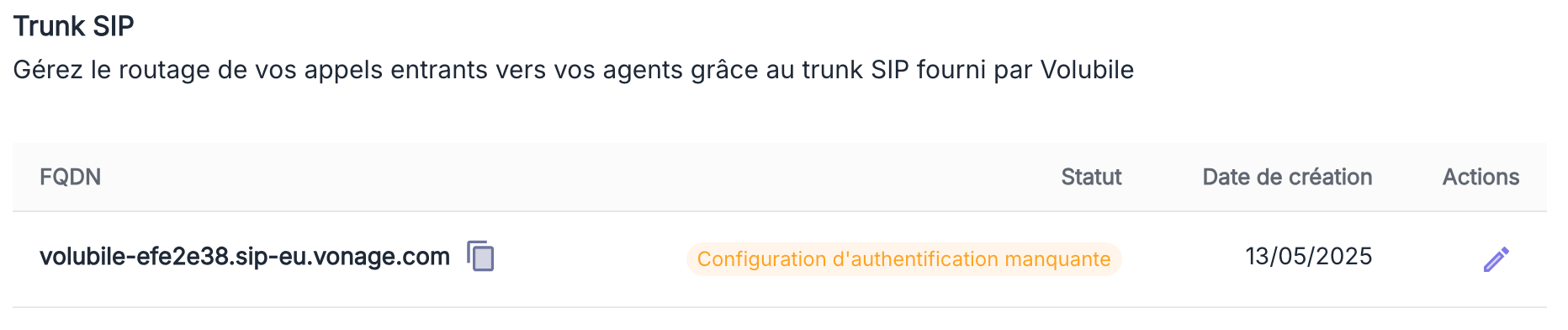
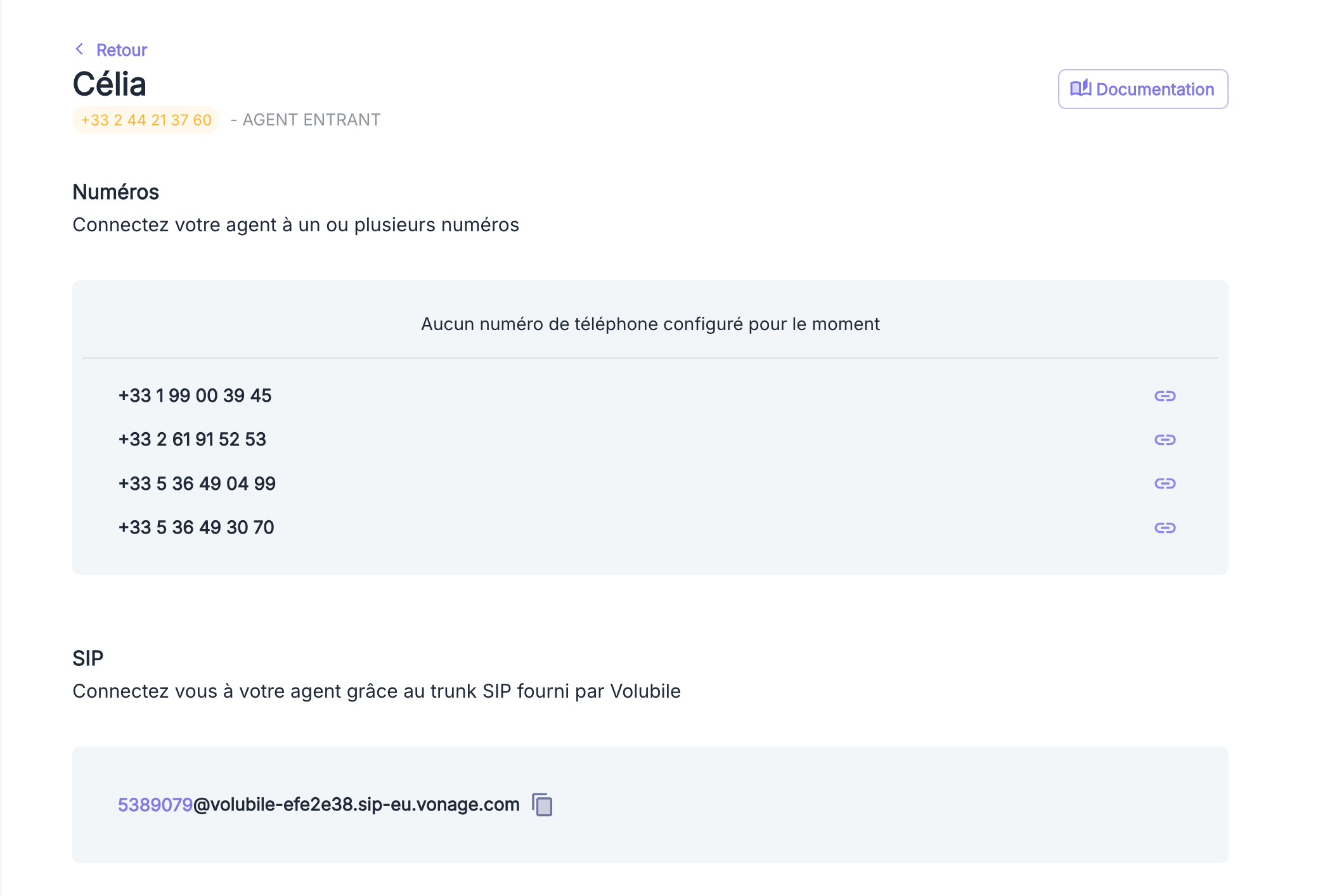
In the Volubile platform, go to Settings > SIP > SIP Trunk.
2
Choose an authentication method
It ensures that only your phone system can send calls to your agents.
IP address authentication (recommended)
Enter the public IP addresses allowed to connect to the trunk.
A single address: 203.0.113.1
An address range (CIDR notation): 203.0.113.0/24
Recommended method: no secret to share or rotate.
Credential authentication
Create a username and password, then enter them in your phone system.
Call forwarding: check that forwarding is on (on mobile, dial *#21# for all-calls forwarding) and that the agent’s number is entered in international format. Test from a phone other than the forwarded line.SIP integration: check that the declared IP addresses match your phone system’s public IPs, or that the credentials are identical on both sides (they’re case-sensitive).
The caller number isn't displayed correctly
With forwarding, some carriers replace the caller’s number with yours. With the SIP integration, send the real number in the X-Volubile-System-From header.
I'm being charged for forwarding
This is normal with some carriers. Check whether your plan includes calls to the agent’s number, or switch to the SIP integration, which has no forwarding fees.
Need help? Contact your Volubile representative, who can help you with the setup.
Assistant
Responses are generated using AI and may contain mistakes.