

Editor
Writes and edits the prompts of your voice agents.
Analyst
Analyzes a call in detail and identifies the root causes of unexpected behaviors.
Documentation
Answers your questions based on the Volubile documentation.
Prompt creation and editing
By opening the Volubile AI Assistant from an agent prompt, it guides the creation and editing of prompts based on the agent architecture (Standard or TruePath), the business context, and the desired tone. Capabilities:- Structure a complete prompt (agent identity, scenarios, etc.) from a use case description
- Adapt the language register to the context (B2B, B2C, formal, conversational)
- Modify an existing prompt by applying grouped and consistent changes
- Identify missing information before generating content
When editing a prompt, the assistant systematically retrieves the current state of the prompt before any modification to avoid version conflicts.

- Standard agent: Agent configuration → Prompt section → “Prompt Configuration” text area
- TruePath agent (global): Agent configuration → TruePath section → General behavior → “Global prompt Configuration” text area
- TruePath agent (node): Agent configuration → TruePath section → Prompt-type node → “Prompt” text area
Call analysis
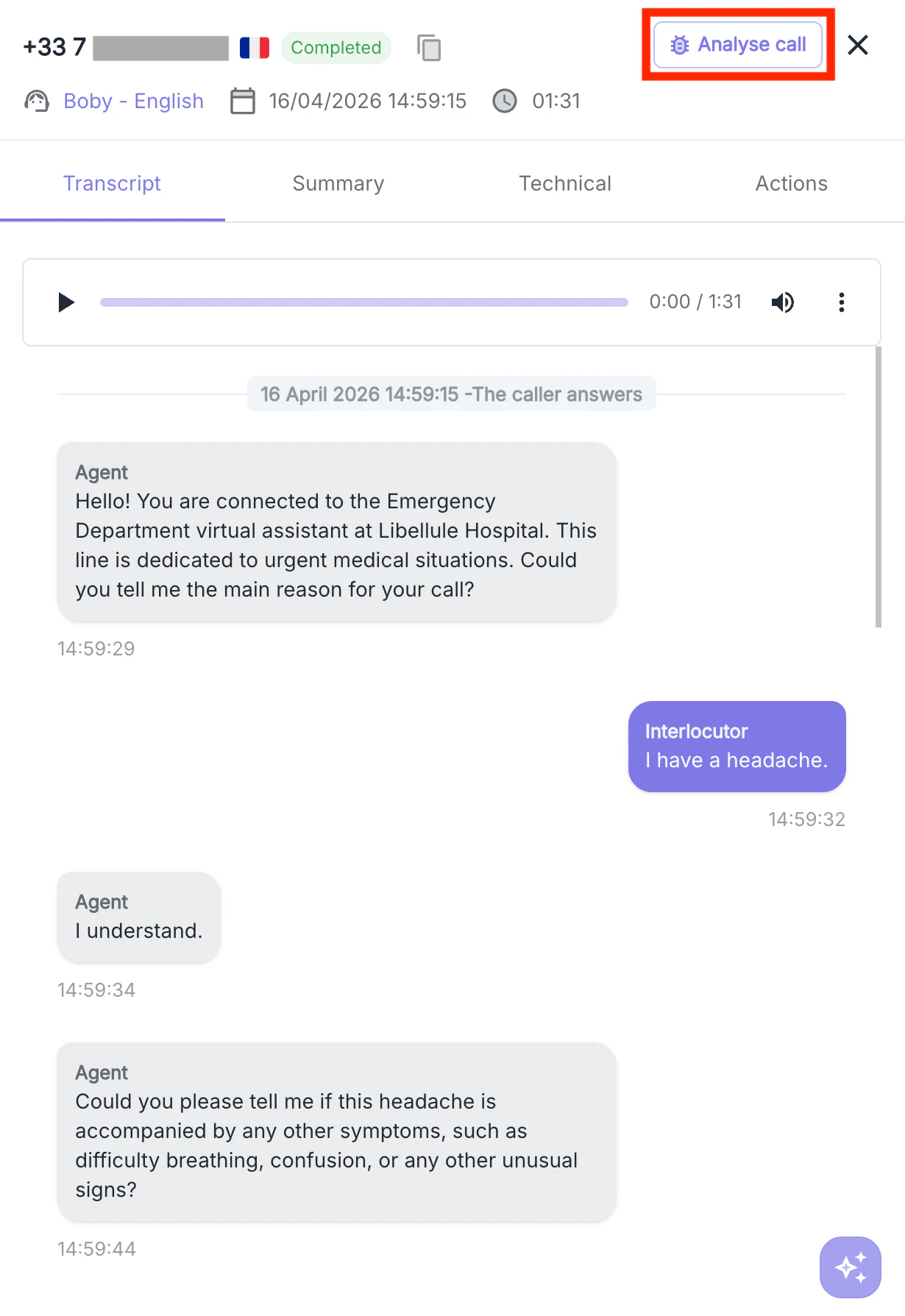
The Volubile AI Assistant can analyze calls. Given a call’s detail view, it reconstructs the event timeline, correlates logs, agent states during the call, and the transcript to explain why the agent produced a specific response at a specific moment. Capabilities:- Identify the conversation turns at the origin of an unexpected behavior
- Analyze the conversation turn and find the root cause of the issue
- Highlight inconsistencies between the agent configuration and its observed behavior
- Produce a structured analysis backed by evidence from the call data
When using this capability, the assistant does not modify any data. It operates exclusively in read-only mode.
Documentation
The Volubile AI Assistant can answer your questions about the Volubile platform based on the official documentation. Capabilities:- Answer questions about platform features and behavior
- Locate documentation pages matching a specific need
- Provide answers accompanied by links to their sources
Responses are always grounded in the Volubile documentation. The assistant does not generate content beyond what it contains.
