Campaigns

Campaign List

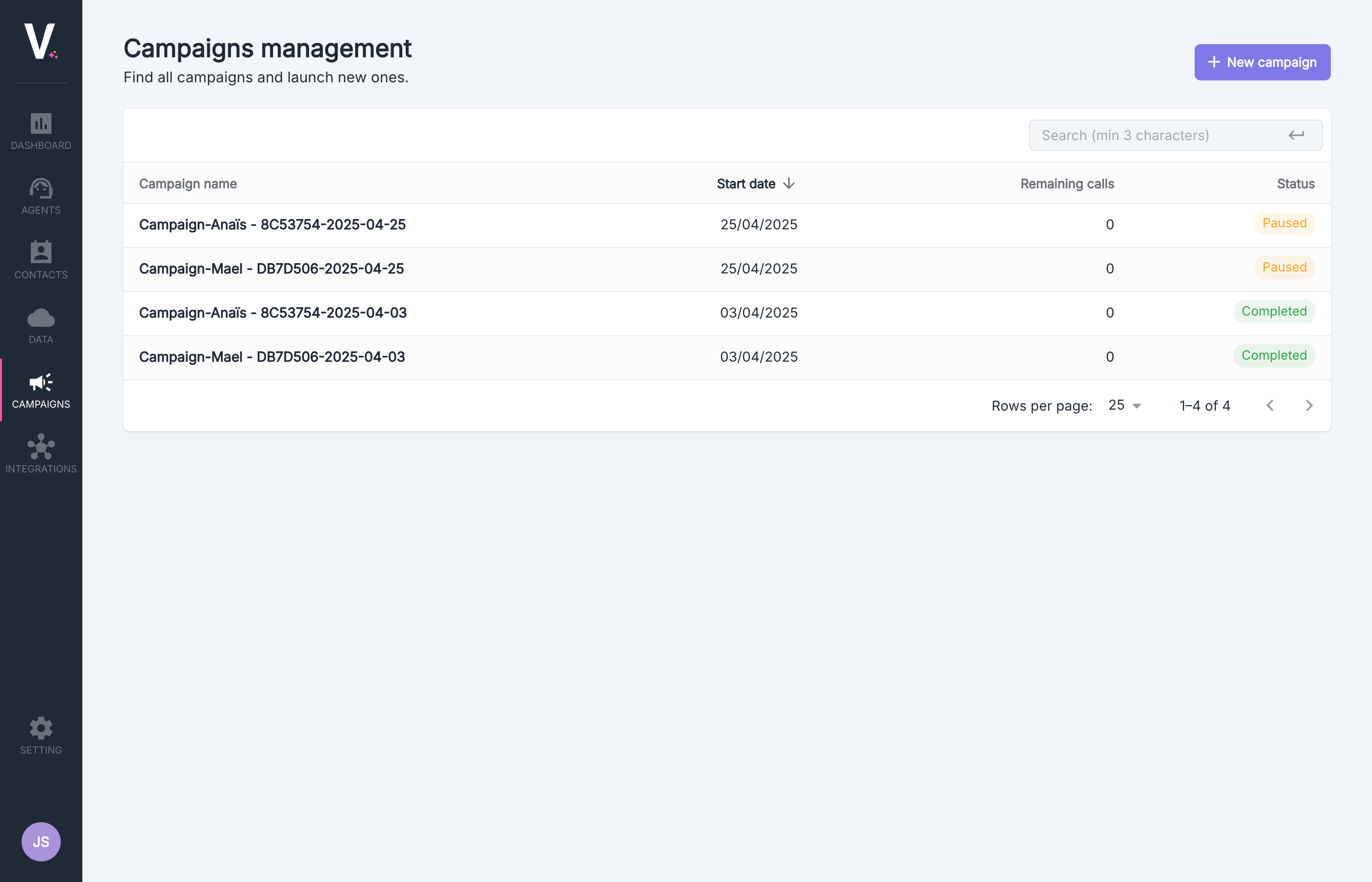
The dashboard centralizes the management of all your active and completed campaigns.
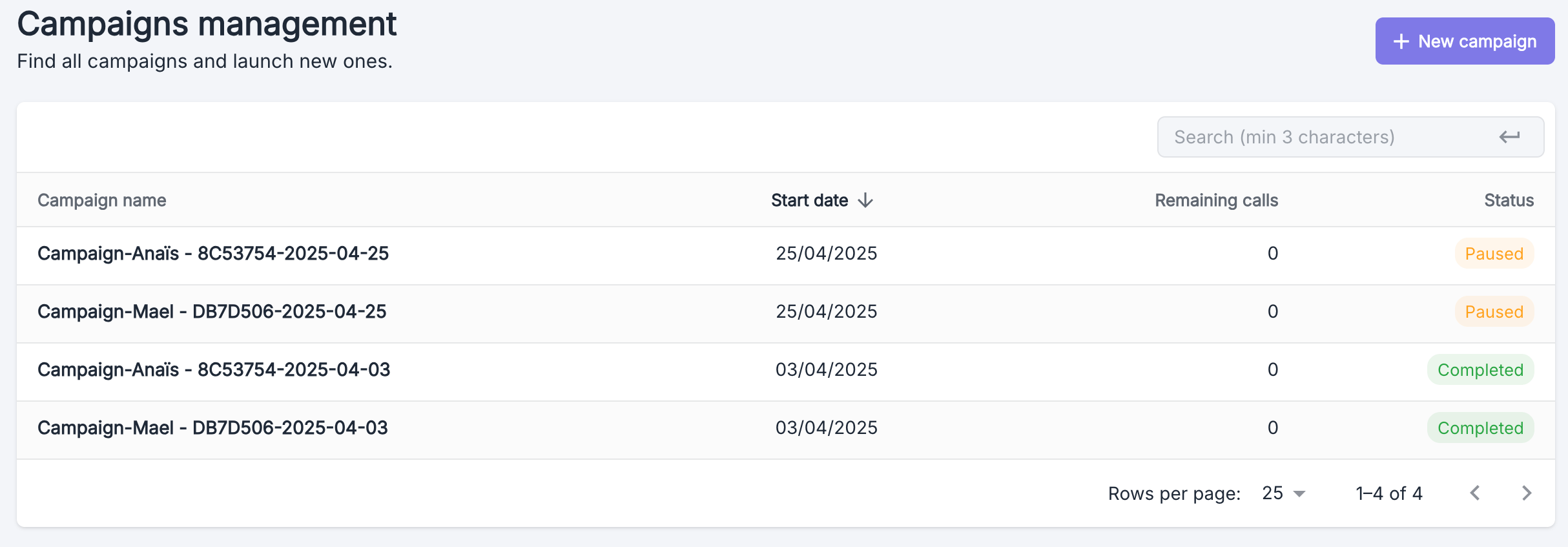
Volubile Campaigns Dashboard
ColumnDescription
Campaign NameUnique identifier for your campaign
Start DateActivation date of the campaign
Remaining CallsNumber of calls still to execute
StatusCurrent state: In Progress, Paused, or Completed
To access the detailed interface of a specific campaign, simply click on the corresponding row.

Creating a Campaign

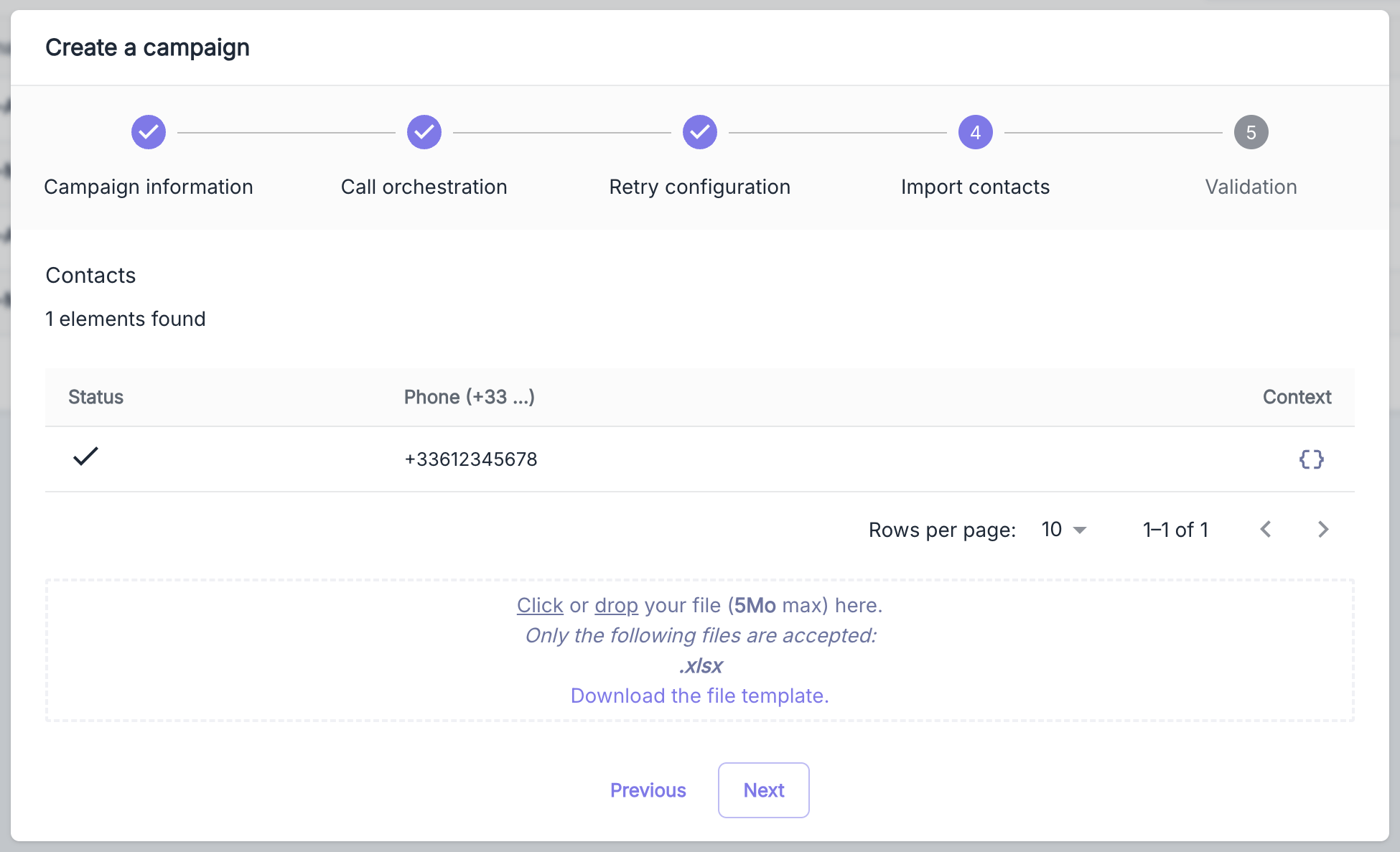
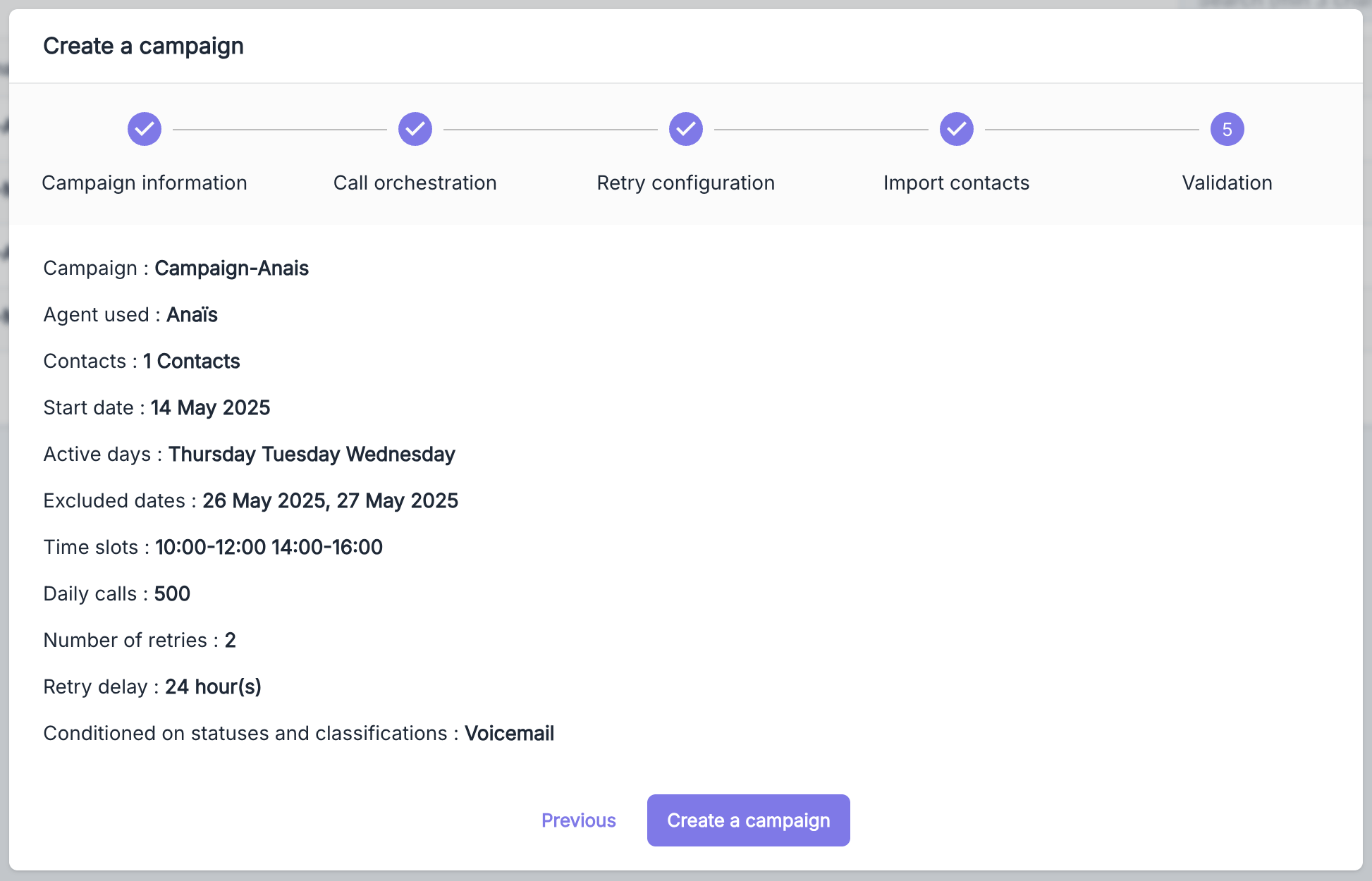
To set up a new campaign, click on the New Campaign button located at the top right of the interface.
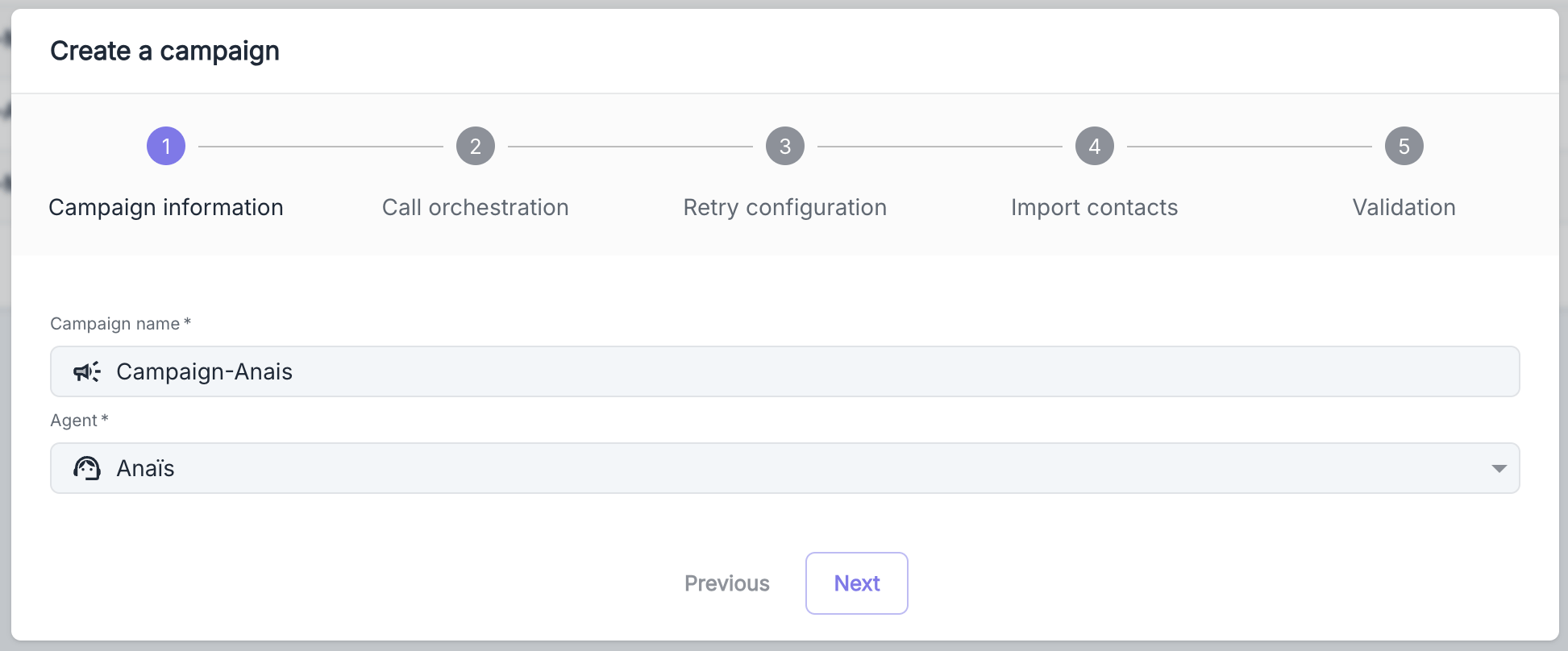
Step 1: General campaign information
ParameterDescription
Campaign NameUnique identifier within your organization
Outbound AgentAgent configured for outbound calls associated with a compatible line
To configure your agents and phone lines, refer to the Telephony section of the documentation.

Campaign Details

The detailed interface provides a comprehensive view of the performance, communications made, and scheduled actions for each campaign.
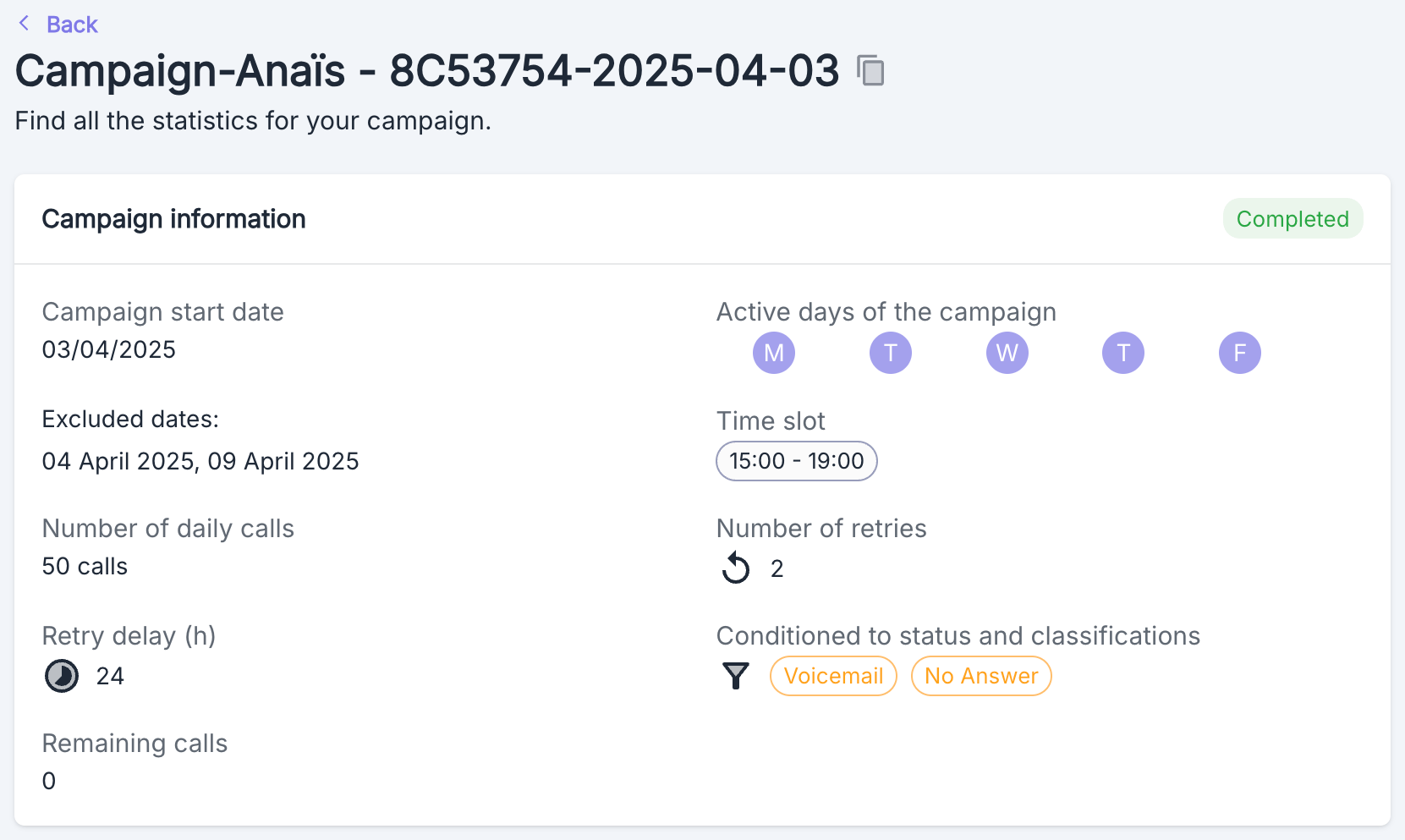
Detailed view of a Volubile campaign

General Information

This section presents the fundamental parameters of your campaign:
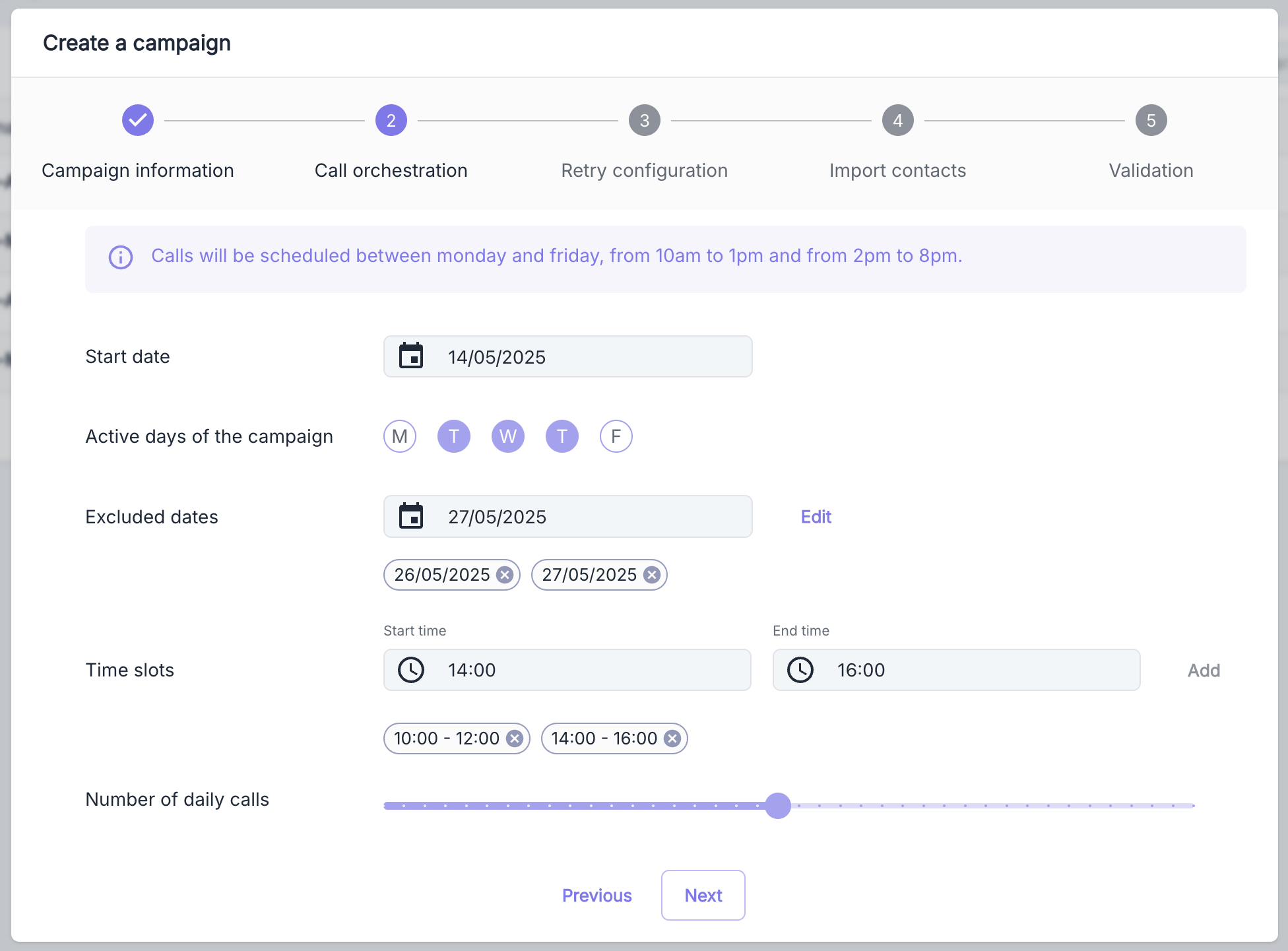
  • Launch dates and exclusion periods
  • Configured time slots and active days
  • Daily volume and maximum number of attempts
  • Counter of remaining calls to be made
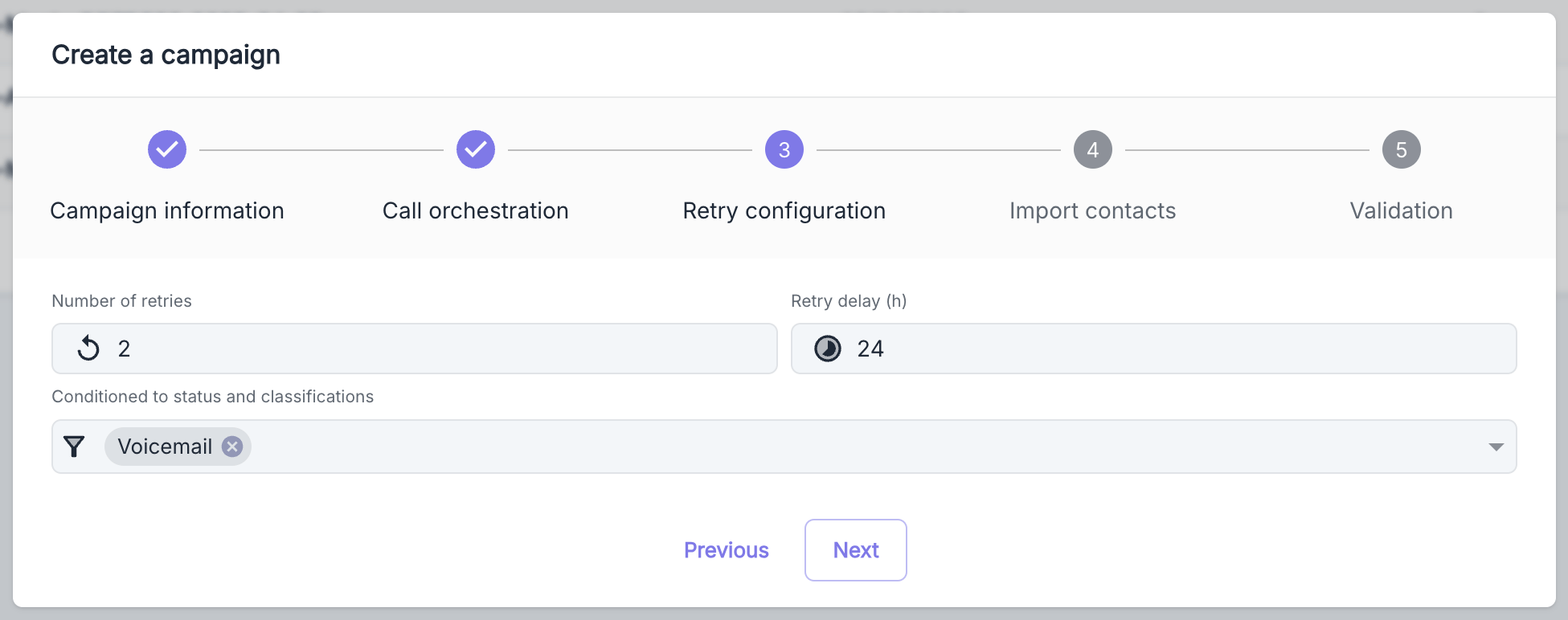
  • Parameters for additional attempts

Activity & Statistics

Visualize and analyze your campaign’s performance with:
  • Interactive daily activity chart
  • Total and average call duration indicators
  • Detailed segmentation by status and qualification

Call History

This table presents the complete history of communications made:
ColumnDescription
AgentIdentifier of the agent who made the call
NumberContacted phone number
DateTimestamp of the communication
DurationConversation time
StatusResult of the call
QualifierQualitative classification (if configured)

Scheduled Calls

This section displays upcoming planned communications:
ColumnDescription
NumberPhone number to contact
ContextAssociated contextual data
Scheduled atPrecise time schedule
StatusCurrent state of the task
In the absence of scheduled calls, a visual indicator signals that the queue is empty.

Action Menu

The context menu allows you to effectively manage your campaign:
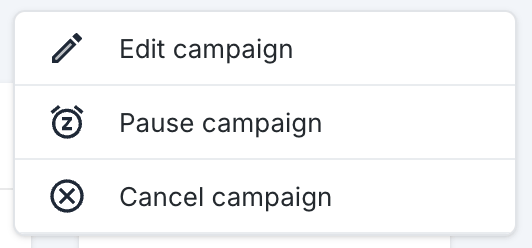
Volubile campaign action menu
ActionDescription
Suspend CampaignTemporarily suspends the call operations
Resume CampaignReactivates a previously paused campaign
Cancel CampaignPermanently halts all operations
Modify CampaignOpens the configuration form for modifications
A canceled campaign cannot be reactivated later.
A paused campaign retains its entire call queue and can be resumed at any time.

Export Call Data

You have the option to export your campaign calls data in .xlsx format by clicking the download button in the top right corner of the campaign call lists.
Data export is limited to 30,000 rows. Use filters to narrow down your request.