

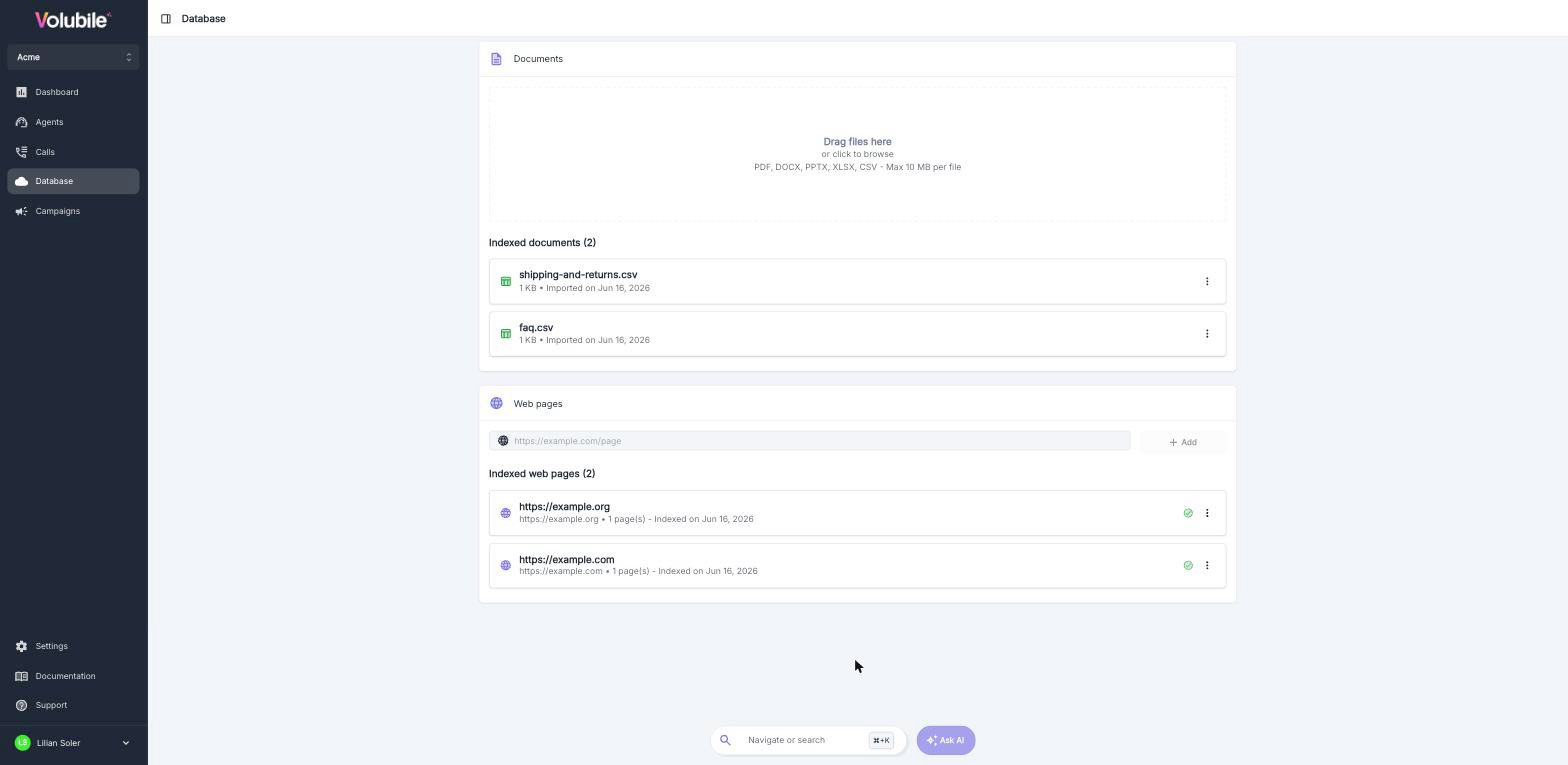
What is the Database for?
A voice agent knows how to talk, but it doesn’t know your company: your pricing, your opening hours, your refund policy, your products. The Database is its internal documentation: the agent consults it in real time during the conversation so it can answer with your information rather than guesses.Behind the scenes, this technique is called RAG (Retrieval-Augmented Generation): the agent first searches your database for relevant information, then writes its answer based on what it found.
How it works: chunks
Your agent doesn’t reread an 80-page document for every question. Volubile splits each source into small pieces of text called chunks. When a caller asks a question, the agent finds the closest chunks and uses them to answer. Think of a binder of index cards rather than an encyclopedia: the clearer and more focused your cards, the faster the agent finds the right one.A single knowledge base is shared across the whole customer account. Each agent draws on the information it needs based on its configuration.
Step 1: import your documents
In the Database section of the side menu, drop your file into the dedicated area, or click it to browse your computer.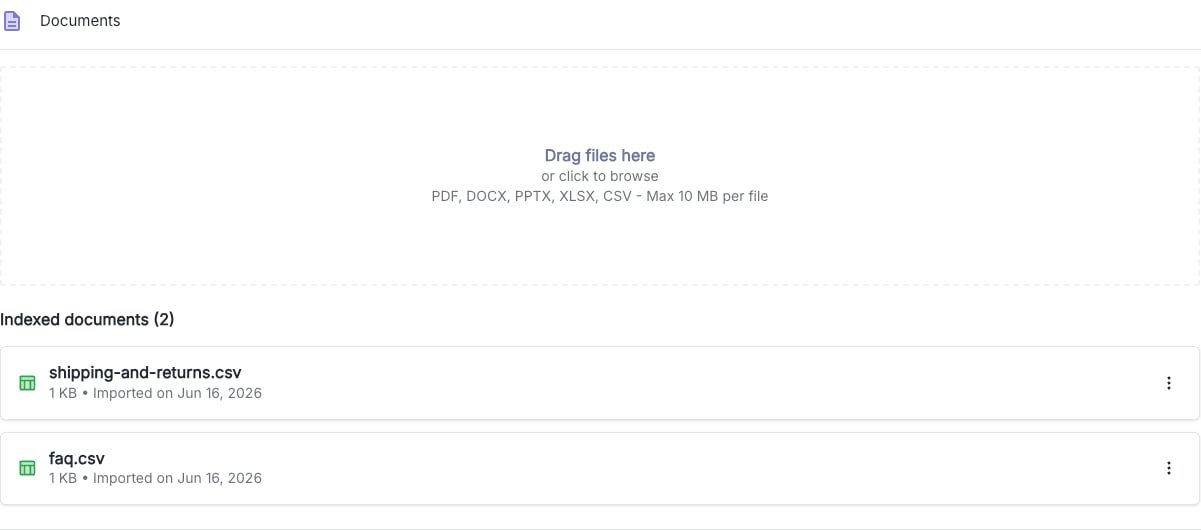
Once the file is processed, it appears in the Indexed documents list, with its name, size and import date. Indexing may take a few moments: a status indicator shows its progress.
Manage a document
The menu to the right of each document offers three actions:Update a document
Has your document changed (new pricing, new brochure)? Use Replace file: Volubile fully reindexes the document from the new version.Step 2: add your web pages
Does your website already contain the right information? No need to copy and paste it: Volubile can read it directly. Enter a URL, then click Add.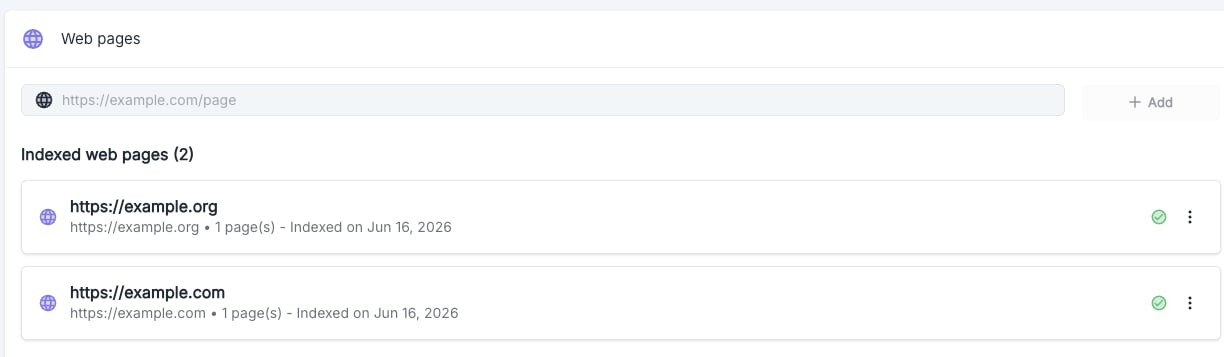
1
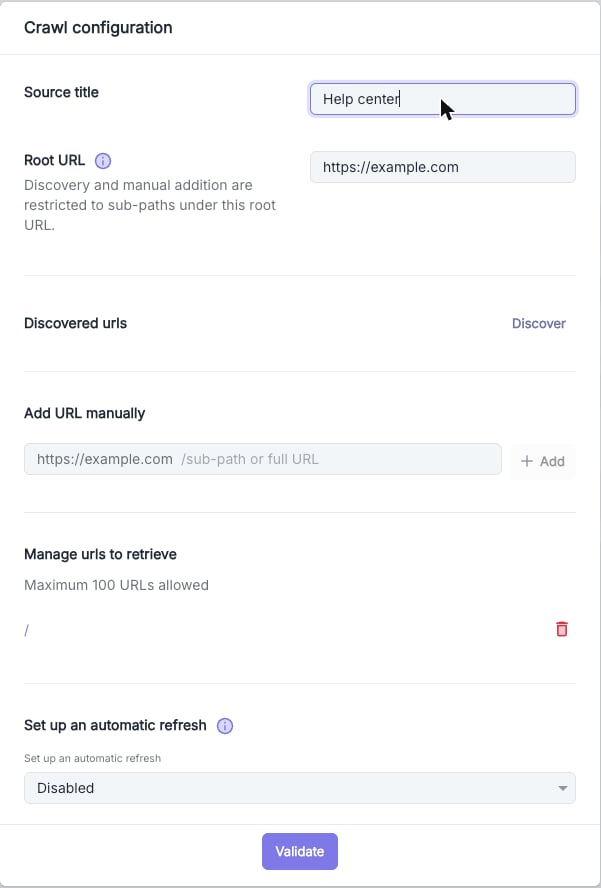
Name the source
Give this web source a recognizable name, for example “Marketing site” or “Help center”. This field is required.
2
Enter the starting address (Root URL)
This is the main address of the site to read. Volubile only covers pages located under this address: if you enter
mysite.com/help, only pages in the “help” section will be included.3
Choose the pages to retrieve
Click Discover and Volubile automatically detects the pages of the domain, or add subpaths yourself. You can select up to 100 URLs per source.
4
Schedule updates (optional)
To keep the agent up to date when your site changes, enable automatic refresh: daily, weekly or monthly.
Track indexing
Each web source shows its title, URL, number of pages and indexing date, along with a status:
The menu of each source lets you configure retrieval, refresh it manually, or delete the source. Click a source to view its pages and their chunks, in the Chunks or Markdown view.
Step 3: refine your chunks
This is the step that makes the difference. Click a document to open the side panel and view its chunks, which is exactly what your agent “sees” and uses to answer.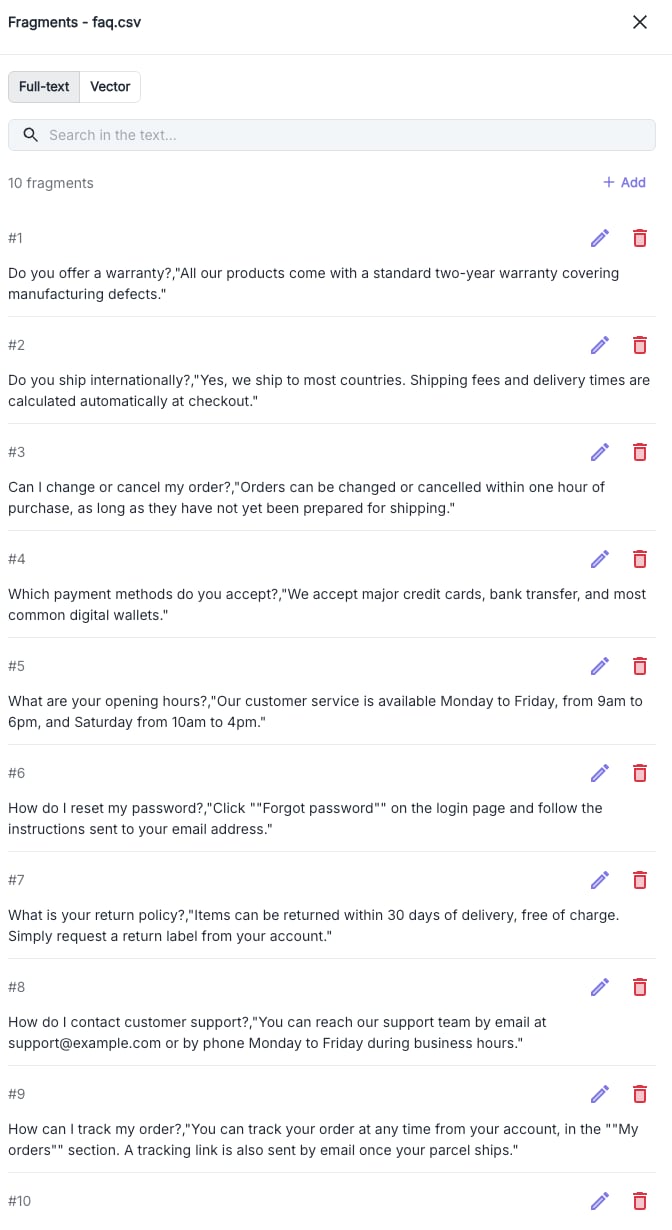
Find a piece of information
Looking for a specific passage, or want to check what the agent would find for a given question? Two search modes are available:Fix and enrich the content
Each chunk can be managed individually:Delete a source
Deleting a document or a web source is irreversible.Prompt or Database: what goes where?
A common question: should information be written in the agent’s prompt or in the Database?The prompt drives behavior
The flow of the conversation, the tone, the important rules: when to transfer a call, when to offer an appointment, how to react to an unhappy caller.
The Database provides the facts
Pricing, opening hours, services, names, addresses, terms and any other information about your company.
Checklist: a good knowledge base
- Your callers’ most frequent questions find their answer in the database.
- Long content is imported as readable documents, with a clear name.
- Web pages that change regularly are indexed with automatic refresh.
- Key chunks have been reviewed and rephrased to match real questions.
- Each agent has access to the sources that concern it.
My agent doesn’t use the database: what should I check?
1
Is the source attached to the agent?
Check in the agent’s configuration that the relevant source is selected.
2
Is the information really in the database?
Run a Vector search with the question as a caller would ask it. If the right chunk doesn’t appear, rephrase it or add a new one.
3
Does the prompt tell the agent to rely on it?
Specify in the prompt that the agent must rely on the Database to answer questions about your company.
4
Is indexing finished?
Check that the source shows the Success status.