

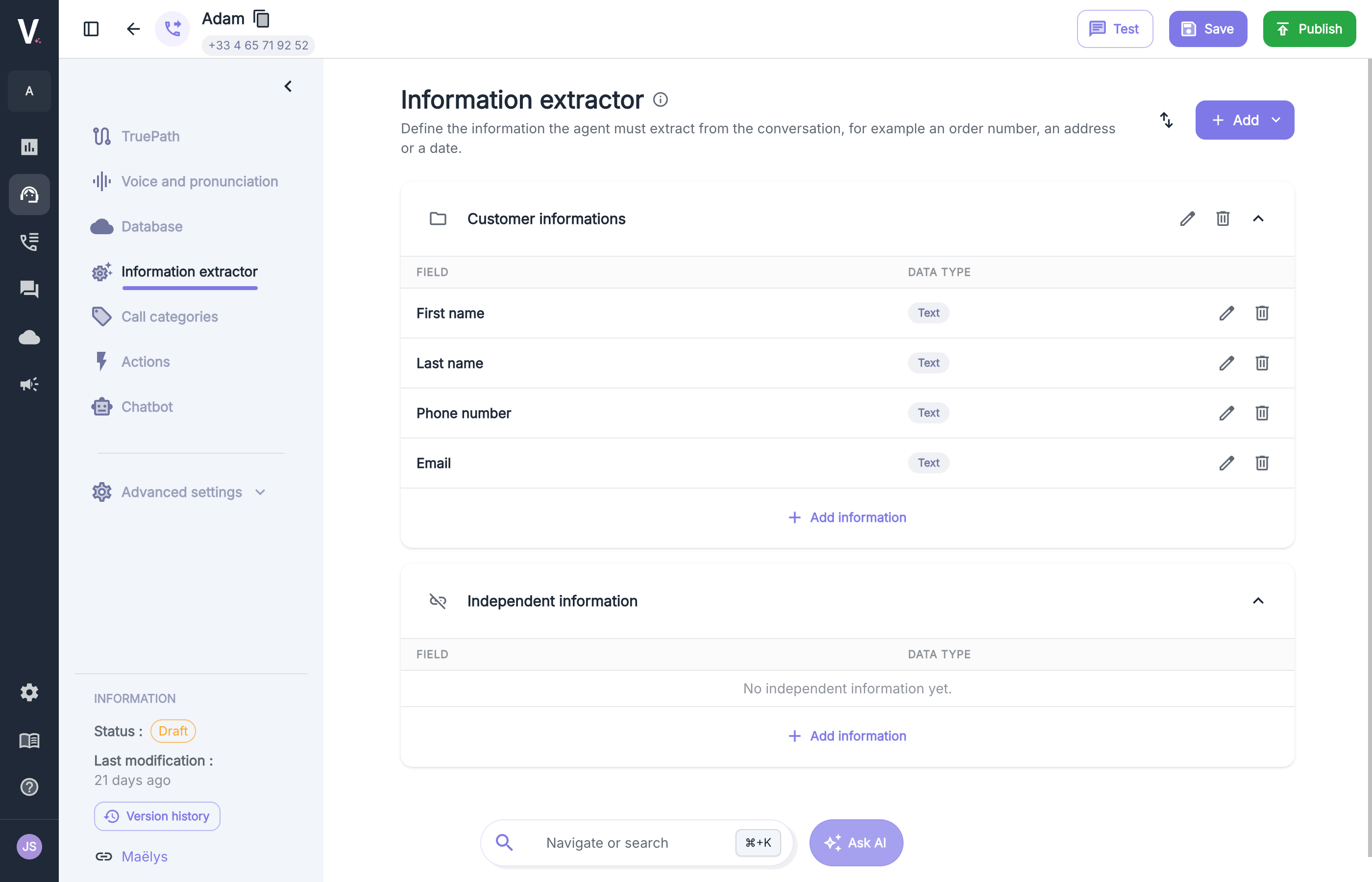
Two ways to organize information
You can create information inside a group or as independent information. The page shows one section per group, plus an Independent information section.Information group
Gathers information that belongs together, such as a customer’s contact details. Each group has a name and can be renamed, deleted, or collapsed.
Independent information
A standalone piece of information with no link to the others, such as a case number or a call reason.
Groups are top-level sections. A group contains information, not other groups.
Structure of an information field
Each field is displayed in a table with two columns: Field and Data type.Create a group
1
Open the extractor
In your agent, click Information extractor in the left menu.
2
Add a group
Click Add at the top right, then choose the information group.
3
Name the group
Give it a clear name, for example Customer informations.
4
Add information
In the group section, click Add new information, fill in the name, type, and description, then confirm.
Create independent information
There are two ways:- In the Independent information section, click Add information.
- Click Add at the top right and choose independent information.
Configuration example
For an appointment-booking agent, you can define:- a Customer informations group with
First name,Last name,Phone number, andEmail; - independent information such as
Call reasonorRequested date.
Import and export as JSON
You can export the extractor configuration as JSON, then import it into another agent. This is useful to:- reuse the same set of information across several agents;
- back up a configuration before changing it;
- prepare the list of information outside the interface, then load it in one go.
- Export
- Import
- Open Information extractor.
- Click the import/export icon to the left of the Add button.
- Choose export. The JSON file contains the groups and the independent information.
File format
Write good descriptions
The description is what the model reads to decide what to extract.- State exactly what you expect: “Customer’s phone number, in international format” rather than “Phone”.
- Specify the output format when it matters: date as
DD/MM/YYYY, number without spaces. - Cover ambiguous cases: “If the caller gives two addresses, keep the delivery address.”