Types of Agents
- Incoming Agent
- Outgoing Agent
Connection by Phone Number
For an Incoming Agent
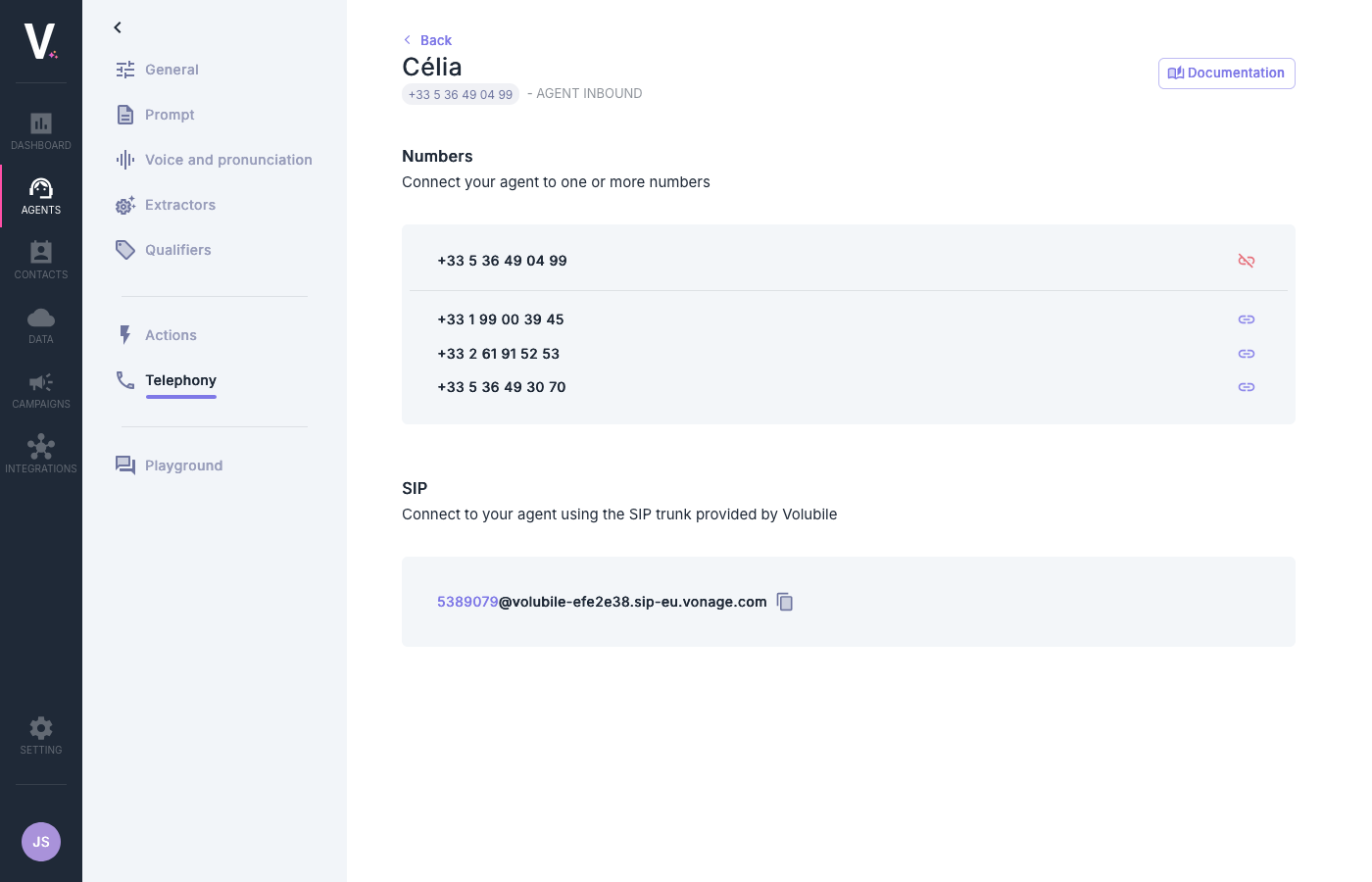
- Go to the configuration page of your incoming agent.
- In the Numbers section, view the list of available numbers.
- The number currently associated with the agent is displayed at the top of the page:
- To add additional numbers:
- Click on the link icon next to the desired number.
- To disconnect a number:
- Click on the disconnect icon .
For an Outgoing Agent
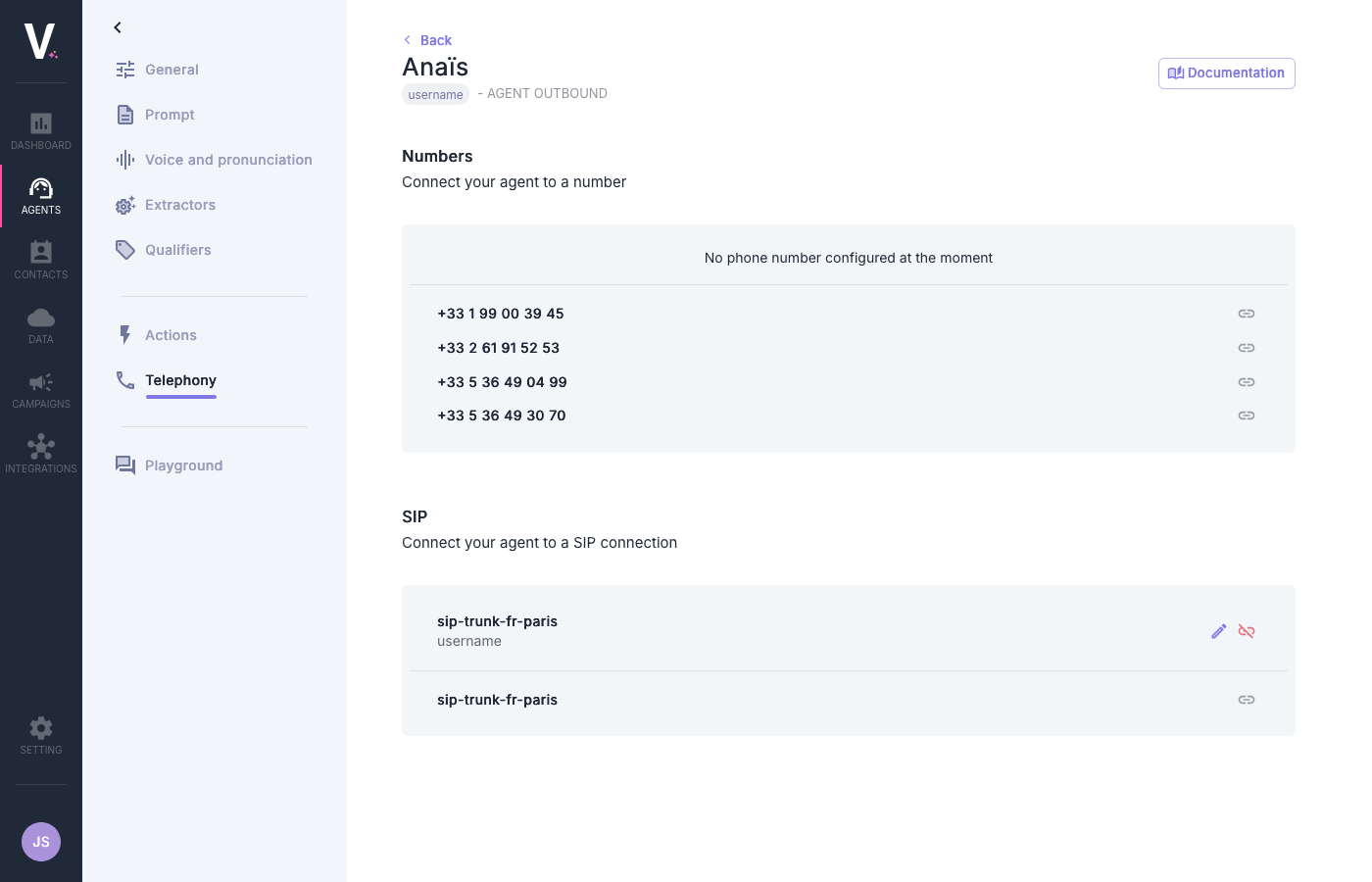
- Go to the configuration page of your outgoing agent.
- Review the list of available numbers.
- Select the desired number by clicking on the corresponding link icon .
Connection via SIP Protocol
What is the SIP protocol?
What is the SIP protocol?
SIP (Session Initiation Protocol) is a signaling protocol used for establishing, modifying, and terminating multimedia sessions such as voice and video calls over IP networks.
For an Incoming Agent
To connect your incoming agent via SIP, go to the SIP section:1
Locate the SIP Address
In the “SIP” section, you will see the SIP trunk provided by Volubile.
2
Copy the Address
The SIP address is presented in the form of an identifier and a domain:You can copy this address by clicking on the copy icon .
3
Configure Your System
Use this address to configure your phone system to redirect calls to your agent.
For an Outgoing Agent
To connect your outgoing agent to a system using the SIP protocol:- Locate the pre-configured SIP connection (e.g.,
sip-trunk-fr-paris). - Use the link icon to establish the connection .
Configuring a SIP Connection for an Outgoing Agent
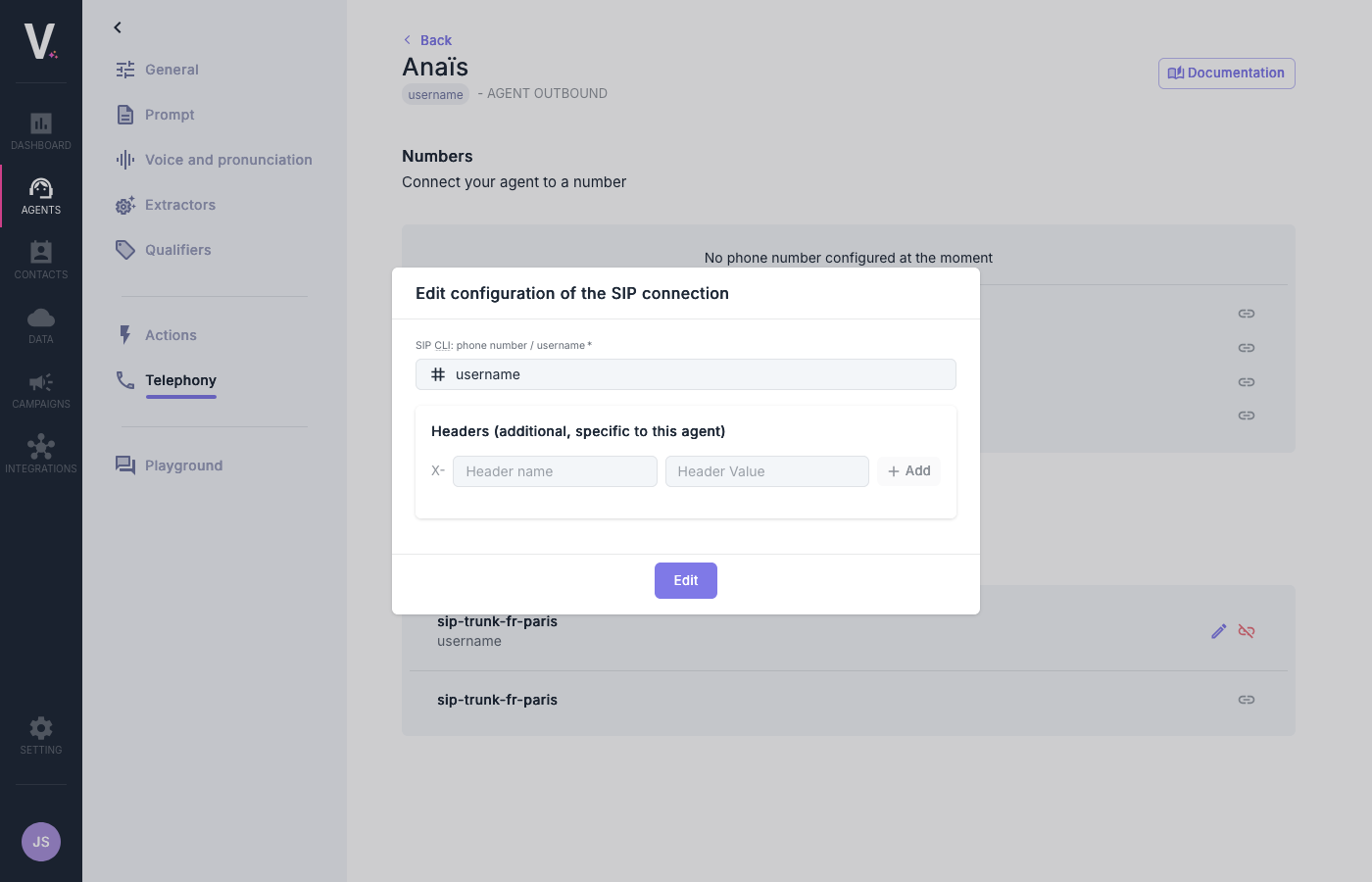
For an outgoing agent, you can modify the settings of your SIP connection by clicking on the edit icon (pencil). This will open an editing form with the following options:SIP Identification
- SIP CLI: phone number / username: Enter the SIP username or the phone number that will be used to identify your agent.
Custom Headers
You can configure additional SIP headers specific to this agent:- Click on Add to add a new header.
- For each header, specify:
- Header name: Name of the SIP header.
- Header Value: Value associated with this header.