Definition
In the context of configuring a generative AI conversational agent, actions refer to the concrete operations that the agent can perform beyond simple text generation. They enable the agent to do something before, during, or after a call. An action is an explicit instruction that the agent can execute, generally triggered by an identified user intent or a particular context in the conversation. Examples of actions in an AI conversational agent:- Call an external API → Retrieve an order status, check a calendar, query a database
- Trigger a workflow → Create a CRM ticket, send a support request, launch an internal procedure
- Send an email or SMS → Appointment confirmation, client follow-up, summary delivery
- Create / modify a database entry → Update a client profile, record a response
- Redirect to a human → Transfer to an advisor when needed, escalate a complex case
- Perform a calculation or business verification → Estimate a quote, validate eligibility, compare two products
Usage
To effectively respond to the entire communication lifecycle, the action architecture has been structured around three strategic moments.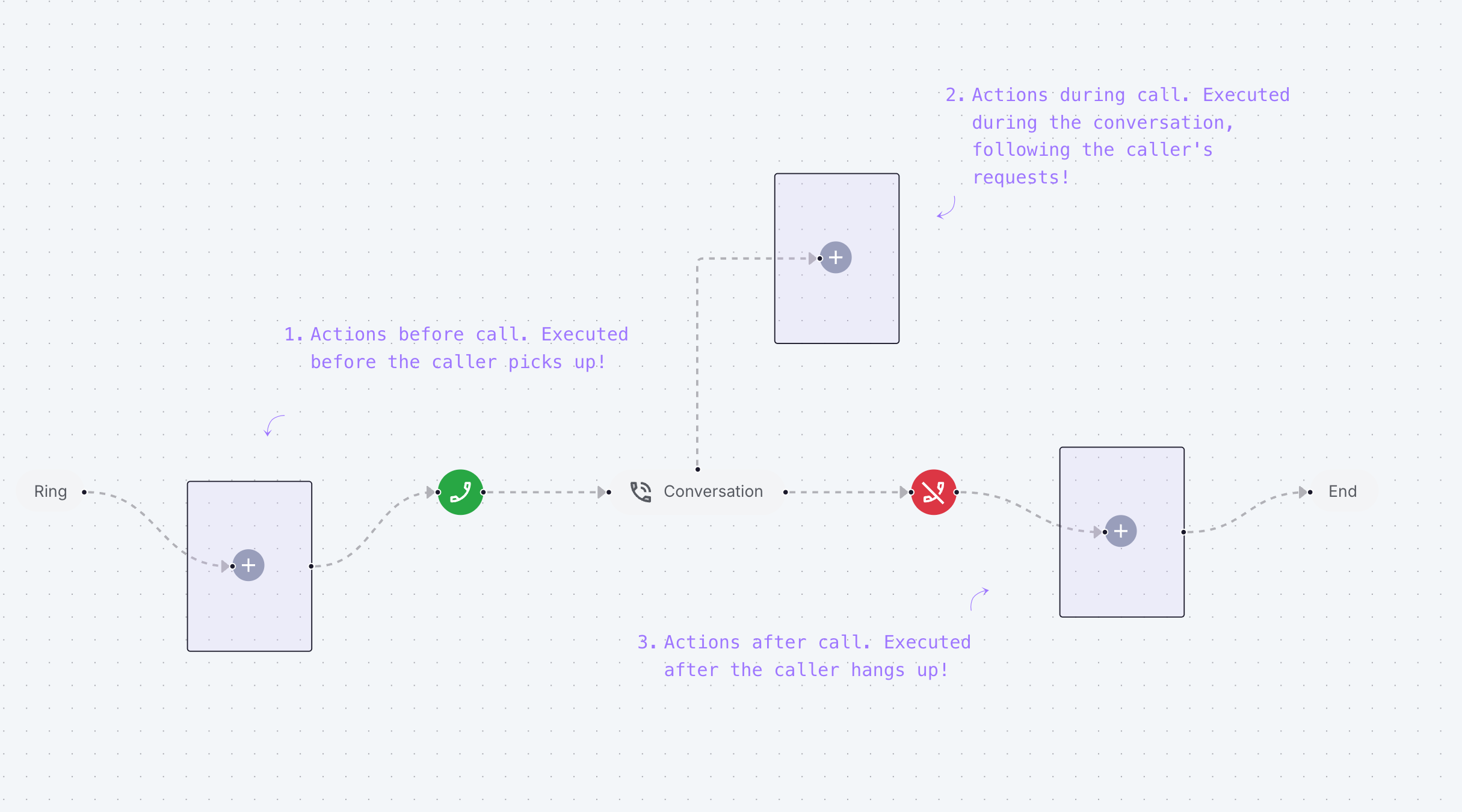
1
Before the Call
During the ringing interval, you can trigger preliminary actions such as identifying the caller or retrieving essential contextual information to prepare the agent for the interaction.
2
During the Call
Once the call starts and throughout its duration, you can equip your agent with numerous actions.These capabilities allow you to precisely configure how the agent accesses additional information, manages call transfers, determines call termination conditions, and optimizes interactions with IVR systems and hold messages.It is in this phase that actions reveal their maximum potential, offering a multitude of automation possibilities. This flexibility can sometimes complicate design, but our platform has been optimized to make this configuration as intuitive as possible.
3
After the Call
Once the communication is complete, post-call actions can be executed to ensure necessary follow-ups: automatic sending of confirmation emails, synchronization with your management system, updating databases, and other integration processes.
First steps
Creating Actions To implement a new action, follow this process:- Access the Actions section from the main navigation menu
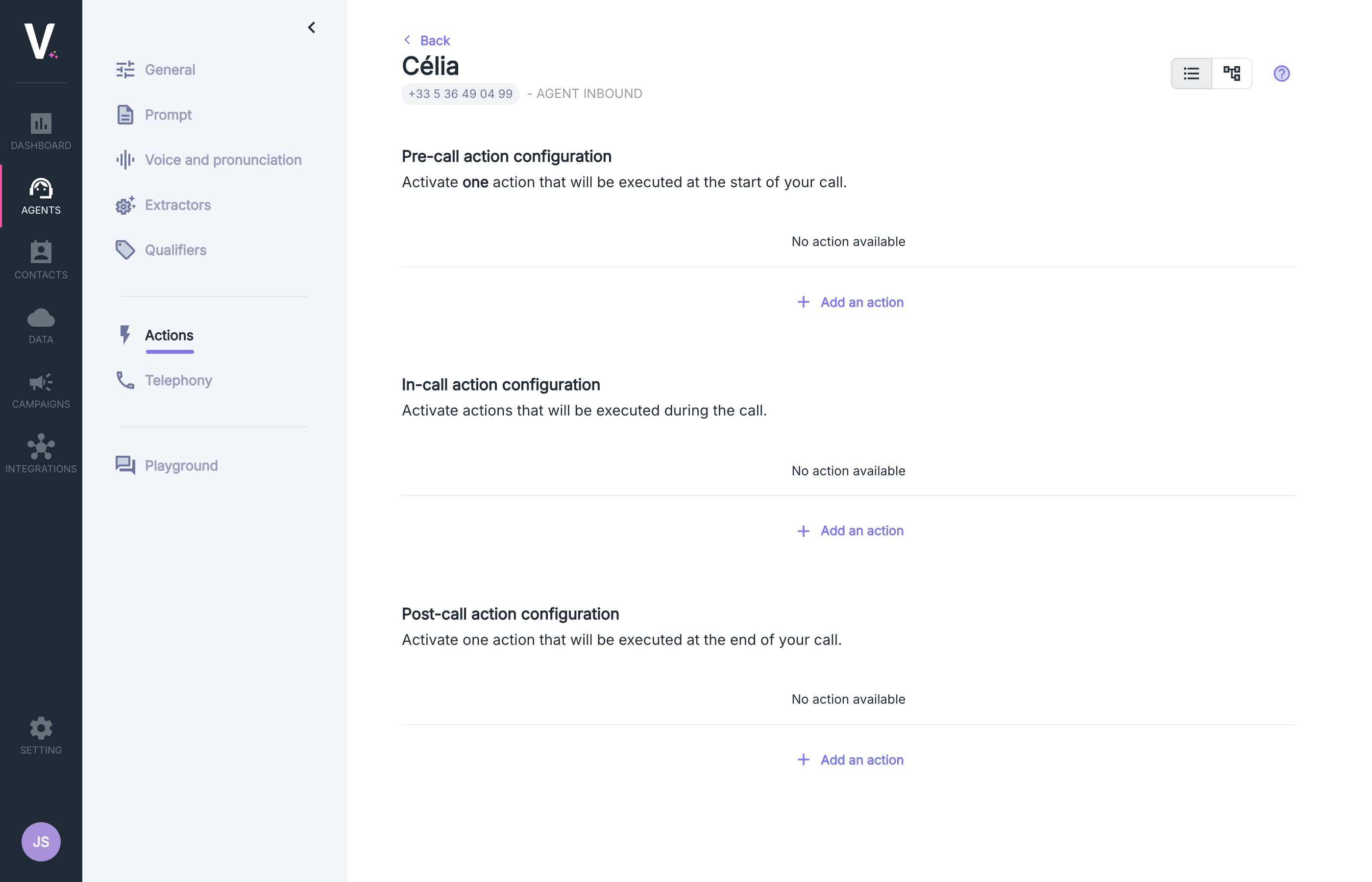
- Select the appropriate configuration according to the moment you wish the transfer to execute:
- Configuration of actions before the call
- Configuration of actions during the call
- Configuration of actions after the call
- Click on Add an Action to create a new action