

Homophones
Why configure homophones?
Configuring homophones enhances the voice recognition quality of your agent by replacing
words that are pronounced identically with the most appropriate form for your business context.
"made" and "maid" or "peace" and "piece".
For voice recognition systems, homophones can cause transcription errors, as the system must determine which specific word was pronounced without visual clues.
Configuring homophones in Volubile allows you to:
- Reduce transcription errors
- Improve the accuracy of the agent’s responses
- Tailor recognition to the specific vocabulary of your industry
How to configure homophones
1
Add a homophone
Click on Add a homophone
2
Define the preferred homophone
In the Homophone field, enter the word to prioritize in your context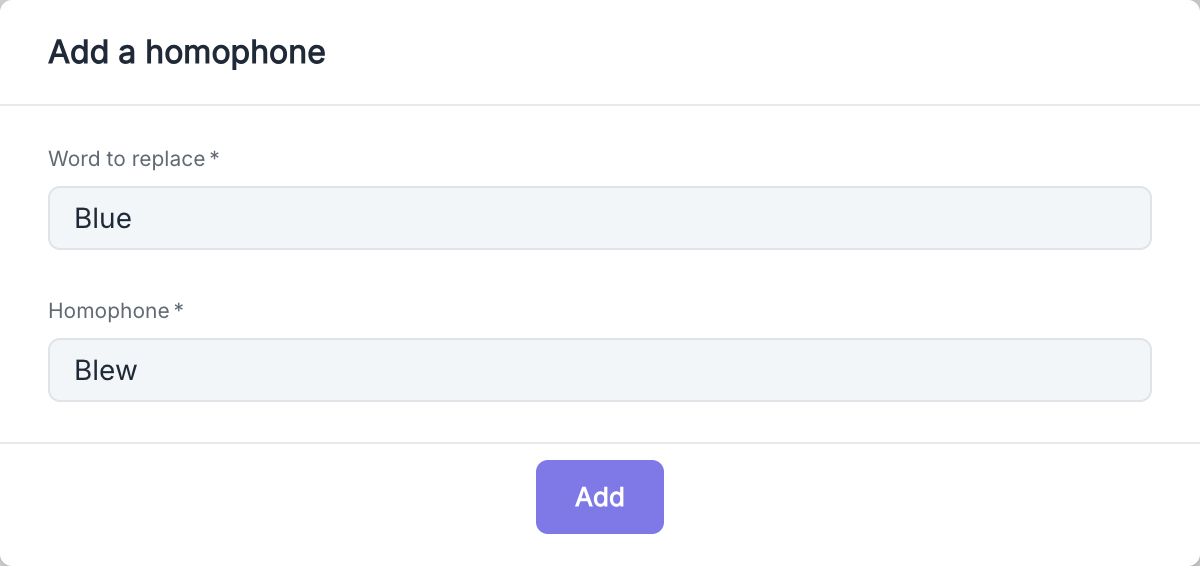
Best Practices
- Identify common errors in the transcriptions of your calls
- Focus on homophones relevant to your industry
- Update your list of homophones as your business vocabulary evolves