

Failover is an advanced feature available only for inbound agents.
Use cases
External infrastructure unavailable Your system no longer responds to pre-call webhooks (server maintenance, network issue). Failover allows you to transfer the call to a human or play an appropriate message. Critical dependency on external data Your agent absolutely requires certain pre-call data to function (eligibility check, contract retrieval). Without this data, you prefer to handle the call differently. Total control of the experience You want to manage all error cases yourself without using the automatic degraded mode.Automatic triggering
Failover is automatically activated when:- Your pre-call workflow times out, encounters an error, returns invalid data, or explicitly triggers failover
- The dynamic configuration cannot be applied (missing voice, unavailable knowledge base, language conflicts, …)
- The system cannot render the agent’s prompt
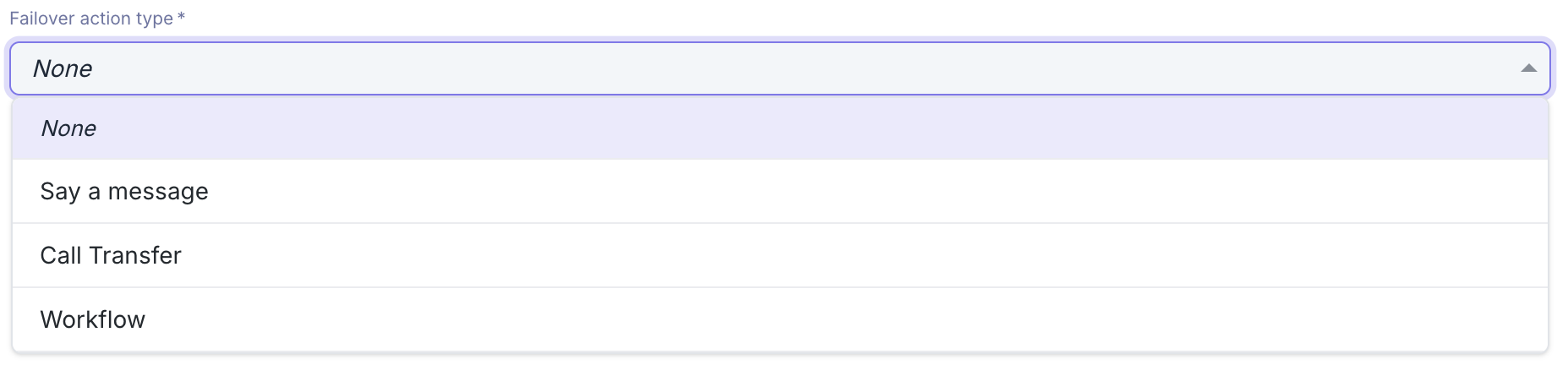
Available actions
You can configure three types of failover actions:Workflow
Allows you to build a custom and dynamic error management strategy. The workflow receives the pre-call context and can:- Perform actions (API calls, data processing, etc.) without returning a failover action
- Perform actions then dynamically return a failover action (transfer or message)
Configure the failover workflow
See how to configure the failover workflow
If the workflow does not return any failover action, the call will be hung up at the end of the webhook execution. To wait for an asynchronous action to complete (for example, a call transfer via external API), use a “Delay” step in your workflow to keep the call active during processing.
Say a message
Configures a fixed voice message that will be played to the caller in case of error, then ends the call. Configuration:- Sentence to say: The text that will be spoken to the caller
- Language: The language of the message
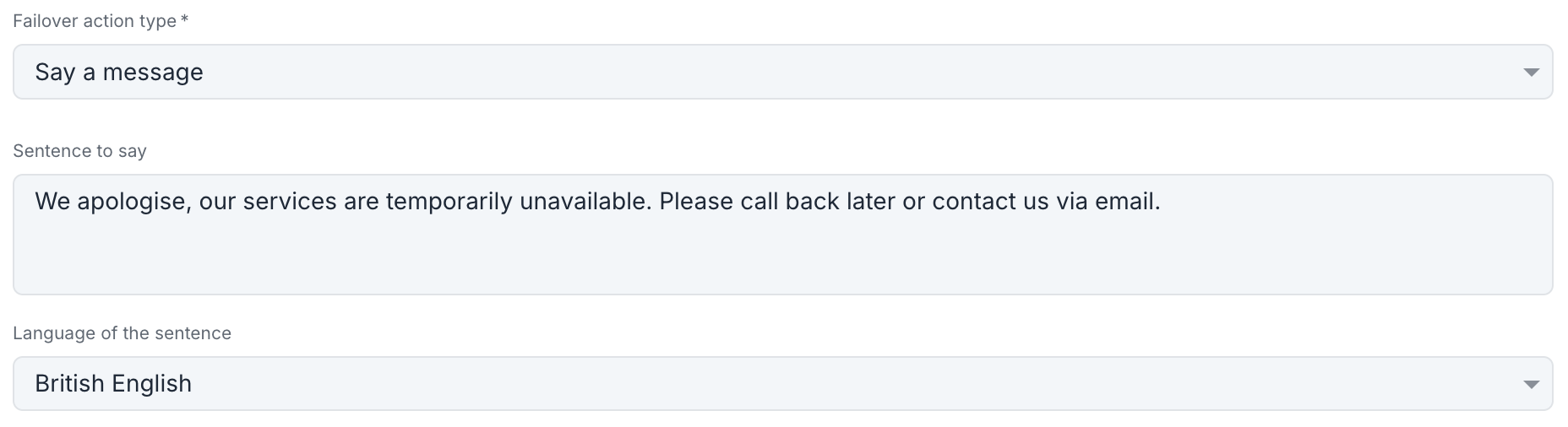
“Our services are temporarily unavailable. Please call back later.”
Transfer call
Configures a fixed transfer to a phone number in case of error. Configuration:- Maximum ring duration: Maximum time (in seconds) before interrupting the transfer and resuming the call with the agent
- SIP connection (optional): Outbound SIP connection to use for the transfer
- If a SIP connection is selected, you can also configure:
- Custom headers: Custom SIP headers to include in the transfer call
- User-To-User header: Standard User-To-User SIP header to customize
- Destination ID: SIP destination identifier for routing
- Otherwise:
- Number: Destination phone number in international format
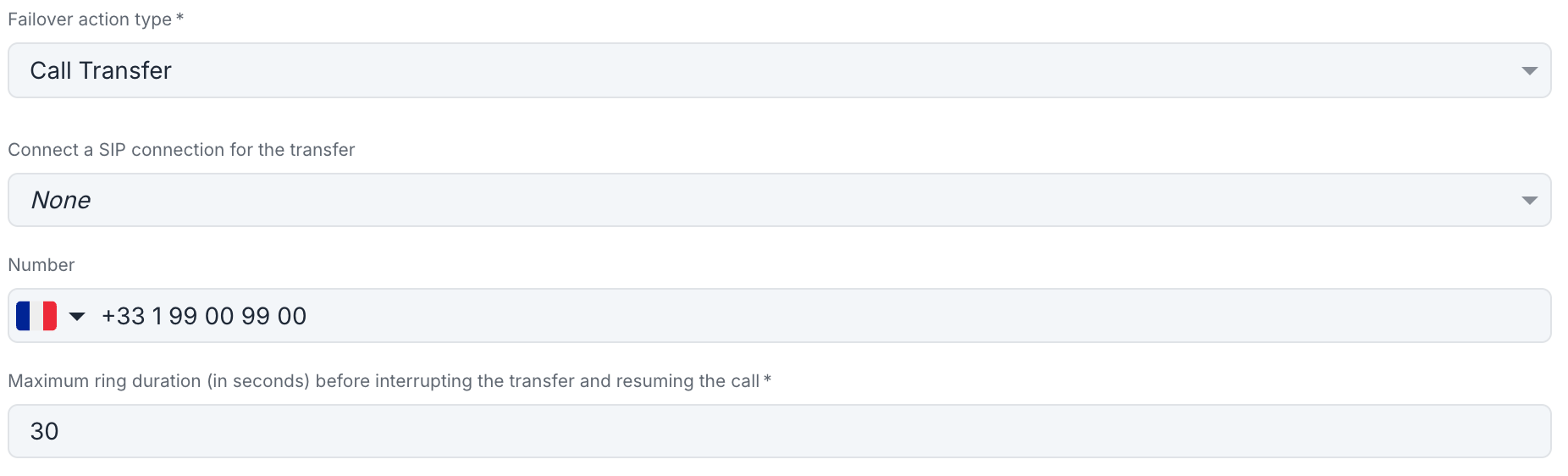
For changes to take effect, you must save after changing the failover action type.
Choosing the action type
Workflow
Recommended for:
- Conditional strategies based on error type
- Integrations with external systems
- Complex business logic
Voice message
Recommended for:
- Simply informing the caller
- Planned maintenance cases
- Redirection to other channels
Call transfer
Recommended for:
- Systematically switching to humans
- Guaranteeing an immediate response
- Maximum simplicity