

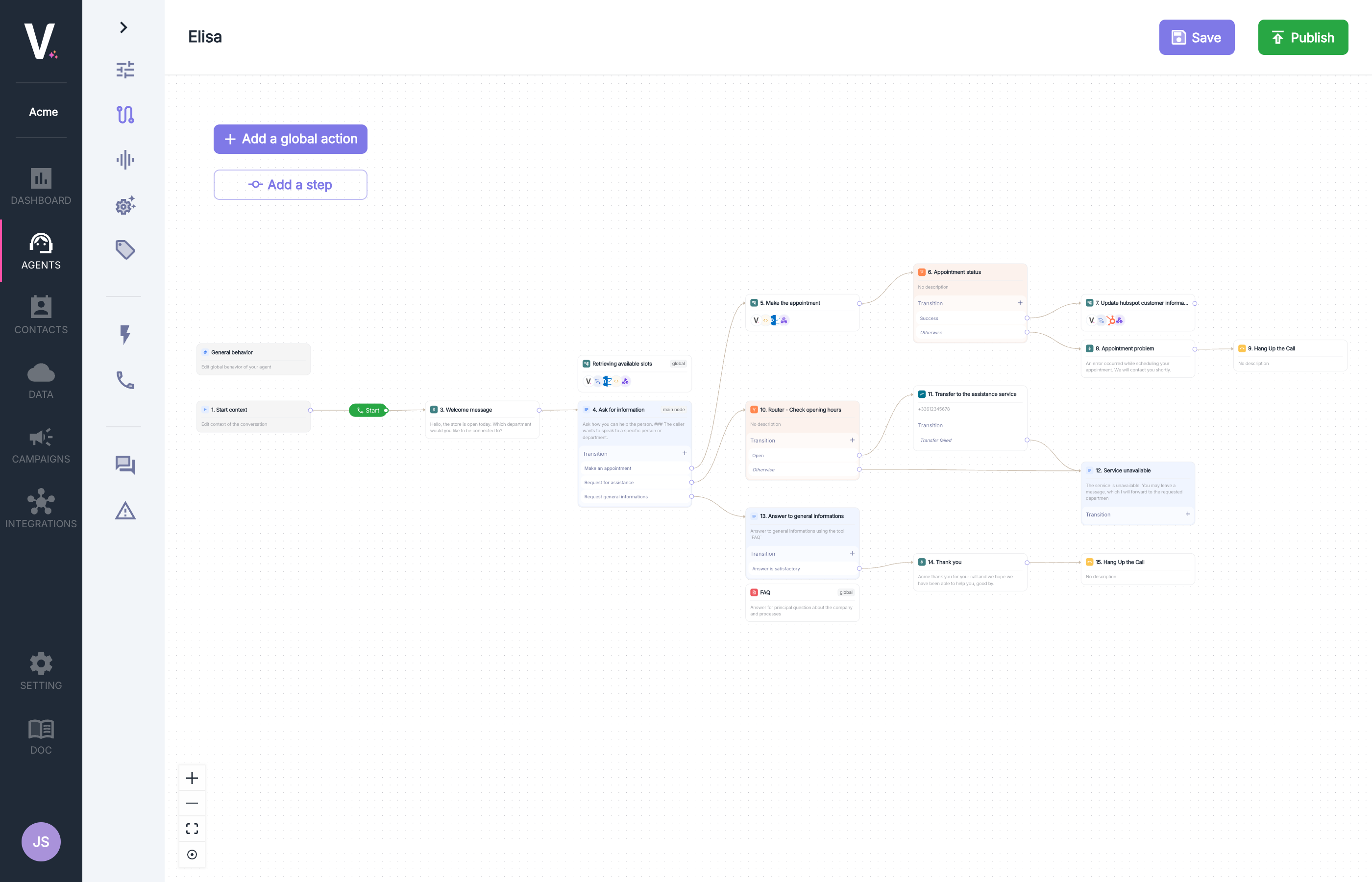
Overview
The TruePath interface consists of three main elements:- Design Area: The main workspace for creating and organizing your conversational graph.
- Action Panel: An interface for adding and configuring the various available actions.
- Navigation Toolbar: Access to essential features to optimize your design experience.
Design Interface
Creating a Graph
To create your conversational graph:- Adding Global Actions: Use the
+ Add a Global Actionbutton to integrate cross-cutting behaviors. - Step-by-Step Construction: Click
+ Add a Stepto add sequential steps to your graph. - Interconnecting Nodes: Connect different elements to create the desired conversational logic by adding transitions.
Action Toolbar
The action toolbar offers several features located at the top right of the panel.Delete
Deletes the action currently being edited.
Enable/Disable
Allows you to enable or disable the currently edited global action. It will not be visible to the agent.
Main Node
Allows you to set the currently edited node as the main node.
If the node is set as the main node, each
prompt node will automatically benefit from an implicit transition to this base prompt. Without a main node, prompt nodes will need to define an explicit transition to another node and will not have a default output.Only one main node is allowed per graph.
Navigation Toolbar
The toolbar located at the bottom left of the interface offers several essential features to optimize your design experience:Zoom +
Increases the zoom level for precise work on the details of your graph.
Zoom -
Decreases the zoom level for an overview of your conversational graph.
Auto Fit
Automatically adjusts the view to display your entire graph within the workspace.
Auto Arrange
Harmoniously rearranges the graph in the workspace.