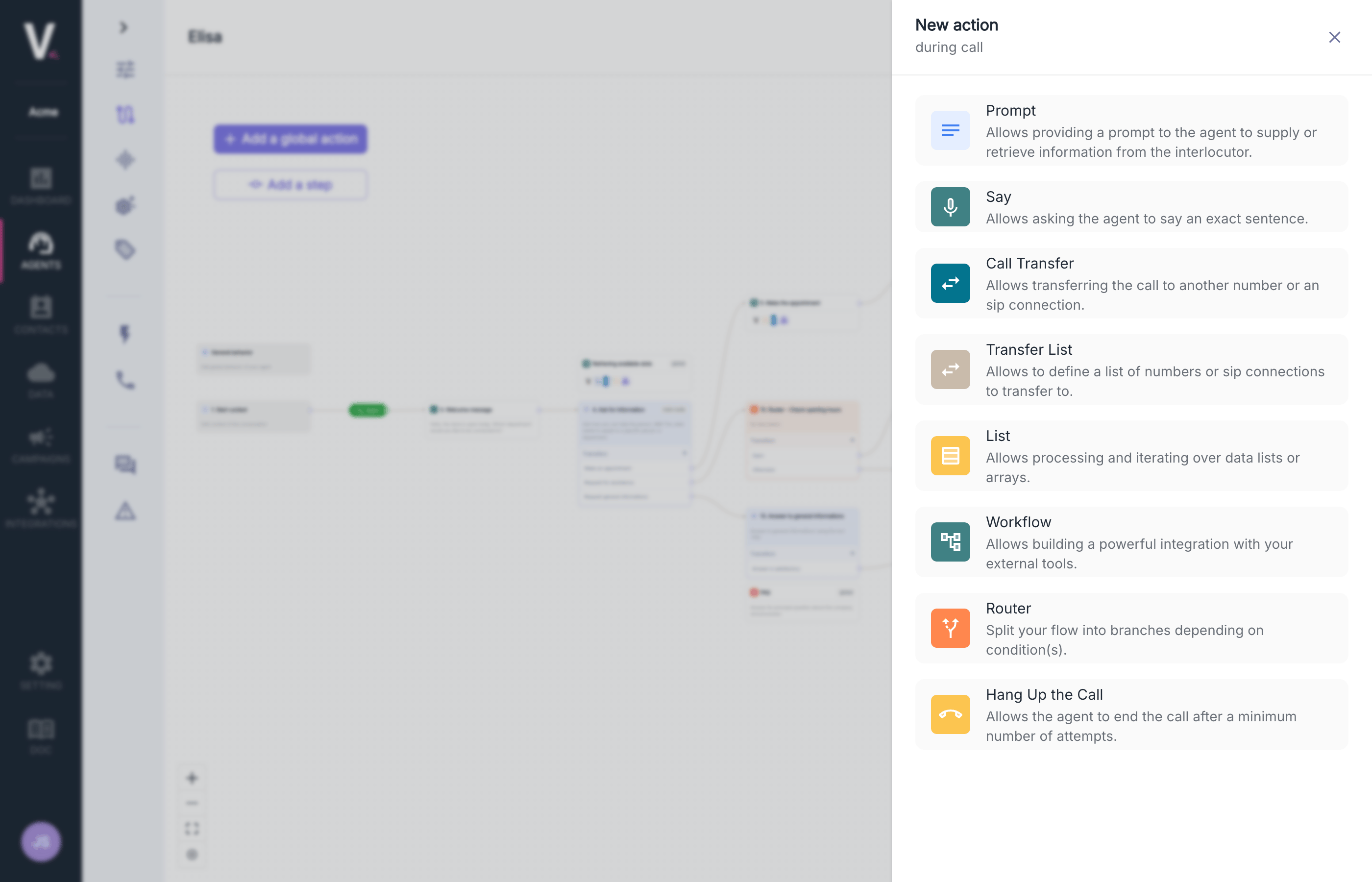
Prompt
The Prompt node forms the intelligent core of your conversational agent by defining behavioral instructions and contextual responses. This feature allows you to structure conversational logic with maximum precision.Use Cases
- Definition of responses to specific requests
- Management of complex conversation graphs
- Integration of business logic into interactions
Configuration Parameters
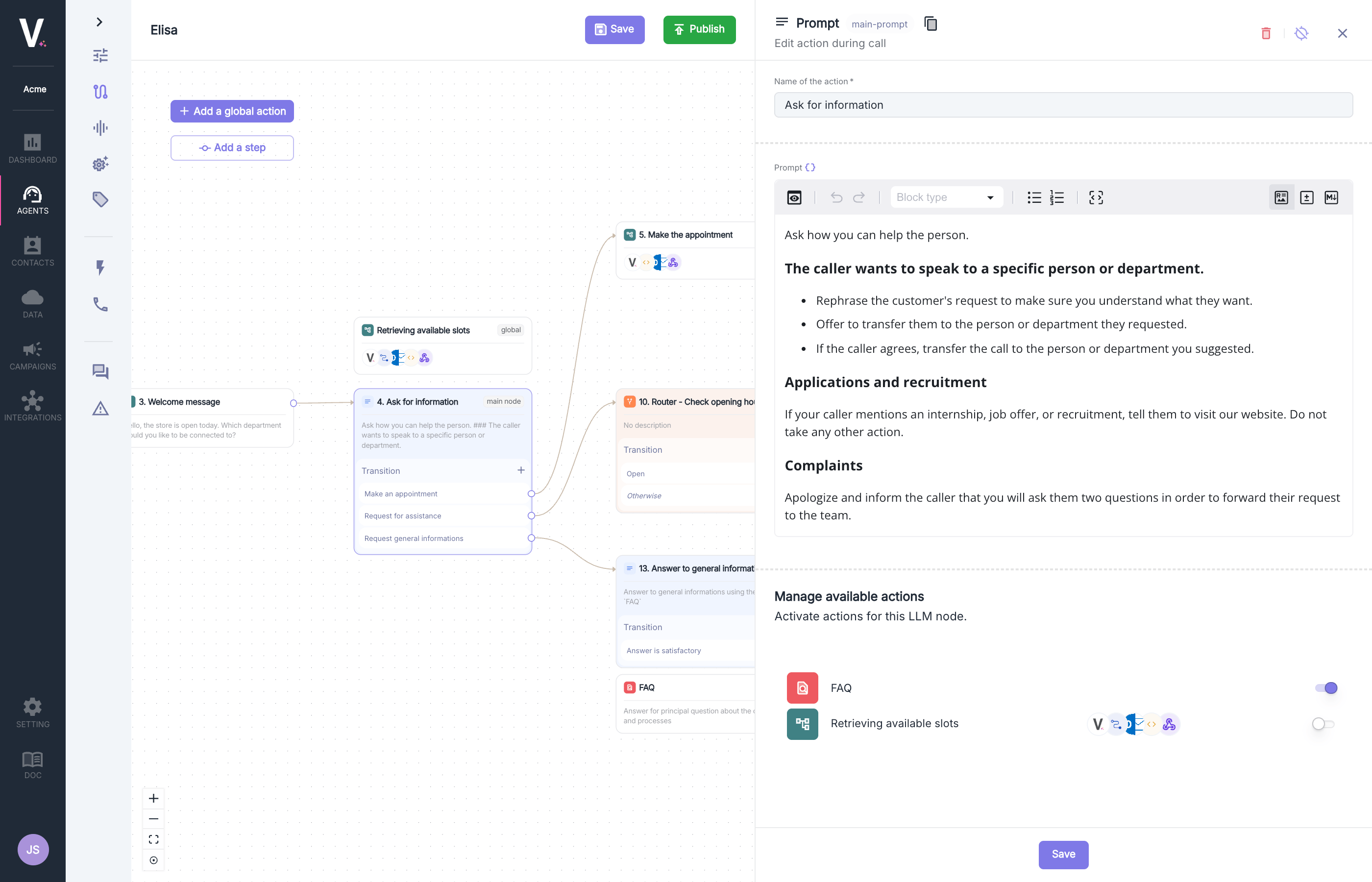
Instruction Structure
The prompt editor allows you to define:- Trigger Contexts: Specific activation situations
- Structured Responses: Response scripts organized by scenarios
- Conditional Actions: Behaviors based on interactions
Prompt
Learn to configure and contextualize your prompt effectively.
Speech Recognition Configuration
This section allows you to enable customization of end-of-speech detection only for this step (in its entirety). This allows, for example, to indicate to the agent that it should wait longer before considering that its interlocutor has finished their sentence.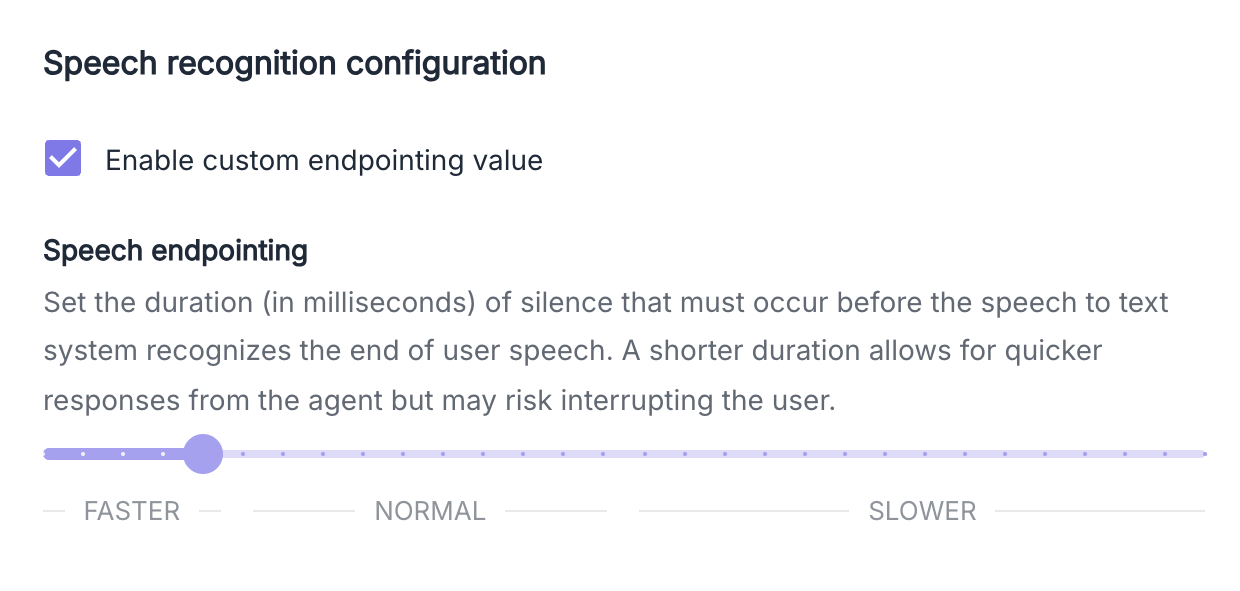
- 400 ms: For a standard conversation
- 2500 ms: Optimal to let the user spell
Global Action Calls
This section allows you to activate the visibility of global actions made available to the agent for this particular prompt.LLM Transitions (tool call)
The Prompt action also allows for configuring intelligent transitions between the steps of your conversation graph. This advanced feature makes it easier to create dynamic journeys based on artificial intelligence.
Transition Parameters
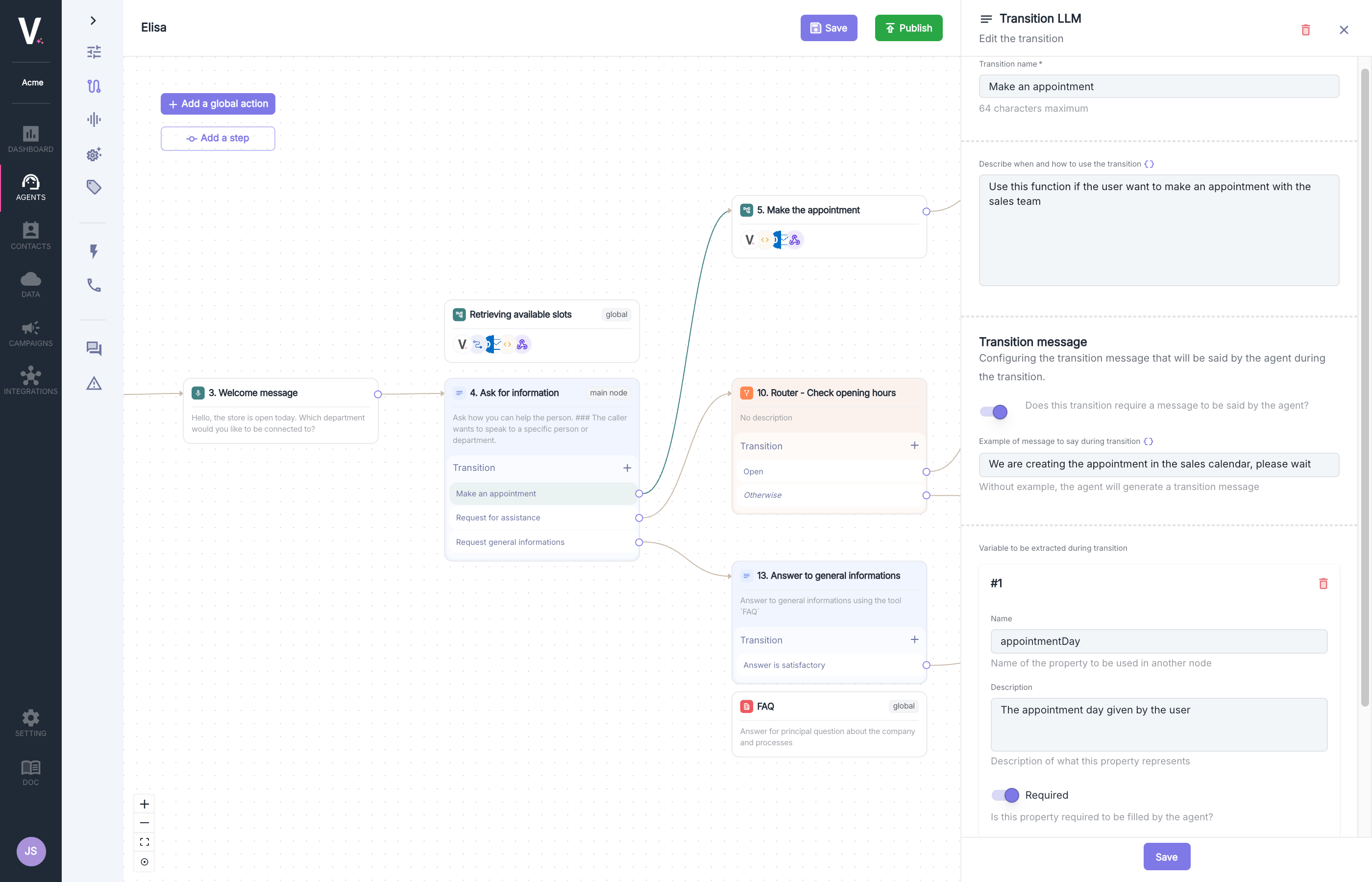
Transition Message Configuration
The interface offers a button to enable the configuration of a custom message:
- Enable: Allows you to define a specific message that the agent will say
- Enable and Empty Message: The agent automatically generates an appropriate transition message
- Disable: The agent will not speak during the transition
"We are creating the appointment in the salesperson's calendar, please wait"
Variable Extraction
This feature allows you to capture information during the transition:
- Variable Name: Technical identifier for reference (e.g.,
appointmentDay) - Description: Explanation of what this variable represents (e.g., “The appointment day provided by the user”)
- Required: Optional configuration to make extraction mandatory
- Type: Type of variable to extract (
string,number,boolean)
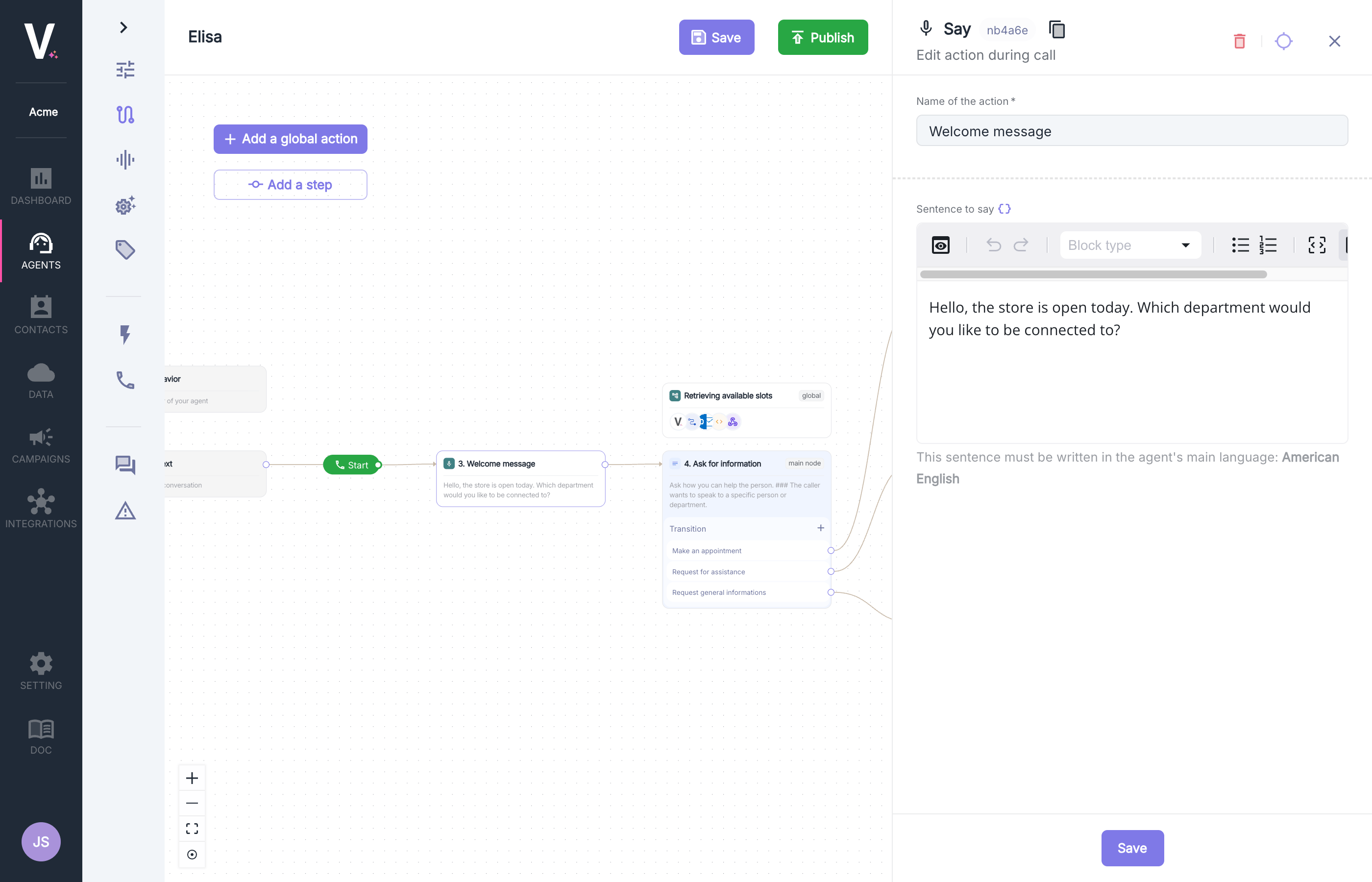
Say
The Say node allows the agent to communicate predefined or dynamic vocal messages during the phone interaction.Use Cases
- Personalized welcome messages according to context
- Communications of specific information during the call
- Confirmations and vocal acknowledgments
Configuration Parameters
Call Transfer
The Transfer node enables the intelligent redirection of a call to another agent or an external number. This strategic feature can be configured to execute at different times during the interaction.Use Cases
- Transfer to a specialized agent when a particular request is identified
- Redirection to an external service outside of business hours
- Automatic escalation to technical support for complex issues
Configuration Parameters
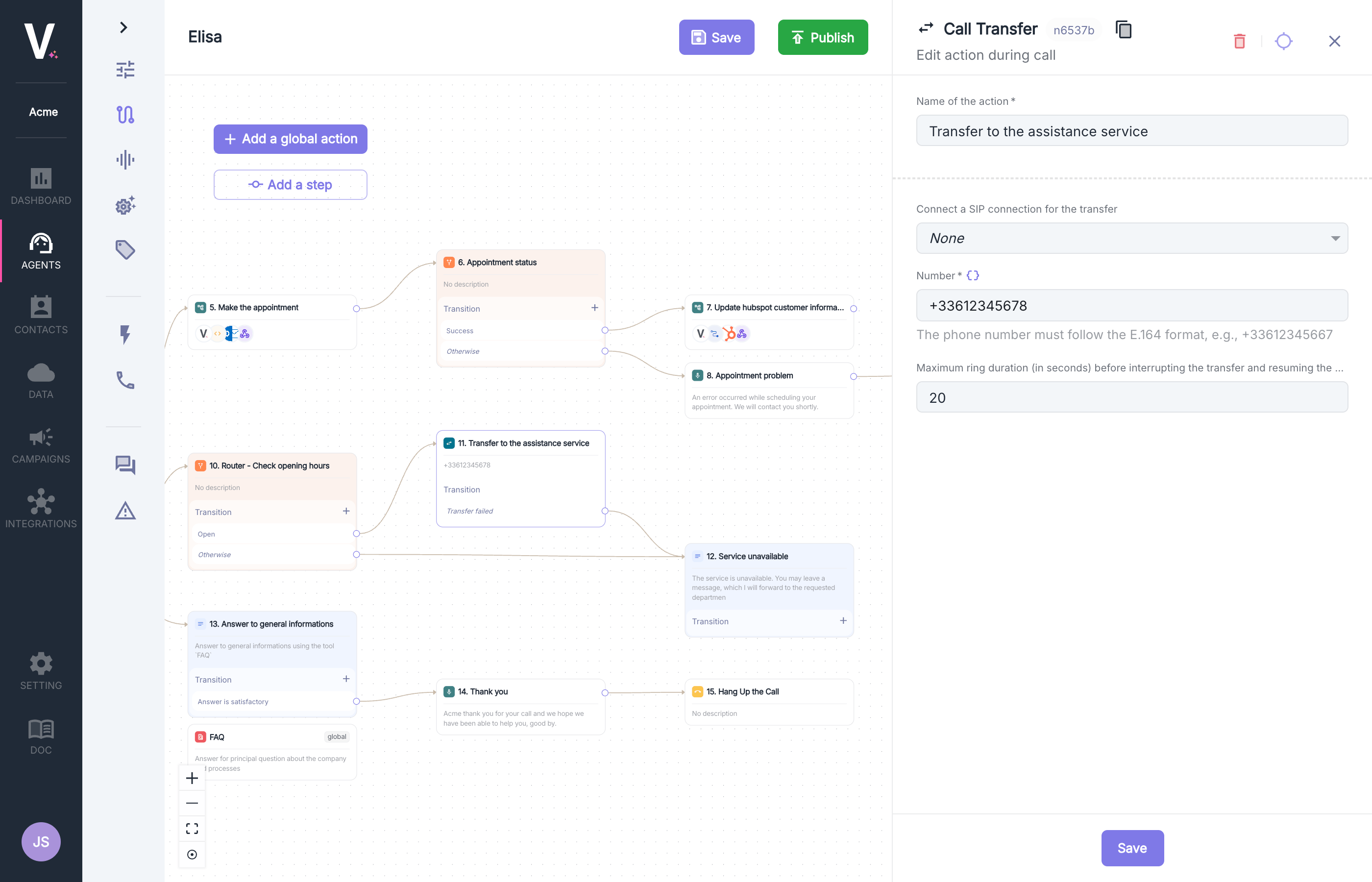
Adding a Transfer Number

+33612375667).
SIP Connection
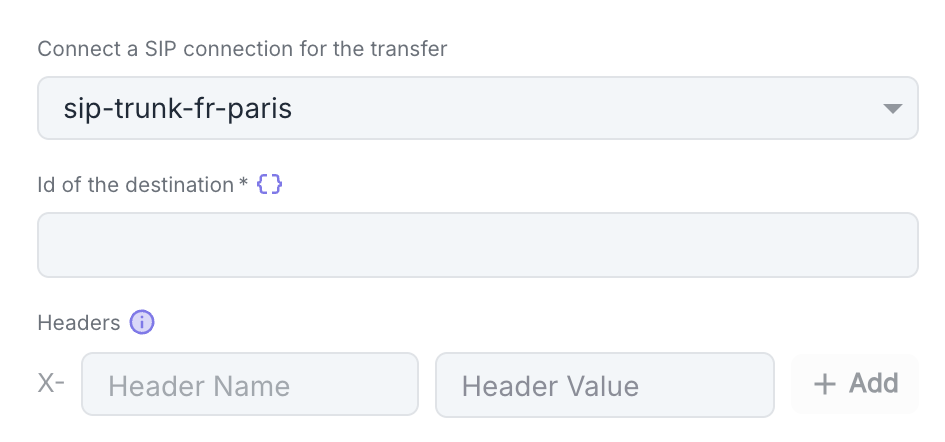
- Click Add to add a new header
- For each header, specify:
- Header Name: Name of the SIP header
- Header Value: Value associated with this header
Maximum Ring Duration
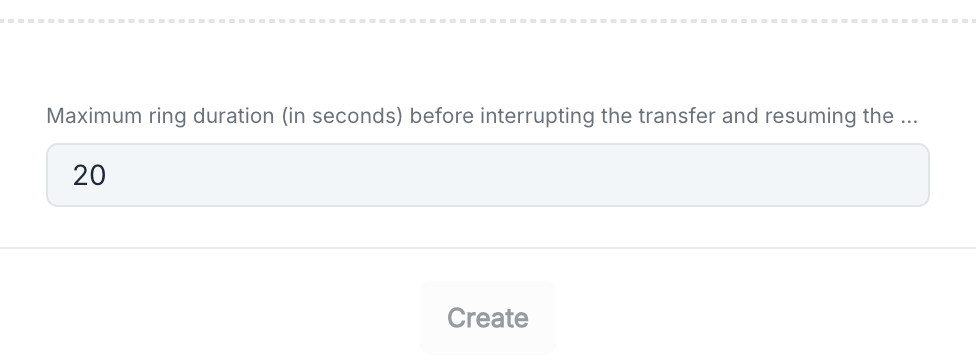
20 seconds (Min 5s, Max 45s).
Transfer List
The Transfer List node enables the intelligent selection of a transfer recipient from a predefined list of contacts or services. This feature seamlessly integrates into the conversational graph to automatically guide the caller to the right interlocutor.Use Cases
- Automatic selection of the appropriate service based on the customer’s request
- Transfer to a specialist according to predefined criteria
- Centralized management of transfer contacts by service category
Configuration Parameters
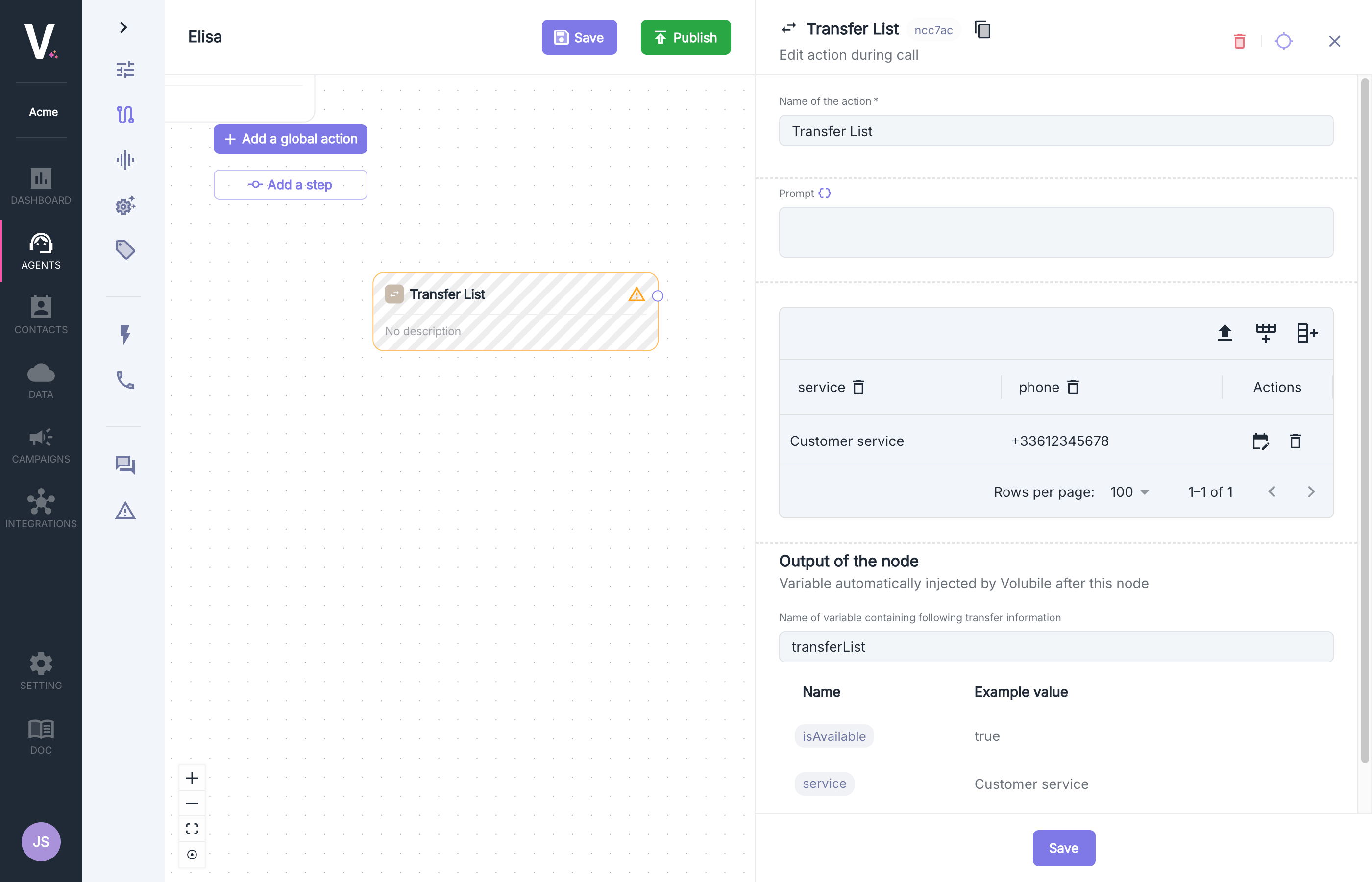
Transfer List
The interface allows you to configure a structured list of contacts with all the necessary information:Restricting Hours
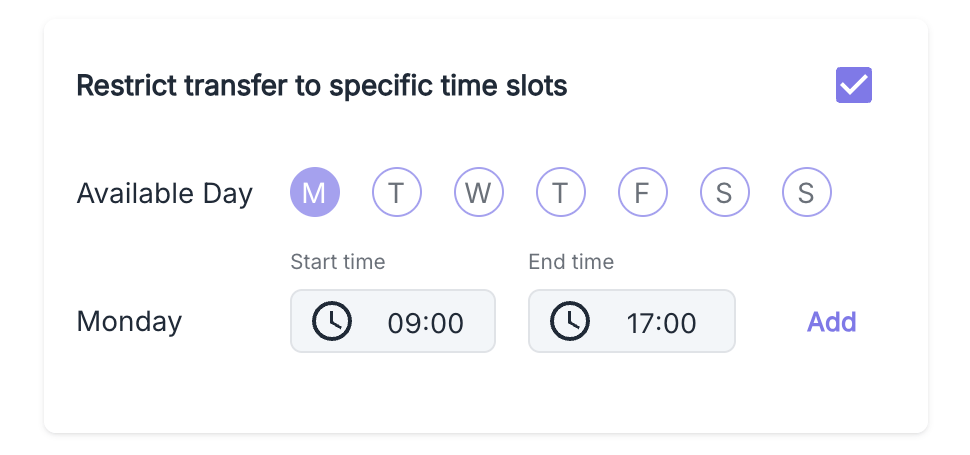
- Click on the Edit Availability icon in the corresponding row’s actions
- Select eligible days (Monday, Tuesday, Wednesday, Thursday, Friday, Saturday, Sunday)
- Define the available hours (e.g., 09:00 - 17:00)
- Click Add to validate this time slot.
Output Variables
The execution of this action automatically generates atransferList variable (the name of the variable is modifiable) that is an array of objects containing the previously configured information:
transferList
The variable
transferList will be reusable in subsequent nodes of your graph and can be dynamically injected via the data selector. Use dynamic variablesList
The List node allows the creation and management of structured data lists usable throughout the interaction. This feature offers maximum flexibility for organizing and processing static information.Configuration Parameters
Two operating modes are available:- Table Mode
- Variable Reference
Table mode allows for direct input of structured lists through a tabular interface.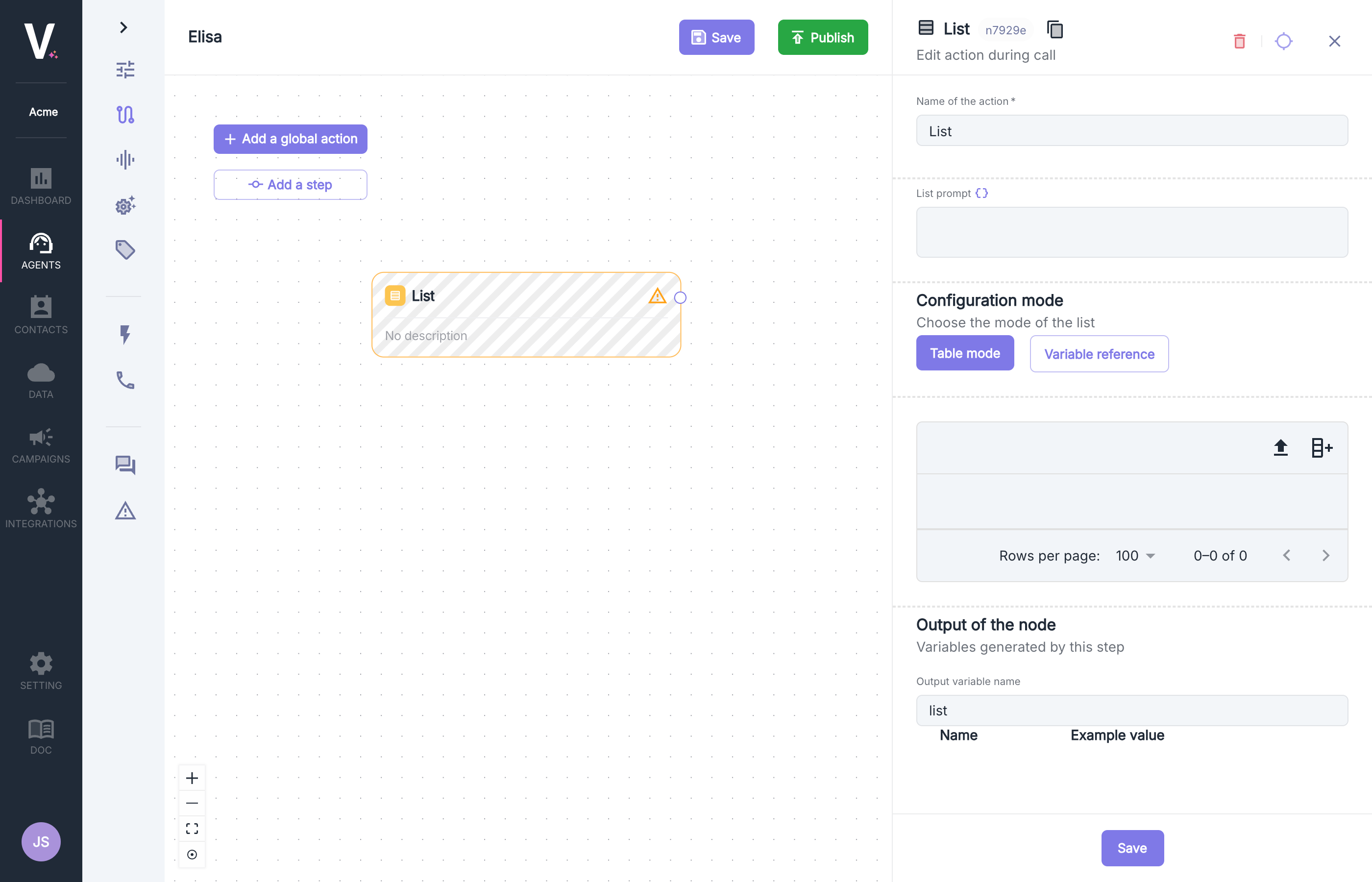
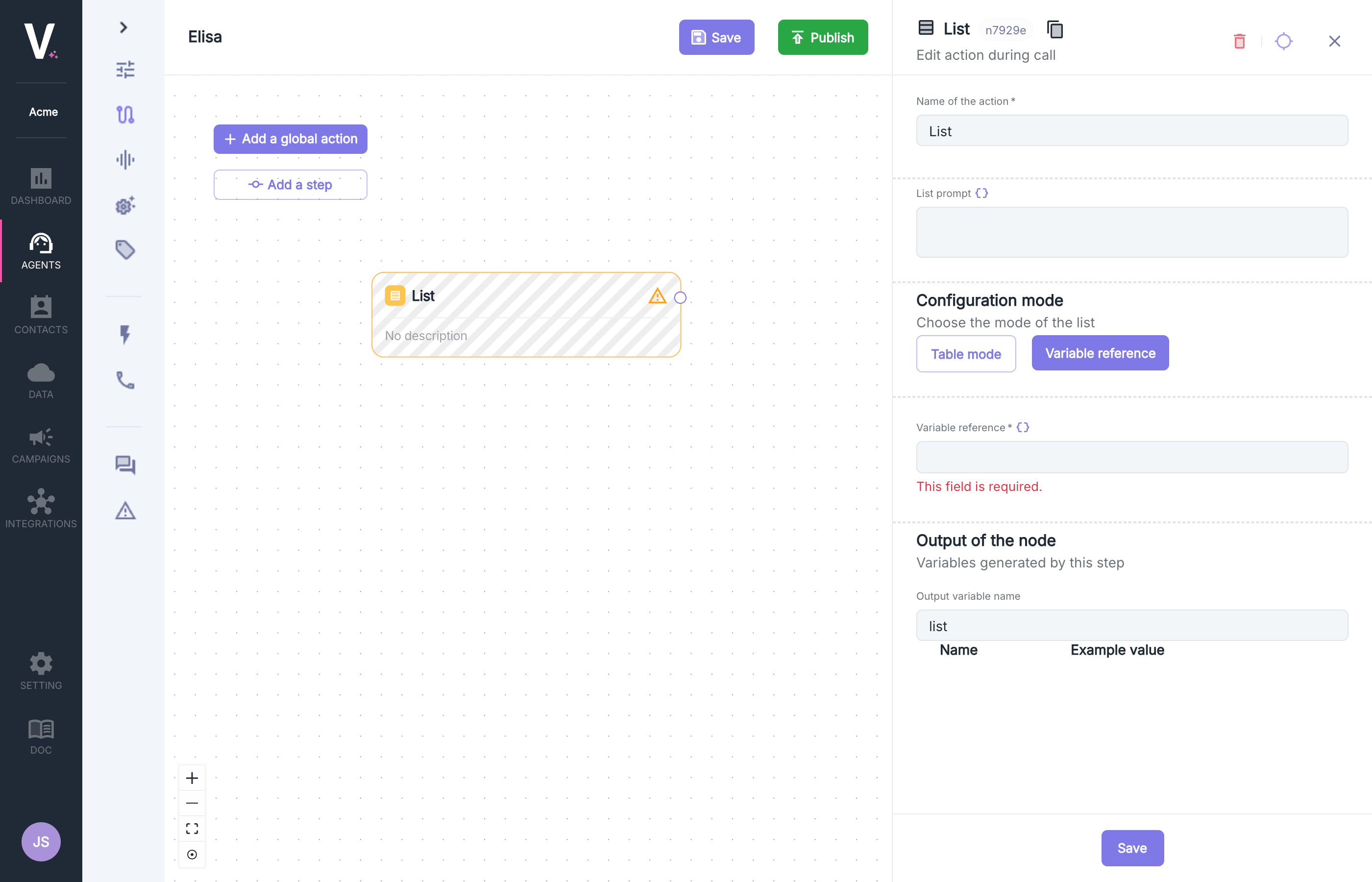
List Configuration
The interface allows for configuring a structured list with all your specific information:Output Variables
The execution of this action automatically generates alist variable (modifiable) that is an array of objects containing the previously configured information:
list
The variable
list will be reusable in subsequent nodes of your graph and can be dynamically injected via the data selector. Use dynamic variablesWorkflow
This feature allows for developing sophisticated integrations with your external systems during the course of your communications.Configuration Parameters
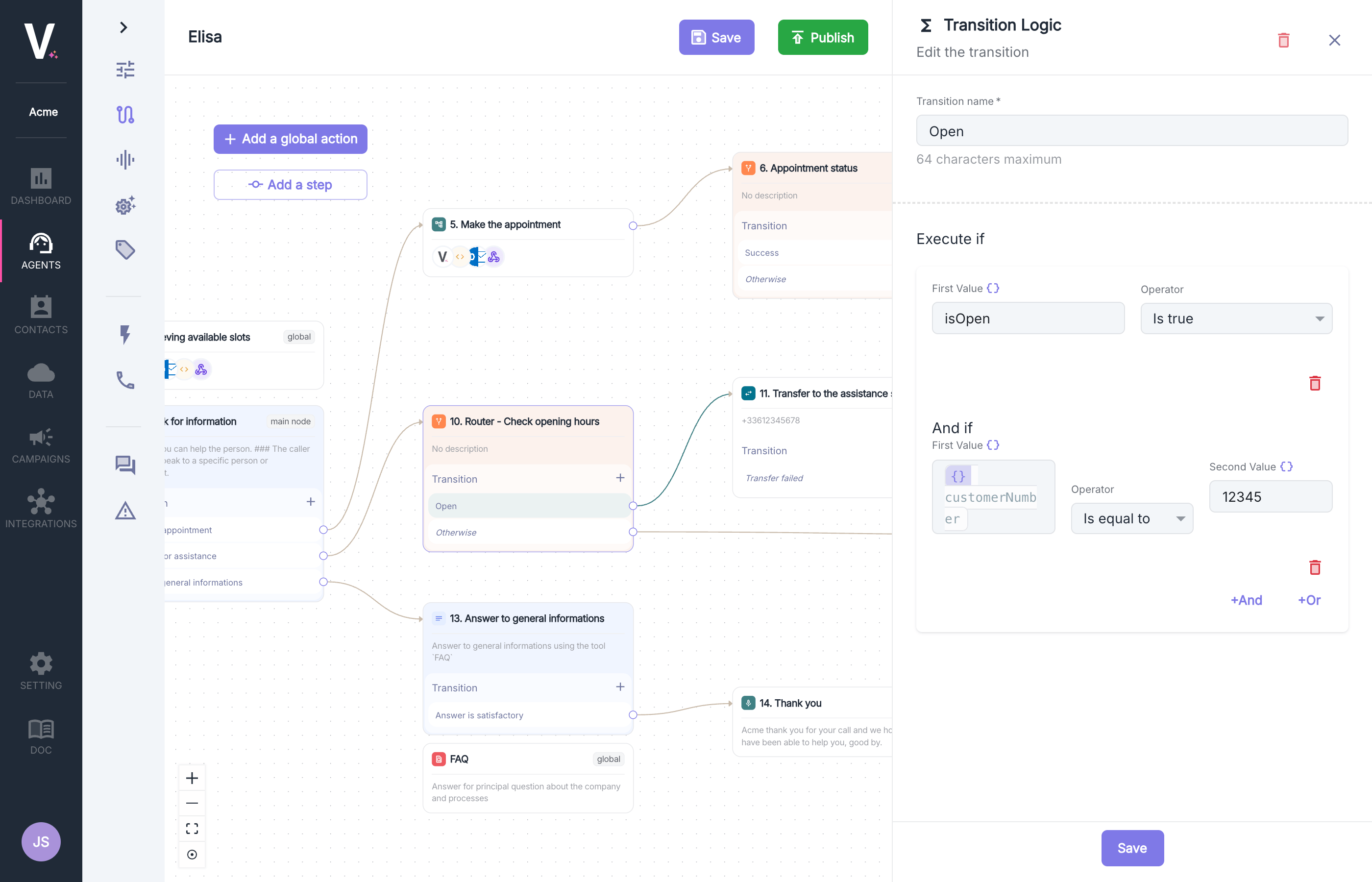
Configure Workflows During the Call
See how to configure workflows
Output Variables
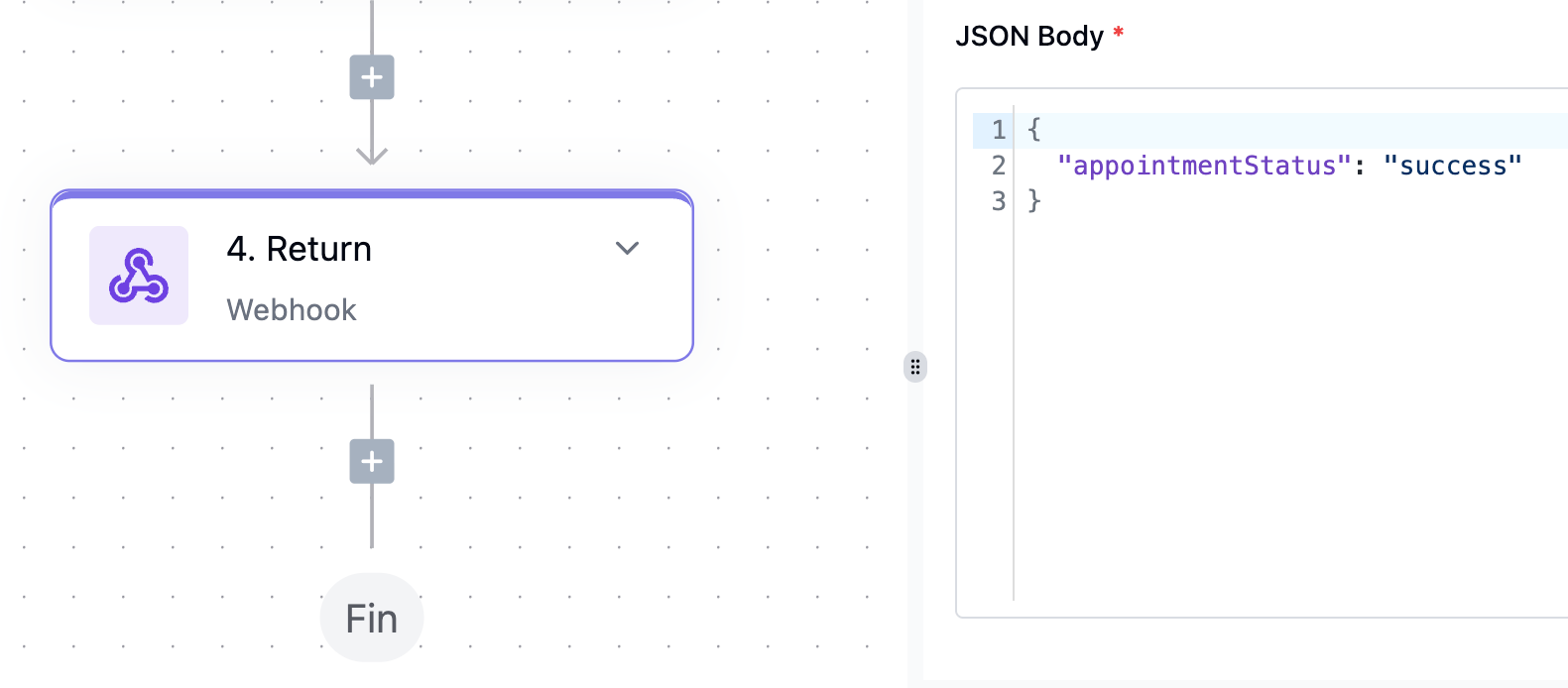
The execution of this workflow must generate ajson data structure as output to be used as a variable in subsequent nodes.
Router
Configuring a hang-up action requires defining the following parameters:Configuration Parameters
Use Cases
- Creation of conditional branches based on the interlocutor’s responses
- Intelligent routing based on customer or contextual data
- Implementation of complex business logic with multiple conditions
- Personalization of conversation pathways based on variable parameters
Transition Conditions
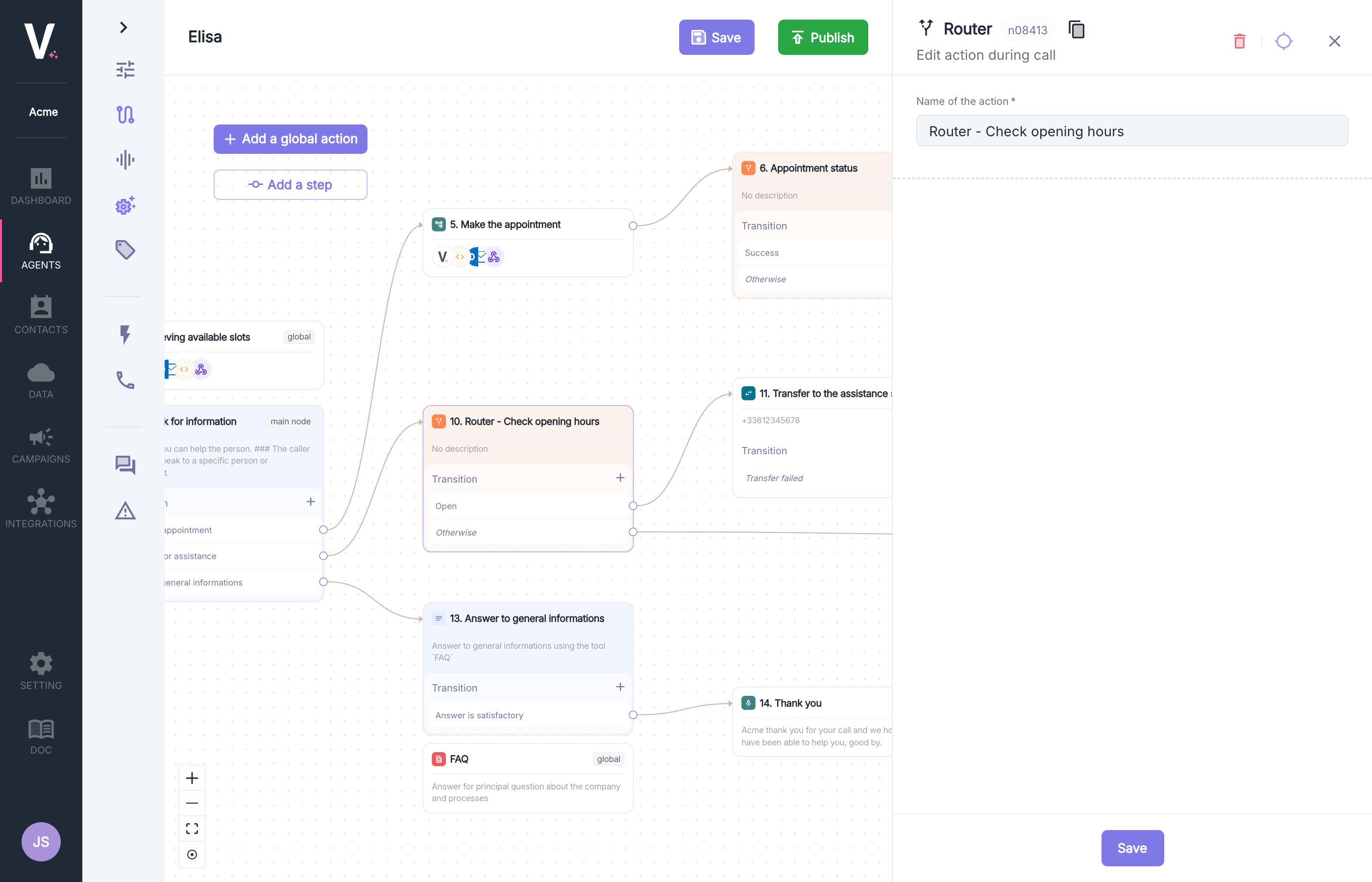
The Router action allows creating conditional branches in your conversation graph by defining complex logical rules. This strategic feature gives you the opportunity to guide your agent’s behavior based on specific criteria and multiple conditions.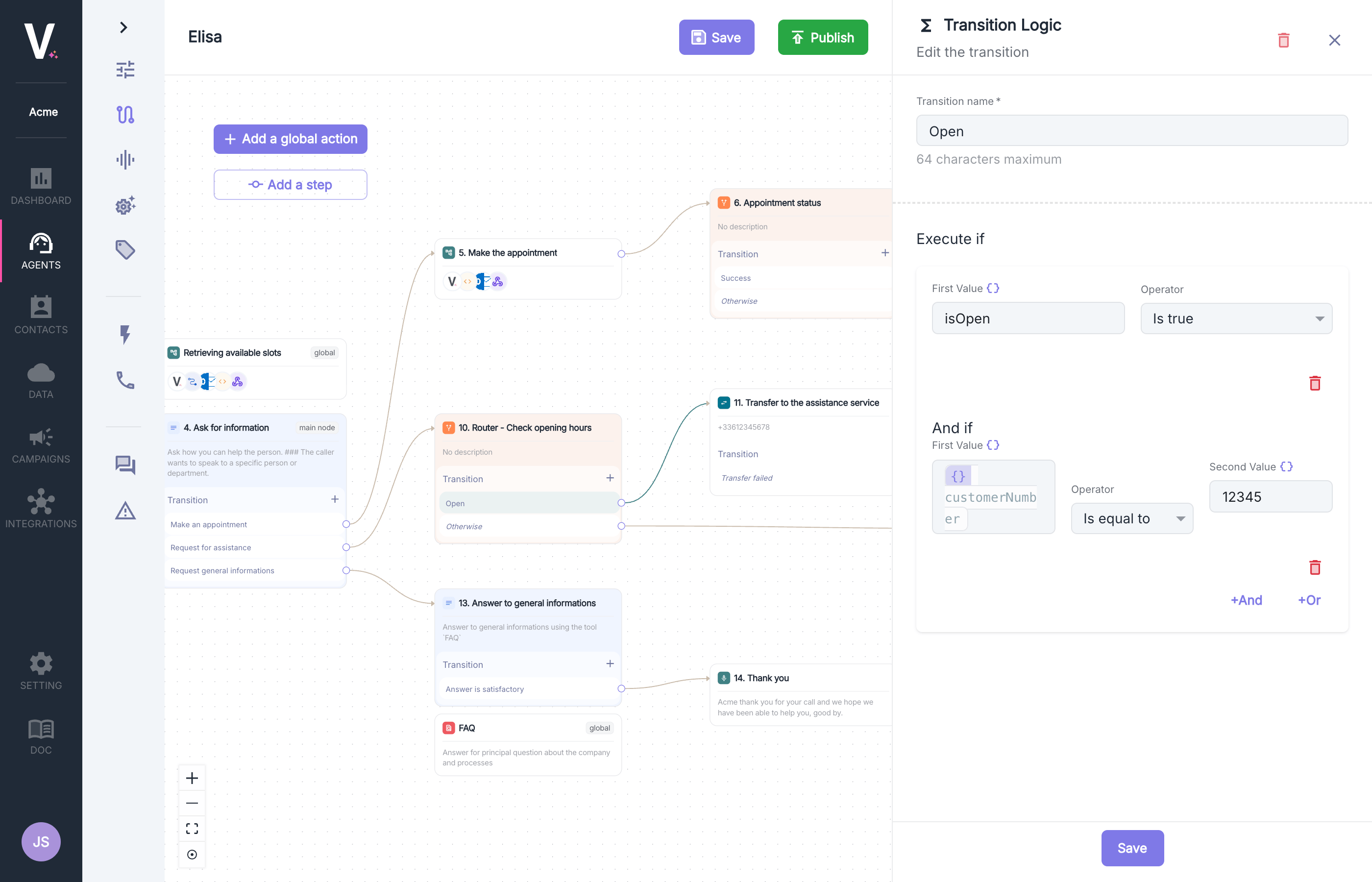
- First Value: Enter the variable or value to evaluate (e.g.,
isOpen,customerNumber) - Operator: Select the comparison operator appropriate for the data type
- Second Value (optional depending on the operator): Reference value for comparison (e.g.,
12345)
Available Operators
The platform offers a complete range of operators for building your conditions: Boolean OperatorsIs false: Checks if the value is falseIs true: Checks if the value is true
Is after: Checks if the date is laterIs before: Checks if the date is earlierIs equal to: Checks date equality
Does not exist: Checks for the absence of the fieldExists: Checks for the presence of the field
Contains: Checks if the list contains the itemDoes not contain: Checks for the absence of the itemIs empty: Checks if the list is emptyIs not empty: Checks if the list contains items
In timeslot: Checks if within the time slotNot in timeslot: Checks if outside the time slot
Is equal to: Numeric equalityIs greater than: Strict superiorityIs less than: Strict inferiority
Contains: Contains the substringDoes not contain: Does not contain the substringDoes not end with: Does not end withDoes not exactly match: Does not match exactlyDoes not start with: Does not start withEnds with: Ends withExactly matches: Matches exactlyStarts with: Starts with
Advanced Conditional Logic
Combining Conditions- Use the
+Andand+Orbuttons to create complex logics - Combine multiple conditions with boolean operators
- Create sophisticated routing rules for complex business scenarios
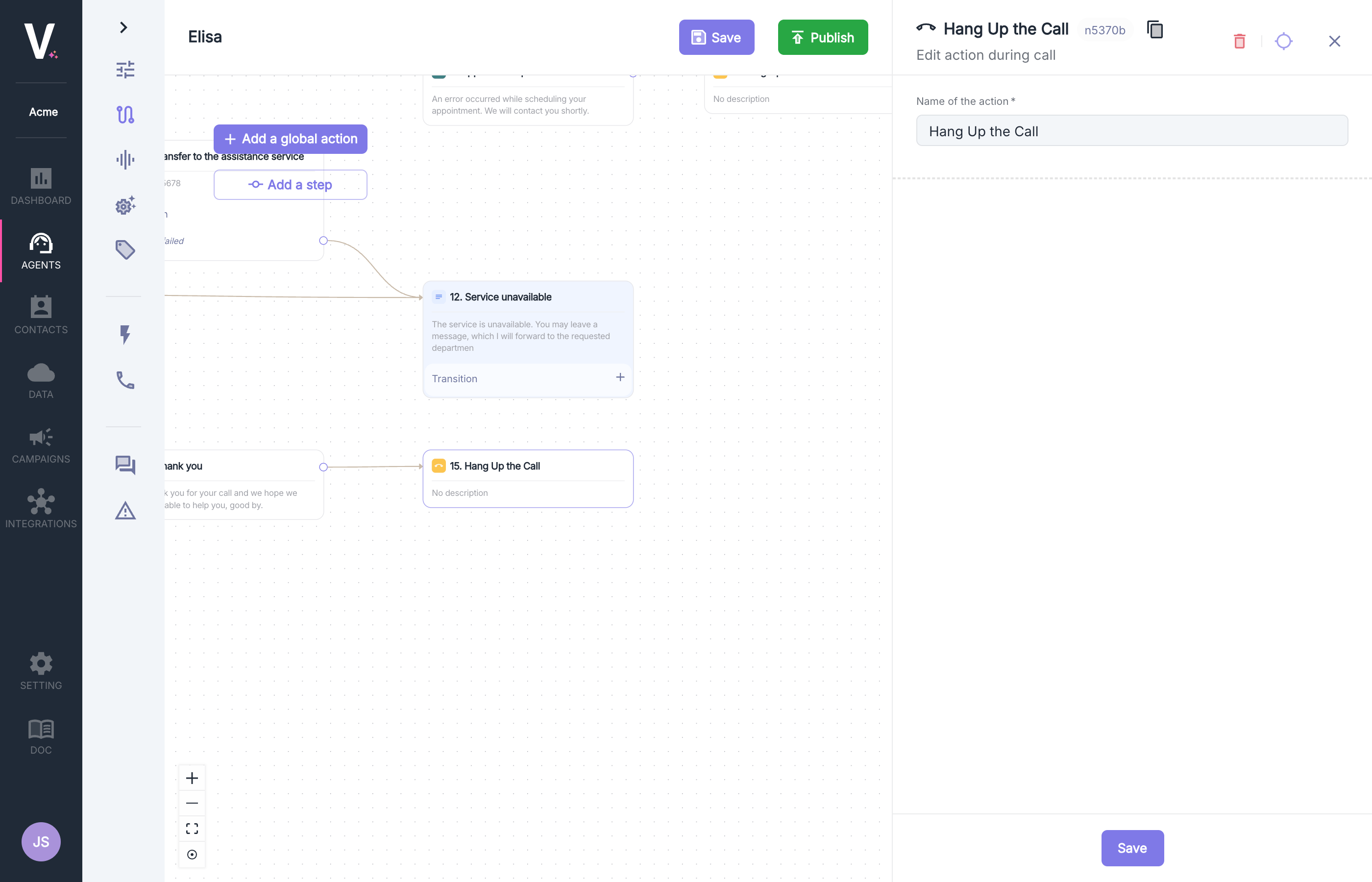
Hang Up
The hang-up action allows for controlled termination of a communication under specifically defined conditions. This feature can be implemented at various stages of the interaction.A default hang-up mechanism (not visible in this interface) is already integrated to avoid interaction loops while preserving the quality of the user experience.