> ## Documentation Index
> Fetch the complete documentation index at: https://docs.volubile.ai/llms.txt
> Use this file to discover all available pages before exploring further.
# Outbound Calls and Call Transfers
> The Volubile platform allows you to integrate our AI voice agents into your existing telephone infrastructure to manage your outbound calls. This page presents the different available integration methods.
## Standard Outbound Call
Numbers are assigned by the Volubile team. If you need additional numbers for your agents, please contact Volubile technical support.
## SIP Integration
Provide your SIP server configuration in the [SIP Connection Settings](https://eu.volubile.ai/settings/sip).
When creating a new SIP connection, you will need to provide the following information:
* **Connection Name**: Unique identifier for your SIP connection
* **Destination Number Format**: Select the appropriate format (default: +E.164)
* **Protocol**: Select TLS and/or SRTP according to your security needs
* **Routing Method**: Choose between Sequential or Round-Robin
* **FQDN**: Add one or more fully qualified domain names for your SIP server
* **Authentication Type**: Select Tech Prefix or Token
* **Tech Prefix**: If this method is selected, specify a 4-digit prefix that will be added to the destination number
* **SIP Headers**: Add custom SIP headers in the format "X-\[Name]" and their corresponding values
* **User-to-User** (Optional): UUI information which will be transported over the Public Switched Telephone Network (PSTN)
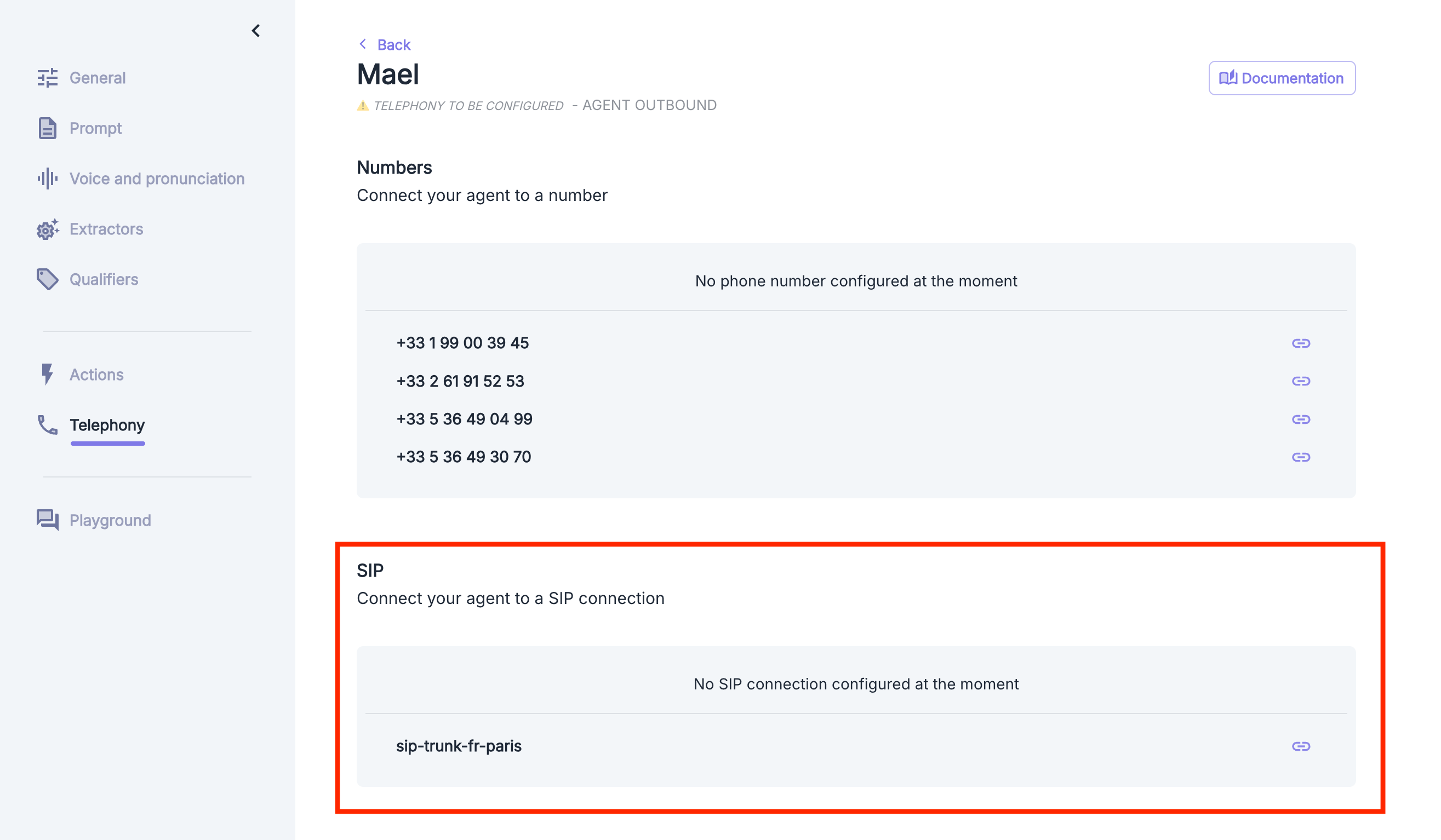
Go to the agent configuration page or the agent transfer action and link the previously created SIP connection.
 ### Volubile IP Whitelist
To allow our platform to communicate with your SIP infrastructure, you must authorize the following IP addresses on your SIP trunking platform, depending on your region:
* 216.147.0.1
* 216.147.0.2
* 216.147.1.1
* 216.147.1.2
* 216.147.2.1
* 216.147.2.2
* 216.147.3.1
* 216.147.3.2
* 216.147.4.1
* 216.147.4.2
* 216.147.5.1
* 216.147.5.2
The following port ranges apply to the SIP signaling you will exchange with Volubile: **UDP** on port **5060** and **TLS** on port **5061**.
### More Information
| | |
| ------------------------------------ | ------------------------------------ |
| RTP/Media Ports | **10000 - 50000** |
| Intermediate Certificate Authorities | **DigiCert TLS RSA SHA256 2020 CA1** |
| Root Certificate Authorities | **DigiCert Global Root CA** |
### Volubile IP Whitelist
To allow our platform to communicate with your SIP infrastructure, you must authorize the following IP addresses on your SIP trunking platform, depending on your region:
* 216.147.0.1
* 216.147.0.2
* 216.147.1.1
* 216.147.1.2
* 216.147.2.1
* 216.147.2.2
* 216.147.3.1
* 216.147.3.2
* 216.147.4.1
* 216.147.4.2
* 216.147.5.1
* 216.147.5.2
The following port ranges apply to the SIP signaling you will exchange with Volubile: **UDP** on port **5060** and **TLS** on port **5061**.
### More Information
| | |
| ------------------------------------ | ------------------------------------ |
| RTP/Media Ports | **10000 - 50000** |
| Intermediate Certificate Authorities | **DigiCert TLS RSA SHA256 2020 CA1** |
| Root Certificate Authorities | **DigiCert Global Root CA** |