> ## Documentation Index
> Fetch the complete documentation index at: https://docs.volubile.ai/llms.txt
> Use this file to discover all available pages before exploring further.
# Classification
> Classifiers are an essential element of the Volubile platform that allow you to categorize and label the conversations handled by your voice agents. This precise configuration helps you effectively analyze your agents' performance and understand your customers' needs.
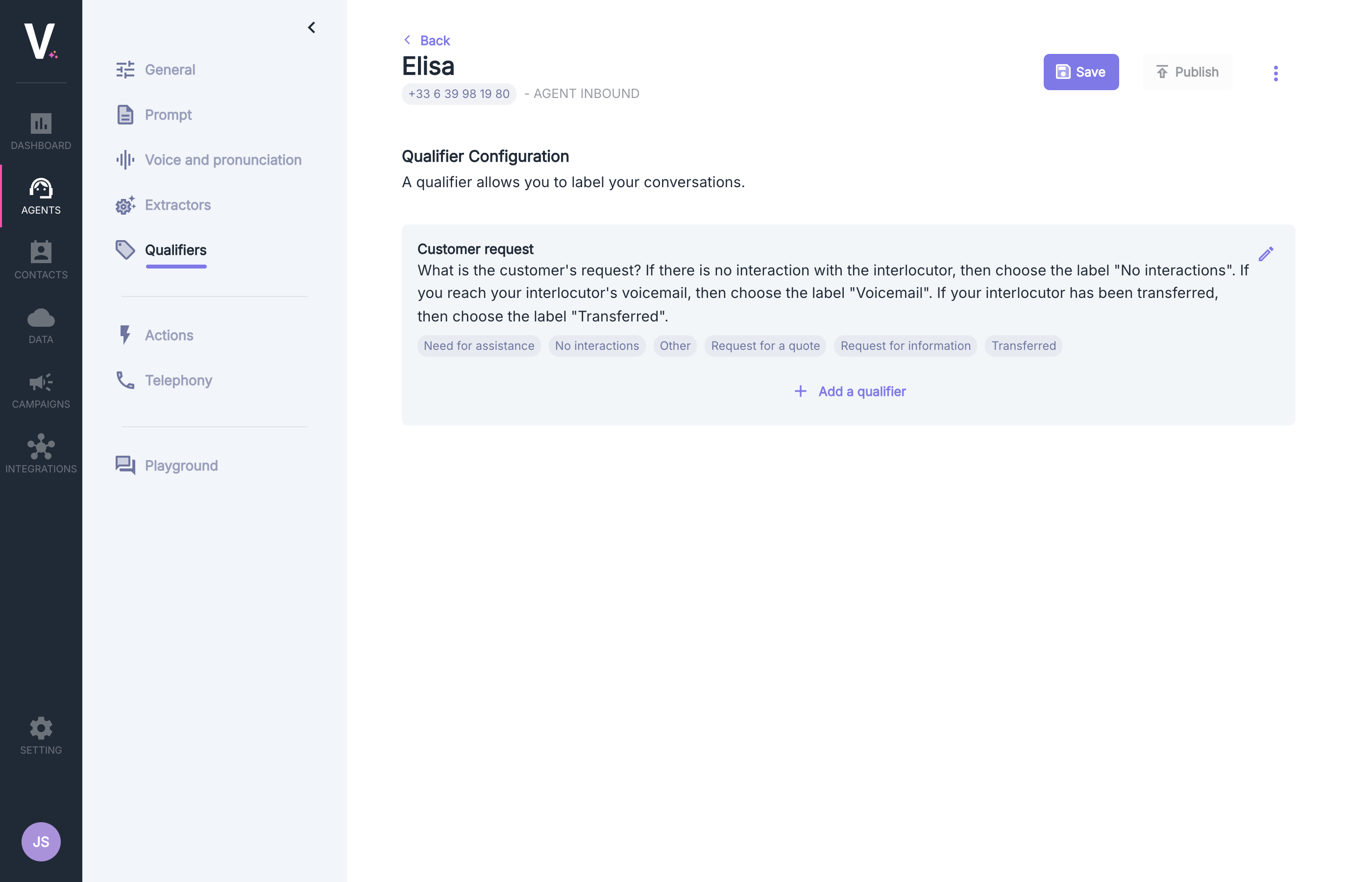 ## Usage
A classifier allows you to label your conversations according to the type of request or the outcome of the interaction, thus facilitating performance analysis and tracking.
The configuration of classifiers enables you to classify your calls based on criteria directly derived from your business rules.
The classification of a call is visible in the [Call Dashboard](../calls) or on the call page.
## Add or Modify a Classifier
To enrich your categorization options, you can add custom classifiers:
## Usage
A classifier allows you to label your conversations according to the type of request or the outcome of the interaction, thus facilitating performance analysis and tracking.
The configuration of classifiers enables you to classify your calls based on criteria directly derived from your business rules.
The classification of a call is visible in the [Call Dashboard](../calls) or on the call page.
## Add or Modify a Classifier
To enrich your categorization options, you can add custom classifiers:
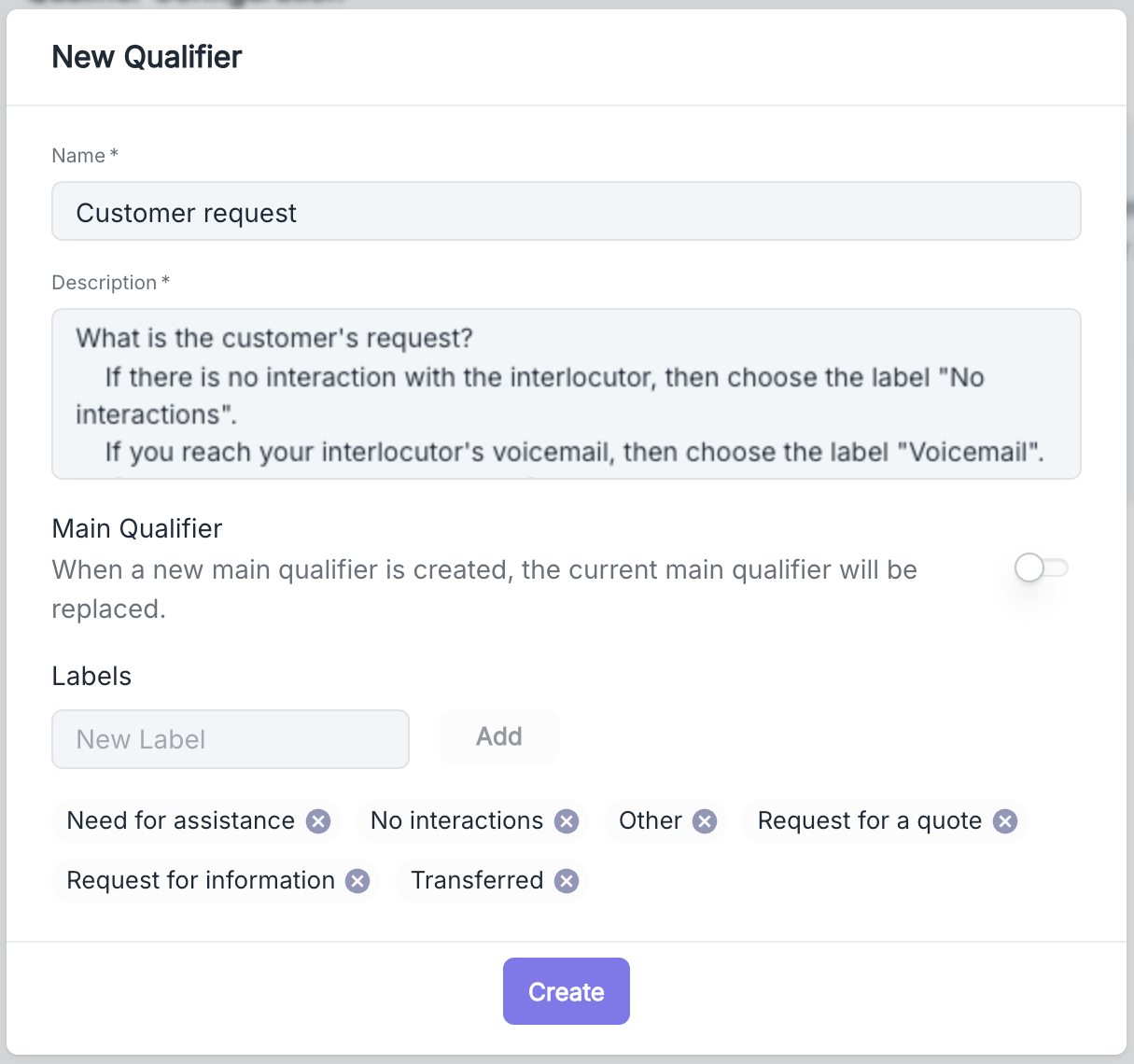 The form contains several fields:
* **Name**: The name of your classifier group
* **Description**: Instructions that will guide the voice agent in choosing the appropriate label
* **Main Qualifier**: An option to define this classifier as the primary one
* **Labels**: The list of labels available for this classifier
Defining a primary classifier allows it to be displayed as a priority in the [call dashboard](../calls).
If no classifier is defined as primary, the first classifier in the list will be visible.
To ensure that the changes take effect, you must publish the new configuration by clicking the Publish button after saving it.
The form contains several fields:
* **Name**: The name of your classifier group
* **Description**: Instructions that will guide the voice agent in choosing the appropriate label
* **Main Qualifier**: An option to define this classifier as the primary one
* **Labels**: The list of labels available for this classifier
Defining a primary classifier allows it to be displayed as a priority in the [call dashboard](../calls).
If no classifier is defined as primary, the first classifier in the list will be visible.
To ensure that the changes take effect, you must publish the new configuration by clicking the Publish button after saving it.