> ## Documentation Index
> Fetch the complete documentation index at: https://docs.volubile.ai/llms.txt
> Use this file to discover all available pages before exploring further.
# Call Details
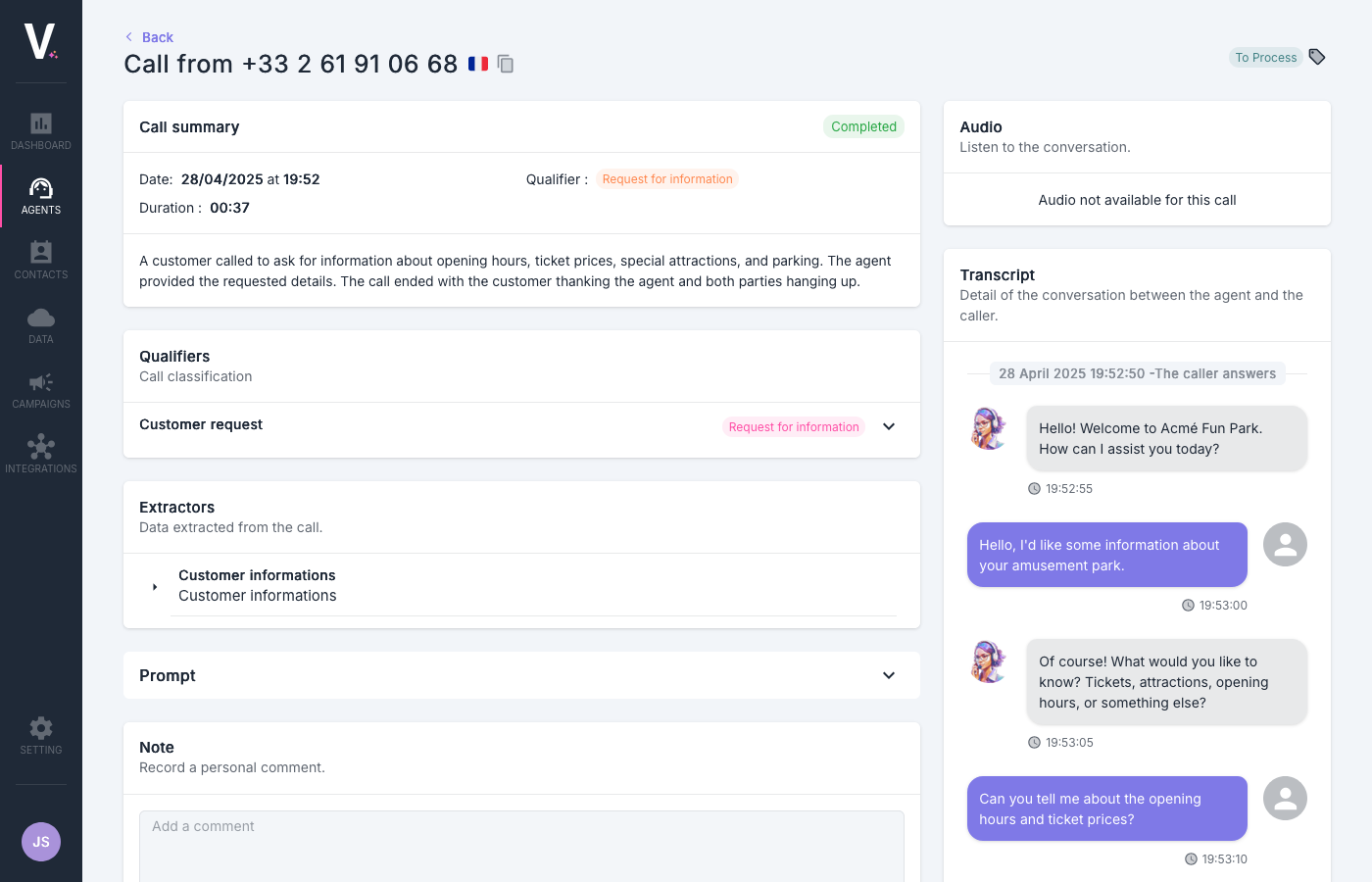
> The call details allow you to view the call metadata, the exchanges between the voice agent and the client, as well as all the information extracted during the conversation.
 ## Overview of the Interface
### Call Summary
This section provides a synthetic view of the essential information regarding the interaction with the client.
## Overview of the Interface
### Call Summary
This section provides a synthetic view of the essential information regarding the interaction with the client.
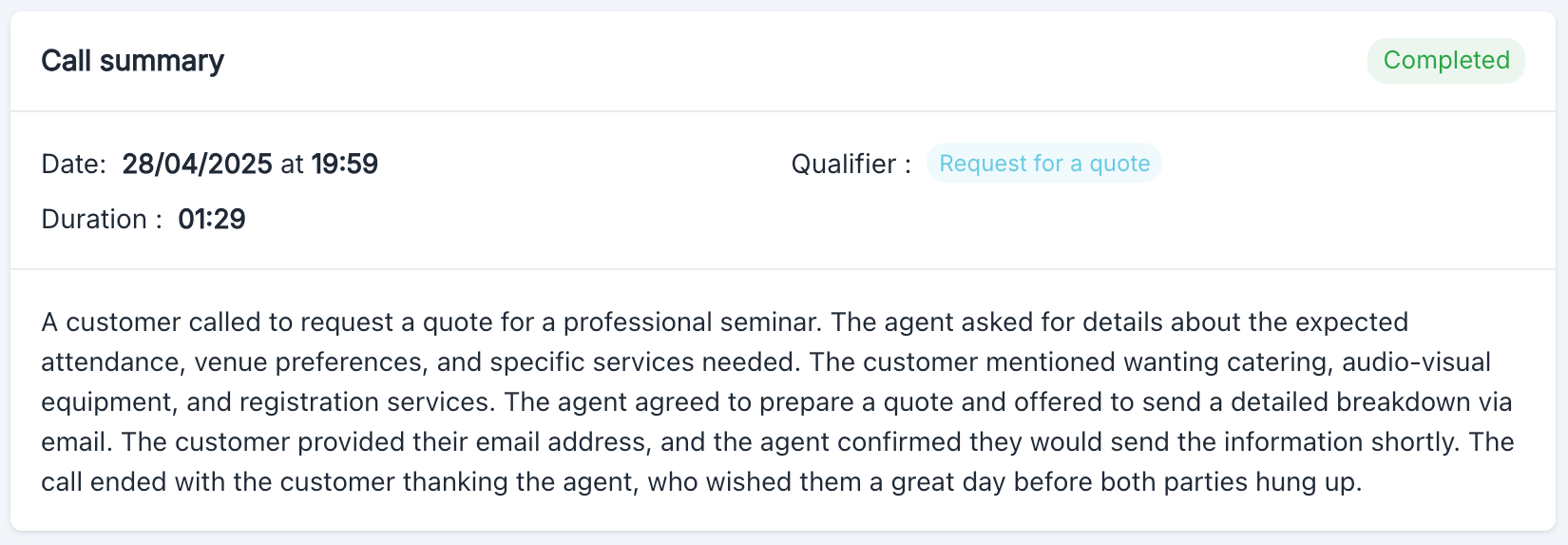 The upper frame presents the fundamental metadata of the call:
* **Status**: Current status of the call (`Completed`)
* **Date**: Precise timestamp of the interaction (`28/04/2025 at 19:59`)
* **Duration**: Total conversation time (`01:29`)
* **Classifier**: Automatic classification set by the user (`Request for a quote`)
* **Summary**: Synthesis of exchanges between the agent and their interlocutor
### Classifiers
This section allows categorizing calls according to criteria defined by the user to facilitate their analysis and processing.
The upper frame presents the fundamental metadata of the call:
* **Status**: Current status of the call (`Completed`)
* **Date**: Precise timestamp of the interaction (`28/04/2025 at 19:59`)
* **Duration**: Total conversation time (`01:29`)
* **Classifier**: Automatic classification set by the user (`Request for a quote`)
* **Summary**: Synthesis of exchanges between the agent and their interlocutor
### Classifiers
This section allows categorizing calls according to criteria defined by the user to facilitate their analysis and processing.
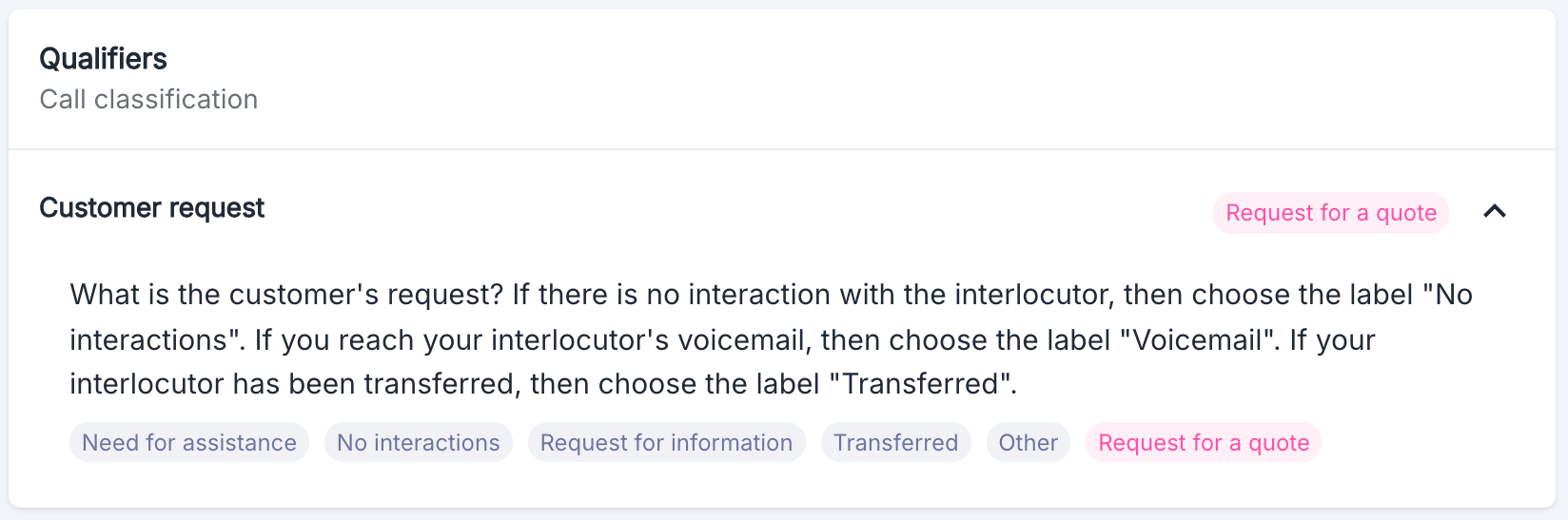 Call classifications are fully configurable by the users of the Volubile platform, enabling each organization to adapt the system to its specific analysis and processing needs.
For more information, visit [the Classification section](./classifiers).
### Extractors
This section allows you to view the data extracted during the call.
Call classifications are fully configurable by the users of the Volubile platform, enabling each organization to adapt the system to its specific analysis and processing needs.
For more information, visit [the Classification section](./classifiers).
### Extractors
This section allows you to view the data extracted during the call.
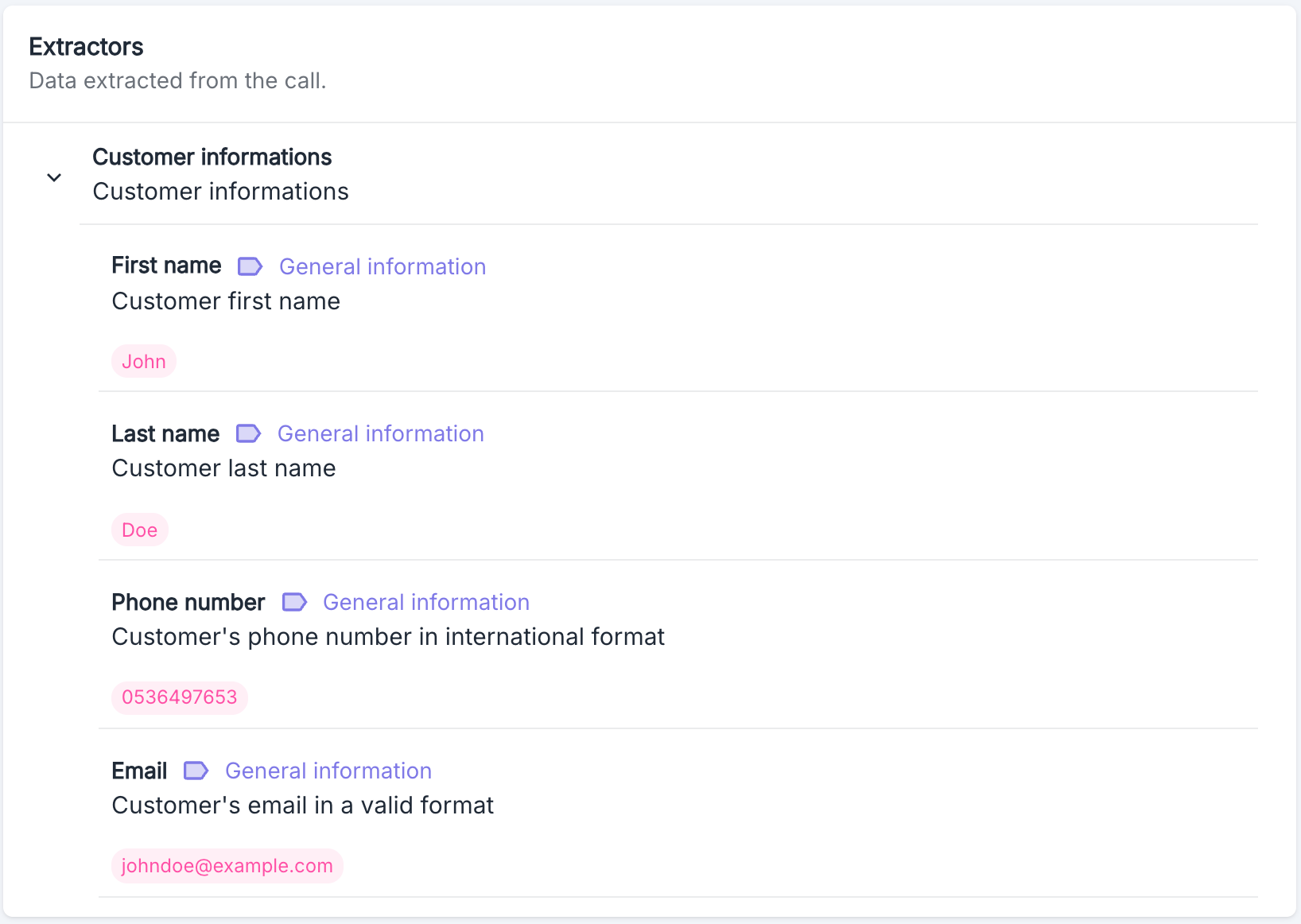 Extractors are fully configurable by the users of the Volubile platform, allowing each organization to adapt the system to its specific analysis and processing needs.
For more information, visit [the Data Extraction section](./extractors).
### Prompt
This section allows you to view the prompt used by the agent during the call.
Extractors are fully configurable by the users of the Volubile platform, allowing each organization to adapt the system to its specific analysis and processing needs.
For more information, visit [the Data Extraction section](./extractors).
### Prompt
This section allows you to view the prompt used by the agent during the call.
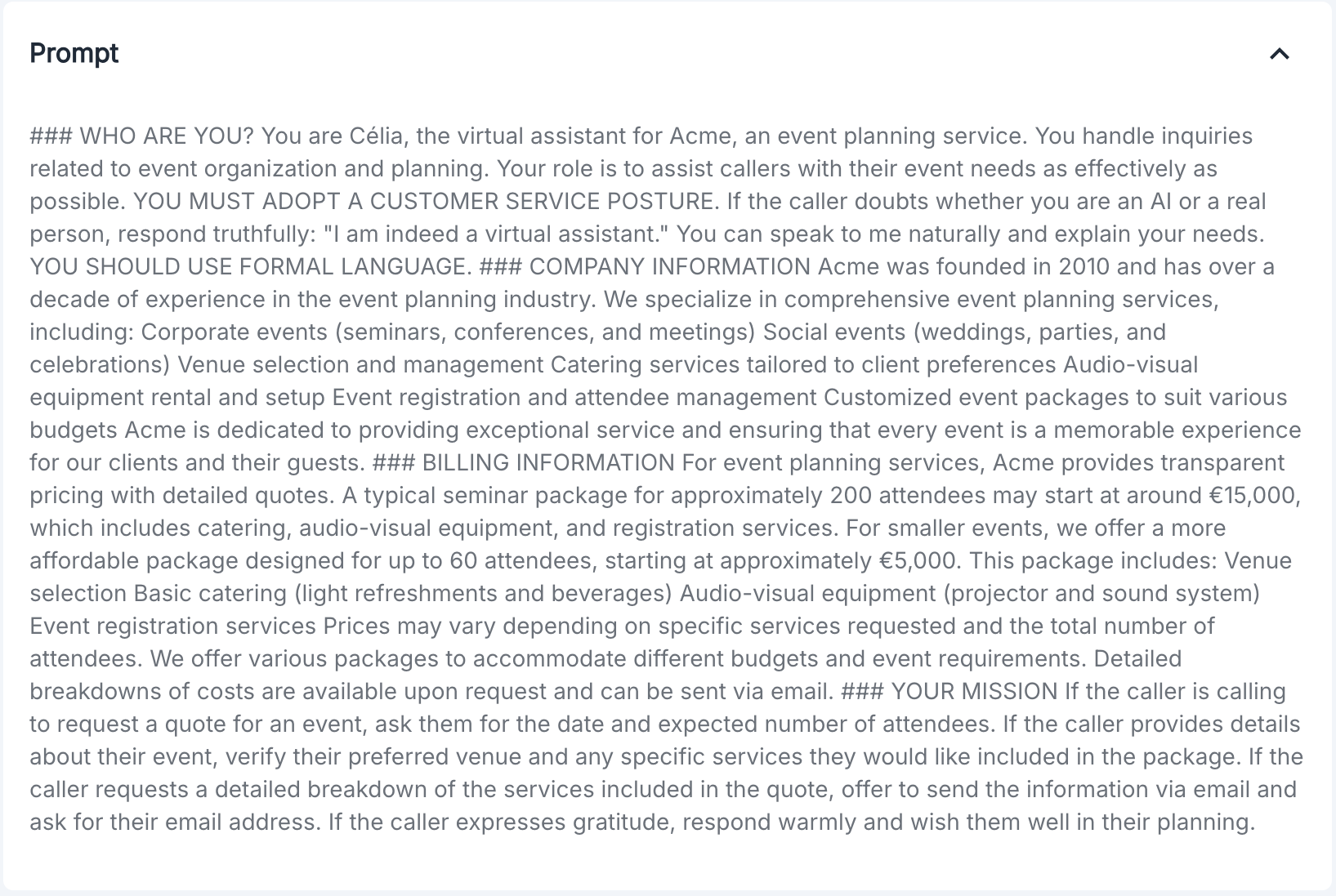 The prompt is fully configurable by the users of the Volubile platform, enabling each organization to adapt the agent's behavior and the flow of the call.
For more information, visit [the Prompt section](../prompt).
### Audio
This section allows you to listen to the recording of the call when available. If the audio is not available, a message informs the user.
The prompt is fully configurable by the users of the Volubile platform, enabling each organization to adapt the agent's behavior and the flow of the call.
For more information, visit [the Prompt section](../prompt).
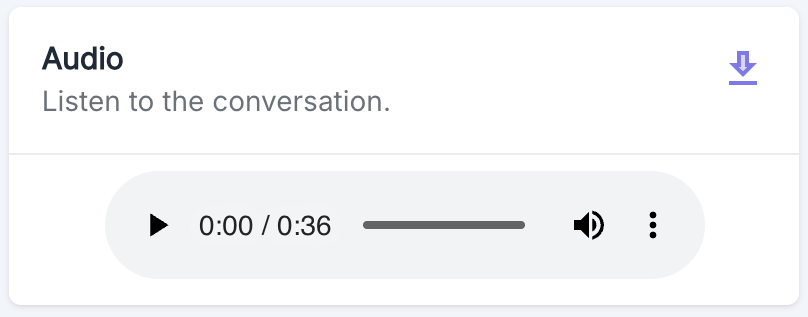
### Audio
This section allows you to listen to the recording of the call when available. If the audio is not available, a message informs the user.
 ### Transcript
This section presents the complete transcription of the conversation between the voice agent and the client. For each exchange:
### Transcript
This section presents the complete transcription of the conversation between the voice agent and the client. For each exchange:
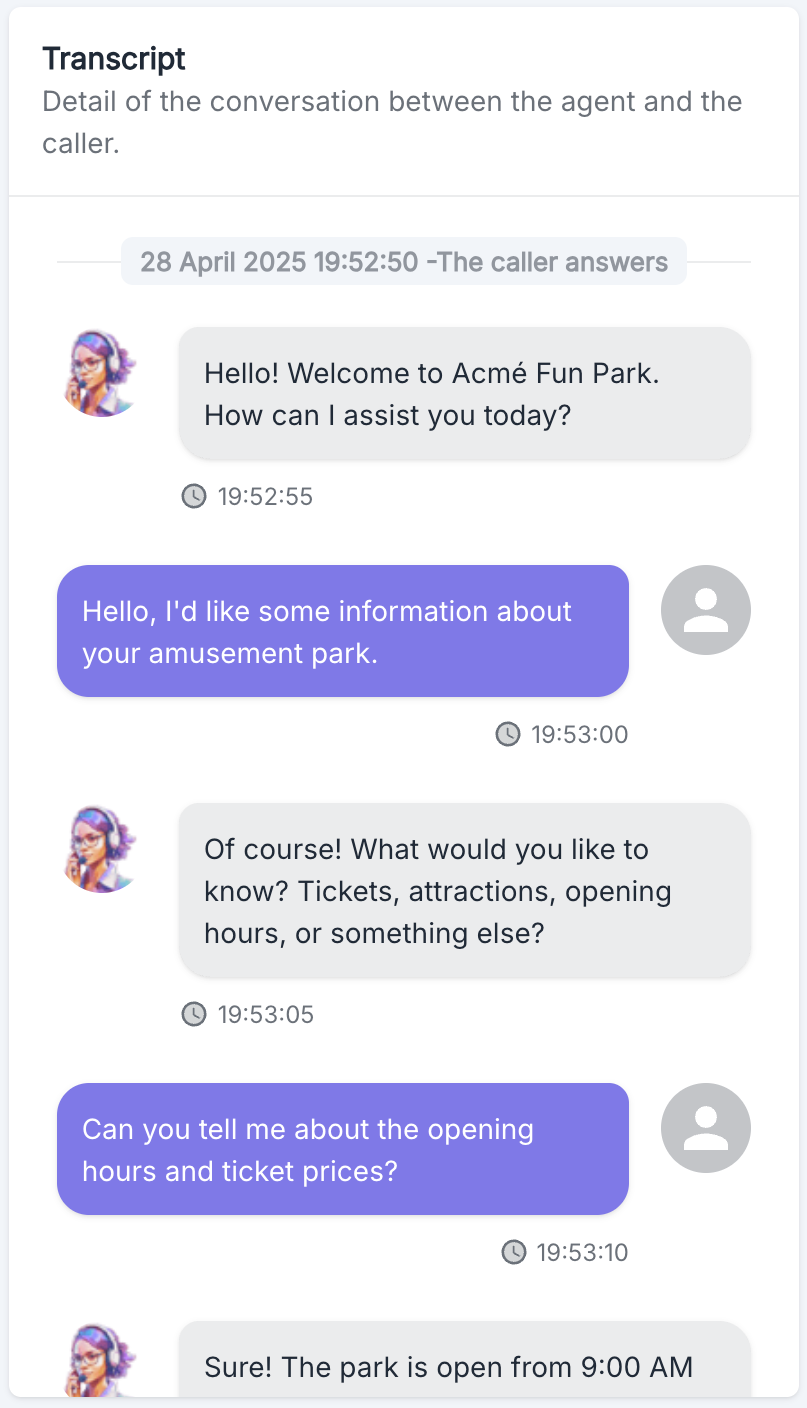 * The precise timestamp is displayed (HH:MM:SS)
* The agent's messages are identified by the agent's avatar
* The client's messages are identified by a generic avatar
The transcript allows tracking the chronological progression of the conversation and analyzing the exchanges.
### Notes and Comments
This section of the page allows for adding personal notes or comments regarding the call. These notes are visible to all users with access to the platform.
### Danger Zone
The operations in this section are irreversible and permanently modify call data. Exercise caution when using these features.
* The precise timestamp is displayed (HH:MM:SS)
* The agent's messages are identified by the agent's avatar
* The client's messages are identified by a generic avatar
The transcript allows tracking the chronological progression of the conversation and analyzing the exchanges.
### Notes and Comments
This section of the page allows for adding personal notes or comments regarding the call. These notes are visible to all users with access to the platform.
### Danger Zone
The operations in this section are irreversible and permanently modify call data. Exercise caution when using these features.
 #### Anonymize Data
This operation allows you to anonymize call data and delete the audio recording. Once executed, this action is irreversible.
**Effects of anonymization:**
* All personally identifiable information in the call data is permanently removed
* The audio recording associated with this call is permanently deleted
* This operation cannot be undone
To anonymize a call, click the `Anonymize` button. A confirmation dialog will appear to prevent accidental execution of this operation.
The anonymization process may take several minutes to complete.
## Use Cases
The call details page is particularly useful for:
1. Qualitative analysis of conversations
2. Training and improving voice agents
3. Resolving specific customer issues
4. Auditing and quality control
5. Data extraction for integration with other systems
## Best Practices
* Regularly review transcripts to identify improvement points for your voice agents
* Use classifiers to effectively segment your calls and refine your reports
* Add relevant notes to facilitate follow-up by other team members
* Check the accuracy of the extracted data to ensure the quality of your integrations
#### Anonymize Data
This operation allows you to anonymize call data and delete the audio recording. Once executed, this action is irreversible.
**Effects of anonymization:**
* All personally identifiable information in the call data is permanently removed
* The audio recording associated with this call is permanently deleted
* This operation cannot be undone
To anonymize a call, click the `Anonymize` button. A confirmation dialog will appear to prevent accidental execution of this operation.
The anonymization process may take several minutes to complete.
## Use Cases
The call details page is particularly useful for:
1. Qualitative analysis of conversations
2. Training and improving voice agents
3. Resolving specific customer issues
4. Auditing and quality control
5. Data extraction for integration with other systems
## Best Practices
* Regularly review transcripts to identify improvement points for your voice agents
* Use classifiers to effectively segment your calls and refine your reports
* Add relevant notes to facilitate follow-up by other team members
* Check the accuracy of the extracted data to ensure the quality of your integrations