> ## Documentation Index
> Fetch the complete documentation index at: https://docs.volubile.ai/llms.txt
> Use this file to discover all available pages before exploring further.
# Call Dashboard
> The call dashboard provides you with a complete and detailed view of all calls handled by your Volubile voice agents.
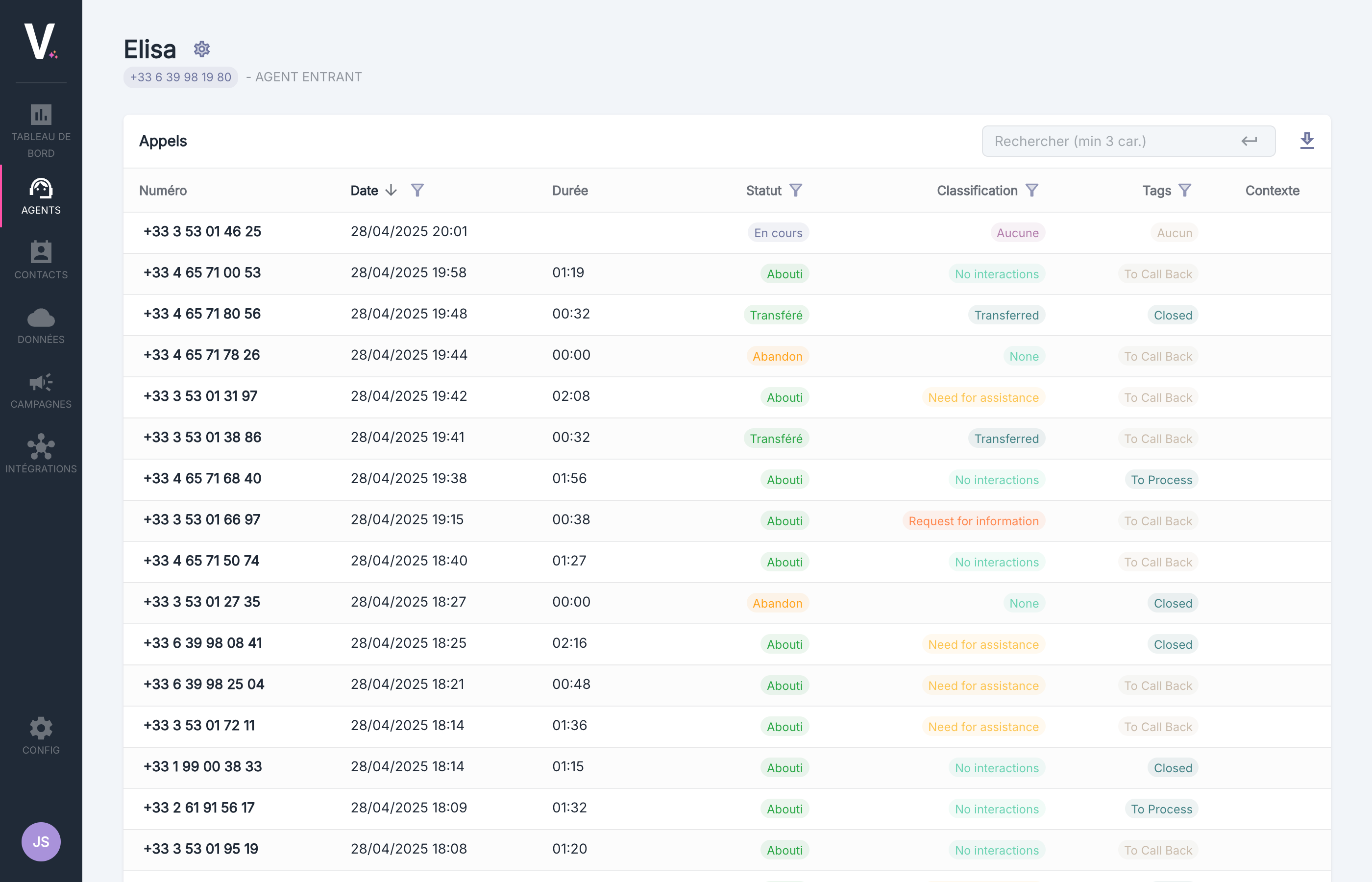 ## Overview of the Interface
| Column | Description |
| --------- | --------------------------------------- |
| Number | Phone number of the caller or recipient |
| Date | Date and time of the call |
| Duration | Total duration of the call |
| Status | Current status of the call |
| Qualifier | Classification of the call |
| Tags | Labels associated with the call |
| Context | Context of the call |
### Call Statuses
A status is associated with each call based on the progression of the call.
For more information on call statuses
### Call Classification
The Volubile system automatically classifies each call based on classifiers configured by the user.
For more information on classifiers
### Tags
Users have the option to configure tags that they can manually associate with calls to facilitate tracking.
For more information on tags
### Call Context
It is possible to inject context into the call. If it exists, it can be viewed in this column.
For more information on call contexts
## Search and Filtering Features
Use the search bar in the top right corner to quickly find specific calls.
## Overview of the Interface
| Column | Description |
| --------- | --------------------------------------- |
| Number | Phone number of the caller or recipient |
| Date | Date and time of the call |
| Duration | Total duration of the call |
| Status | Current status of the call |
| Qualifier | Classification of the call |
| Tags | Labels associated with the call |
| Context | Context of the call |
### Call Statuses
A status is associated with each call based on the progression of the call.
For more information on call statuses
### Call Classification
The Volubile system automatically classifies each call based on classifiers configured by the user.
For more information on classifiers
### Tags
Users have the option to configure tags that they can manually associate with calls to facilitate tracking.
For more information on tags
### Call Context
It is possible to inject context into the call. If it exists, it can be viewed in this column.
For more information on call contexts
## Search and Filtering Features
Use the search bar in the top right corner to quickly find specific calls.
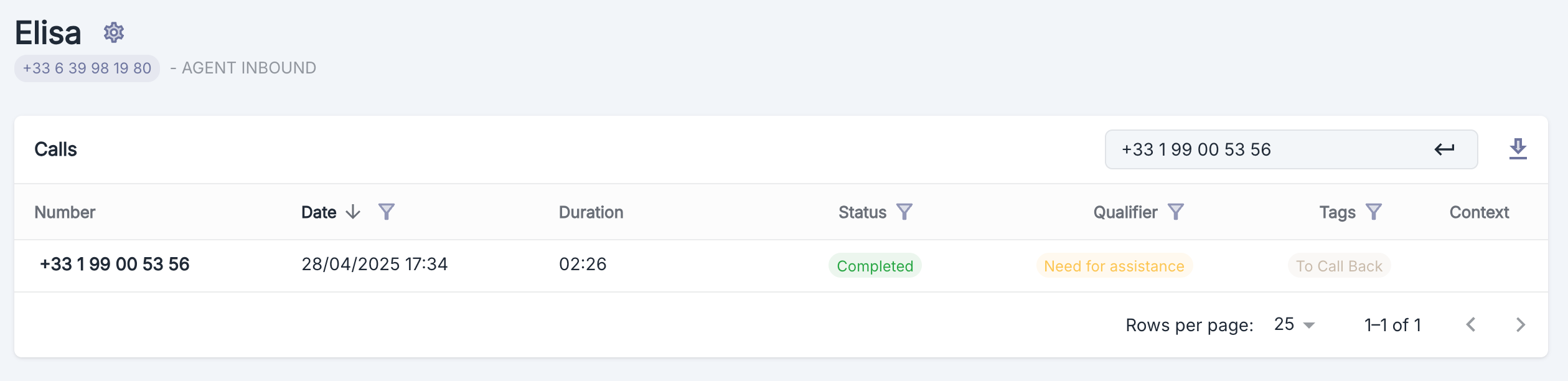 You can search for calls by **phone number** or by **identifier**. The identifier can be found on the call page.
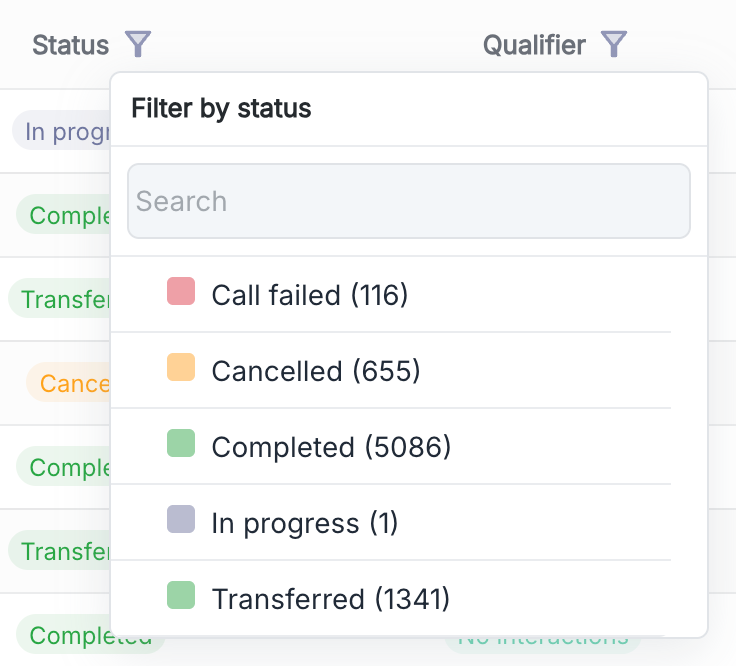
Click on the filter icons next to the column headers to apply specific filters:
* **Date**: Filter by period
* **Status**: Filter by statuses
* **Qualifier**: Filter by classifications
* **Tags**: Filter by tags
You can search for calls by **phone number** or by **identifier**. The identifier can be found on the call page.
Click on the filter icons next to the column headers to apply specific filters:
* **Date**: Filter by period
* **Status**: Filter by statuses
* **Qualifier**: Filter by classifications
* **Tags**: Filter by tags
 ## Export Call Data
You have the option to export call data in `.xlsx` format by clicking the download button in the top right corner of the table.
Data export is limited to 30,000 rows. Use filters to narrow down your request.
## Billing
## Export Call Data
You have the option to export call data in `.xlsx` format by clicking the download button in the top right corner of the table.
Data export is limited to 30,000 rows. Use filters to narrow down your request.
## Billing
 When a gray banner is visible in front of the call, it means that it will not be billed. There are two possible reasons:
* The agent's interlocutor is a user of the same account
* A Volubile administrator manually disabled billing on this call
For more information on call billing
When a gray banner is visible in front of the call, it means that it will not be billed. There are two possible reasons:
* The agent's interlocutor is a user of the same account
* A Volubile administrator manually disabled billing on this call
For more information on call billing