> ## Documentation Index
> Fetch the complete documentation index at: https://docs.volubile.ai/llms.txt
> Use this file to discover all available pages before exploring further.
# Database
> Choose the knowledge sources (RAG) this agent will use to enrich its answers.
From an agent's **Database** tab, select the knowledge sources this agent can draw on to build its answers, through Retrieval Augmented Generation (RAG).
 ## Selecting sources
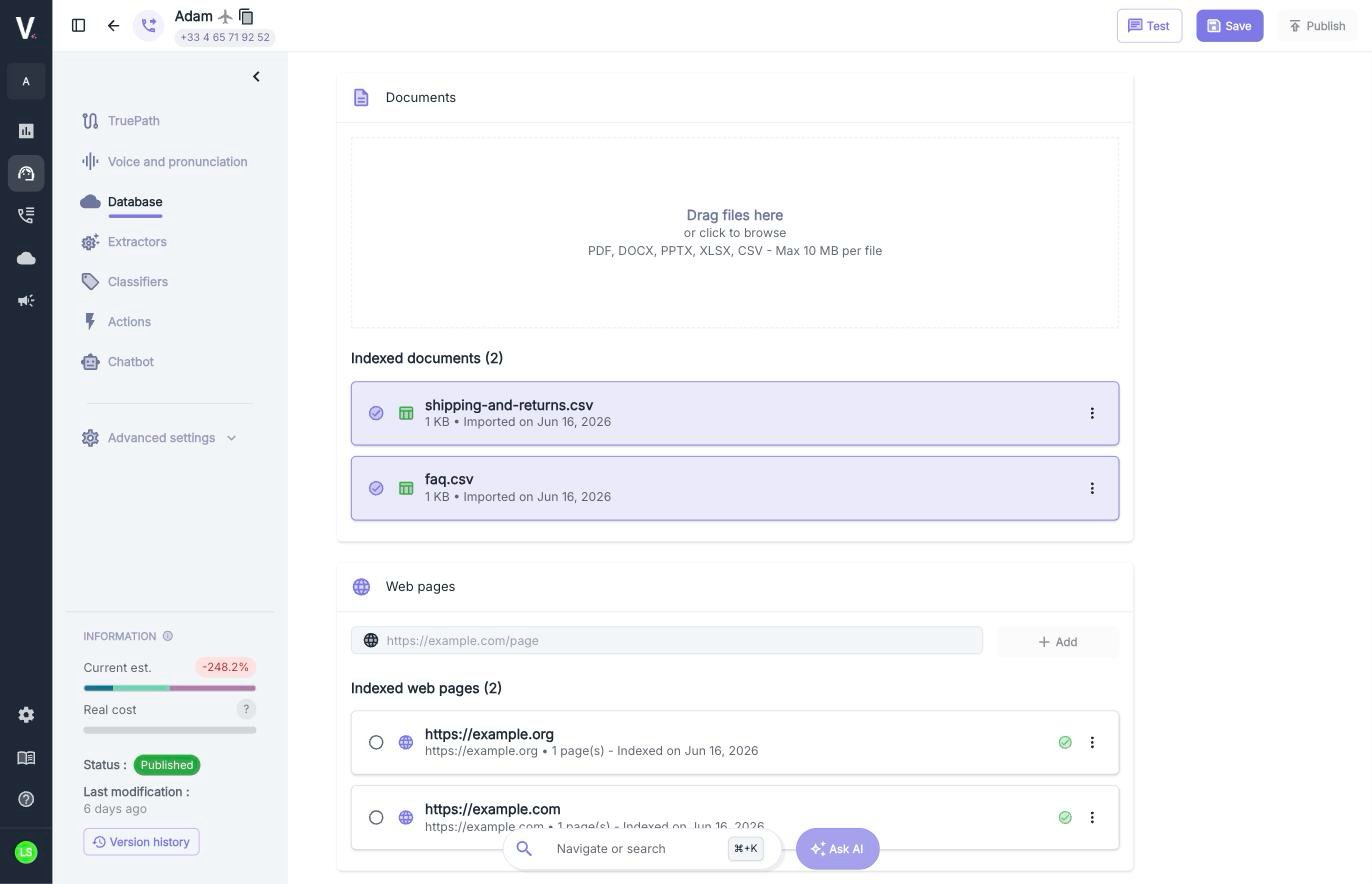
The page mirrors your entire knowledge base — **Documents** and **Web pages** — with a checkbox in front of each source.
| Element | Description |
| ---------------------- | --------------------------------------------------------- |
| **Tick a source** | The source becomes available to this agent. |
| **Multiple selection** | You can enable as many documents and web pages as needed. |
| **No box ticked** | No source is attached to the agent: it will not use RAG. |
The selection is **specific to each agent**. It does not change the base content or other agents. Remember to save
the agent configuration to apply your changes.
Retrieval Augmented Generation (RAG) is a technique that allows your agent to access specific information stored in an external knowledge base to enrich its responses with accurate and contextual data.
Importing documents, adding web pages and editing fragments are managed from the
[Database](/en/product/rag) page, shared across the customer.
## Selecting sources
The page mirrors your entire knowledge base — **Documents** and **Web pages** — with a checkbox in front of each source.
| Element | Description |
| ---------------------- | --------------------------------------------------------- |
| **Tick a source** | The source becomes available to this agent. |
| **Multiple selection** | You can enable as many documents and web pages as needed. |
| **No box ticked** | No source is attached to the agent: it will not use RAG. |
The selection is **specific to each agent**. It does not change the base content or other agents. Remember to save
the agent configuration to apply your changes.
Retrieval Augmented Generation (RAG) is a technique that allows your agent to access specific information stored in an external knowledge base to enrich its responses with accurate and contextual data.
Importing documents, adding web pages and editing fragments are managed from the
[Database](/en/product/rag) page, shared across the customer.