> ## Documentation Index
> Fetch the complete documentation index at: https://docs.volubile.ai/llms.txt
> Use this file to discover all available pages before exploring further.
# Failover
> Failover ensures service continuity for your inbound agents in case of pre-call errors.
This feature is not enabled by default. Please contact support to activate it on your account.
Failover is an advanced feature available **only for inbound agents**.
Failover allows you to define custom behavior in case of pre-call errors, instead of using the system's automatic degraded mode. This feature is particularly useful when your external infrastructure is unavailable or when a critical error would compromise the user experience.
## Use cases
**External infrastructure unavailable**
Your system no longer responds to pre-call webhooks (server maintenance, network issue). Failover allows you to transfer the call to a human or play an appropriate message.
**Critical dependency on external data**
Your agent absolutely requires certain pre-call data to function (eligibility check, contract retrieval). Without this data, you prefer to handle the call differently.
**Total control of the experience**
You want to manage all error cases yourself without using the automatic degraded mode.
## Automatic triggering
Failover is automatically activated when:
* Your pre-call workflow times out, encounters an error, returns invalid data, or explicitly triggers failover
* The dynamic configuration cannot be applied (missing voice, unavailable knowledge base, language conflicts, ...)
* The system cannot render the agent's prompt
 ## Available actions
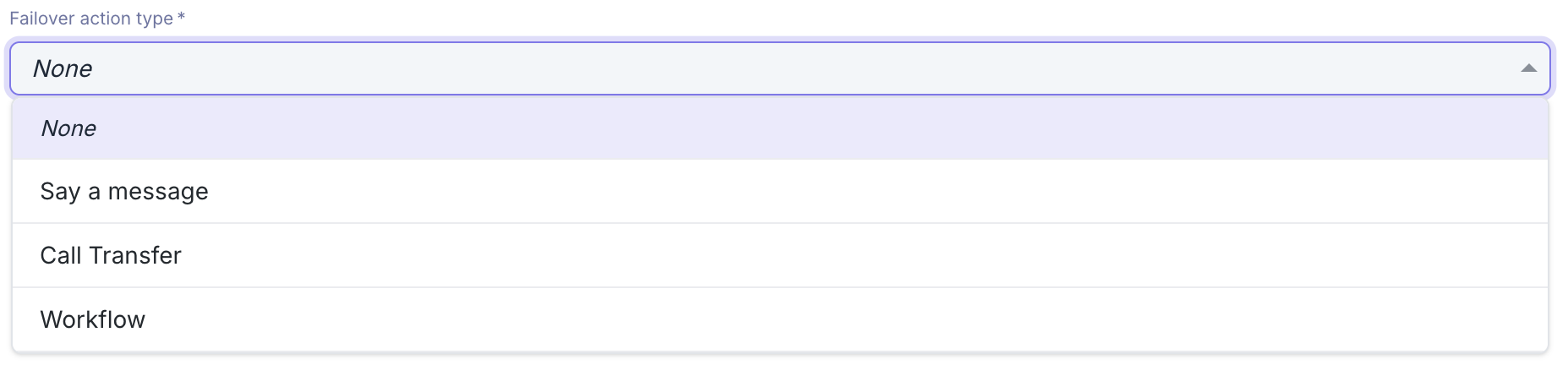
You can configure three types of failover actions:
### Workflow
Allows you to build a custom and dynamic error management strategy. The workflow receives the pre-call context and can:
* Perform actions (API calls, data processing, etc.) without returning a failover action
* Perform actions then dynamically return a failover action (transfer or message)
See how to configure the failover workflow
If the workflow does not return any failover action, the call will be hung up at the end of the webhook execution. To wait for an asynchronous action to complete (for example, a call transfer via external API), use a "Delay" step in your workflow to keep the call active during processing.
### Say a message
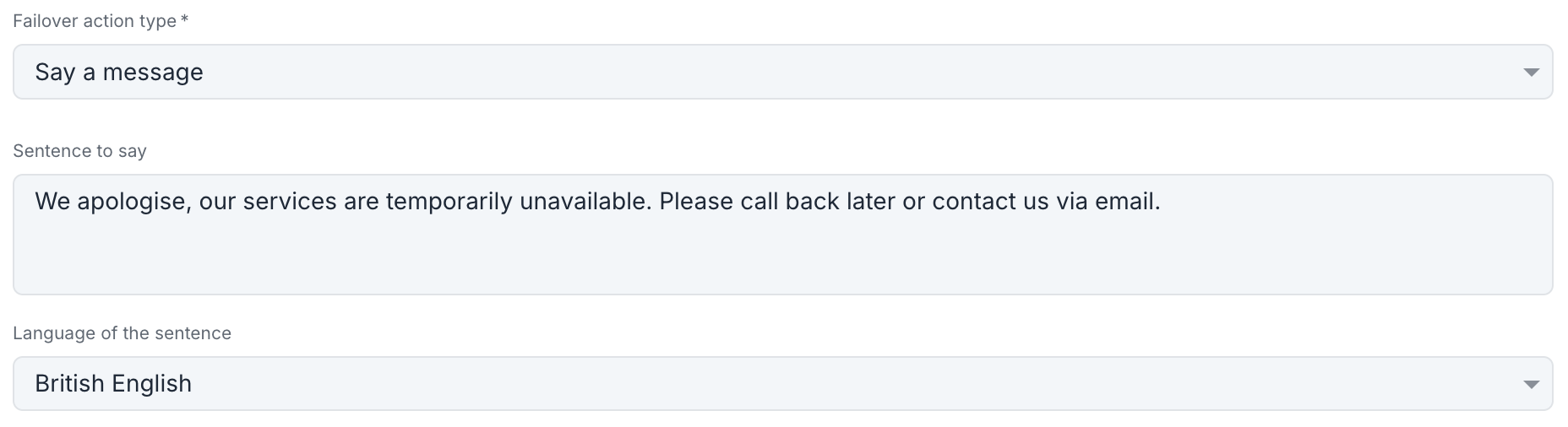
Configures a fixed voice message that will be played to the caller in case of error, then ends the call.
**Configuration:**
* **Sentence to say**: The text that will be spoken to the caller
* **Language**: The language of the message
## Available actions
You can configure three types of failover actions:
### Workflow
Allows you to build a custom and dynamic error management strategy. The workflow receives the pre-call context and can:
* Perform actions (API calls, data processing, etc.) without returning a failover action
* Perform actions then dynamically return a failover action (transfer or message)
See how to configure the failover workflow
If the workflow does not return any failover action, the call will be hung up at the end of the webhook execution. To wait for an asynchronous action to complete (for example, a call transfer via external API), use a "Delay" step in your workflow to keep the call active during processing.
### Say a message
Configures a fixed voice message that will be played to the caller in case of error, then ends the call.
**Configuration:**
* **Sentence to say**: The text that will be spoken to the caller
* **Language**: The language of the message
 **Example usage:**
> "Our services are temporarily unavailable. Please call back later."
### Transfer call
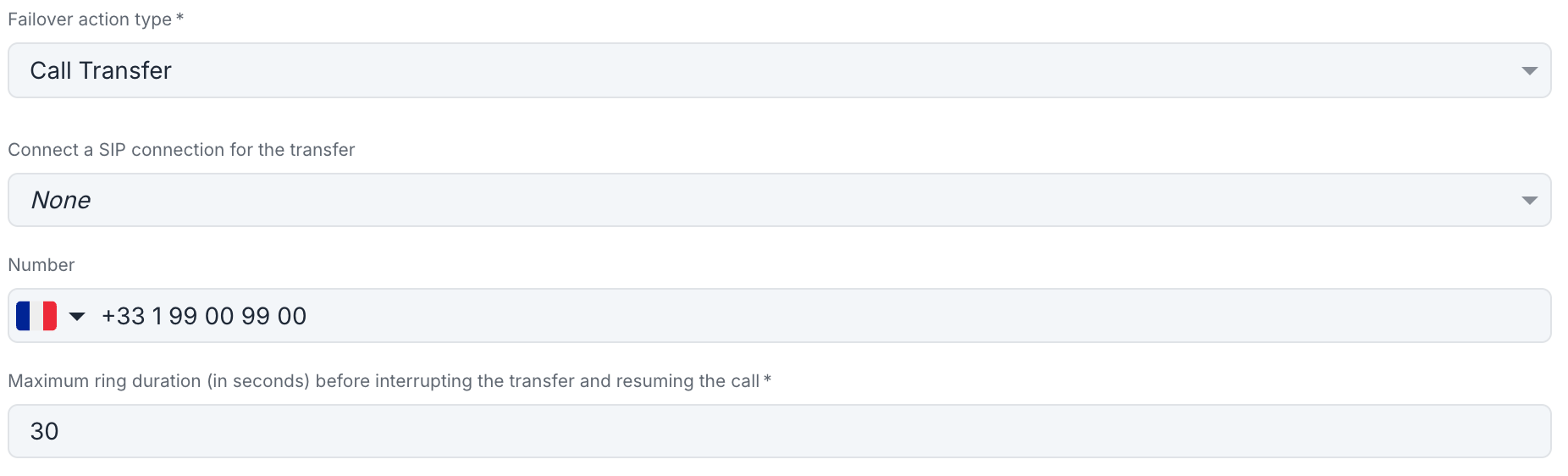
Configures a fixed transfer to a phone number in case of error.
**Configuration:**
* **Maximum ring duration**: Maximum time (in seconds) before interrupting the transfer and resuming the call with the agent
* **SIP connection** (optional): Outbound SIP connection to use for the transfer
* If a SIP connection is selected, you can also configure:
* **Custom headers**: Custom SIP headers to include in the transfer call
* **User-To-User header**: Standard User-To-User SIP header to customize
* **Destination ID**: SIP destination identifier for routing
* Otherwise:
* **Number**: Destination phone number in international format
**Example usage:**
> "Our services are temporarily unavailable. Please call back later."
### Transfer call
Configures a fixed transfer to a phone number in case of error.
**Configuration:**
* **Maximum ring duration**: Maximum time (in seconds) before interrupting the transfer and resuming the call with the agent
* **SIP connection** (optional): Outbound SIP connection to use for the transfer
* If a SIP connection is selected, you can also configure:
* **Custom headers**: Custom SIP headers to include in the transfer call
* **User-To-User header**: Standard User-To-User SIP header to customize
* **Destination ID**: SIP destination identifier for routing
* Otherwise:
* **Number**: Destination phone number in international format
 **Example usage:**
Systematically transfer to the phone switchboard in case of technical error.
For changes to take effect, you must save after changing the failover action type.
## Choosing the action type
**Recommended for:**
* Conditional strategies based on error type
* Integrations with external systems
* Complex business logic
**Recommended for:**
* Simply informing the caller
* Planned maintenance cases
* Redirection to other channels
**Recommended for:**
* Systematically switching to humans
* Guaranteeing an immediate response
* Maximum simplicity
With failover enabled, any pre-call error triggers the configured failover action. Thoroughly test your configuration before deploying it to production.
If your failover action itself fails (for example, the transfer number is unreachable), the system will use the default configurable error message to ensure the call is handled.
**Example usage:**
Systematically transfer to the phone switchboard in case of technical error.
For changes to take effect, you must save after changing the failover action type.
## Choosing the action type
**Recommended for:**
* Conditional strategies based on error type
* Integrations with external systems
* Complex business logic
**Recommended for:**
* Simply informing the caller
* Planned maintenance cases
* Redirection to other channels
**Recommended for:**
* Systematically switching to humans
* Guaranteeing an immediate response
* Maximum simplicity
With failover enabled, any pre-call error triggers the configured failover action. Thoroughly test your configuration before deploying it to production.
If your failover action itself fails (for example, the transfer number is unreachable), the system will use the default configurable error message to ensure the call is handled.